Overview
Use the ACU.OBJECTDEFINITION function to check for definitions of Acumatica DAC objects.
It returns the IDs, data types, and optionality of the specified object and its description, as well as related objects and their navigation properties.
It can be helpful when constructing queries with the ACU.QUERY function.
Syntax
=ACU.OBJECTDEFINITION(
    ConnectionName,
    Object,
)
Arguments
|
Argument |
Required/Optional |
Description |
|
|
Optional |
Provide one of the following values:
OR Omit the argument to return results for all compatible connections with default aggregation settings. |
|
|
Required |
DAC object name. Use the ACU.EXPANDOBJECTRANGE function to retrieve the list of DAC objects. |
Related objects
Related object names (if available) and their navigation properties are listed at the bottom of the list returned by the function.
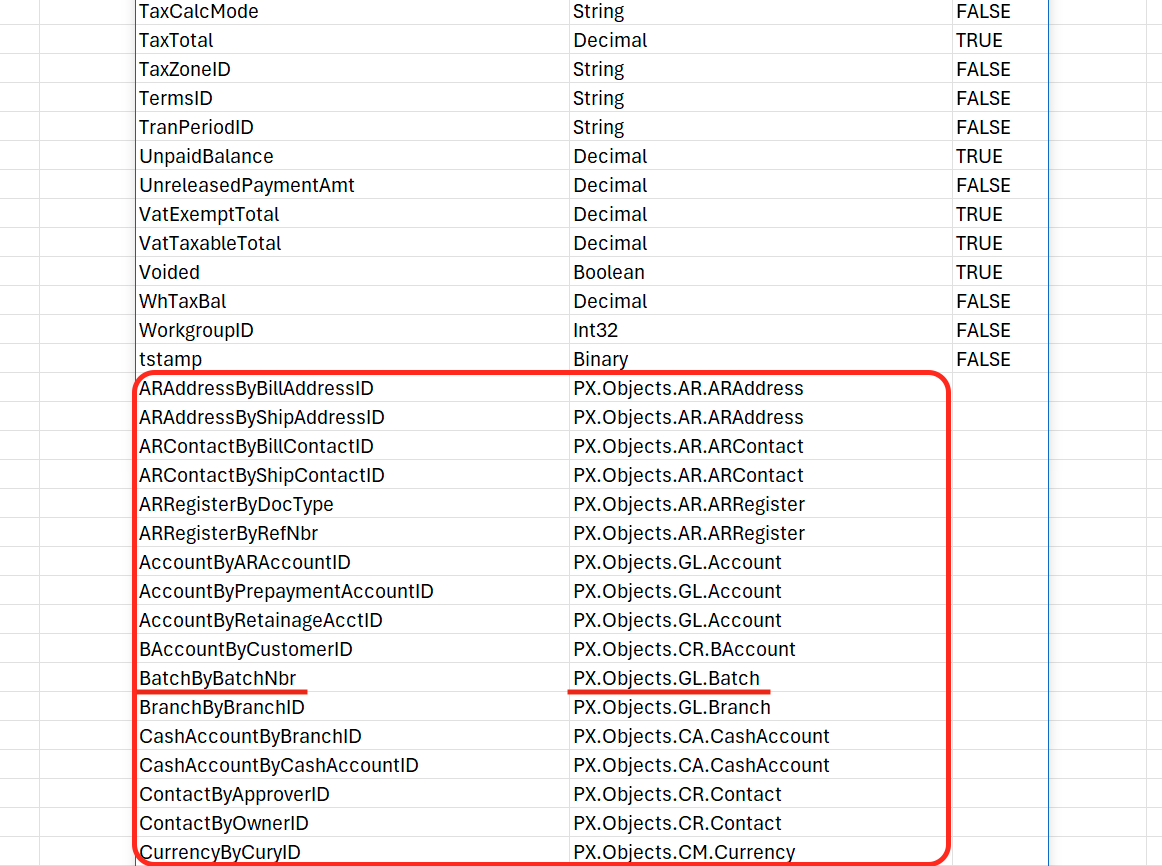
To retrieve a list of fields available for a related object, use the ACU.OBJECTDEFINITION function and include the related object’s navigation property in the Object argument.
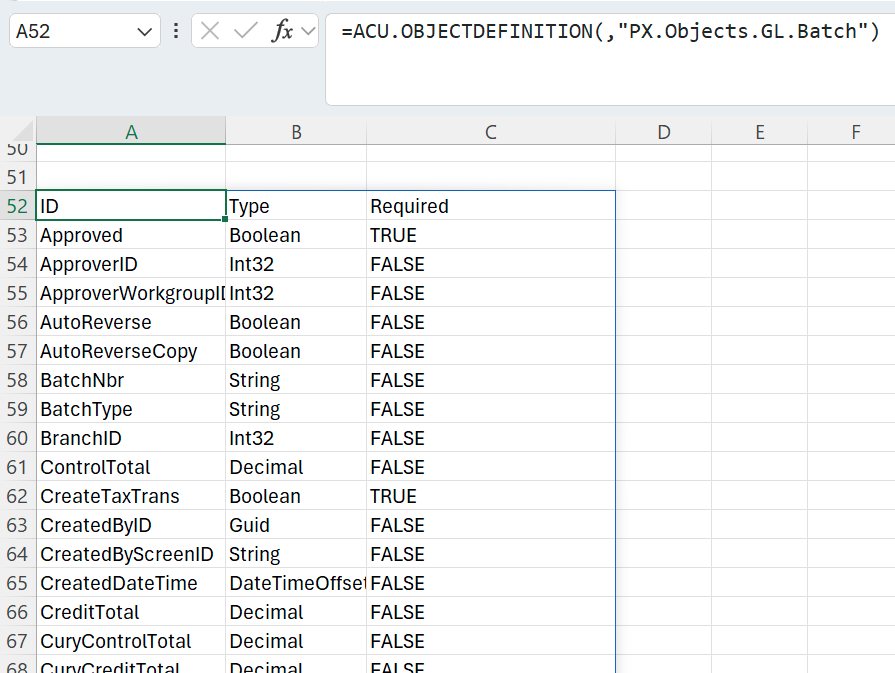
For example, to retrieve available fields for the related object BatchByBatchNbr, visible in the image above, use its navigation property PX.Objects.GL.Batch as follows:
=ACU.OBJECTDEFINITION(,"PX.Objects.GL.Batch")
Example
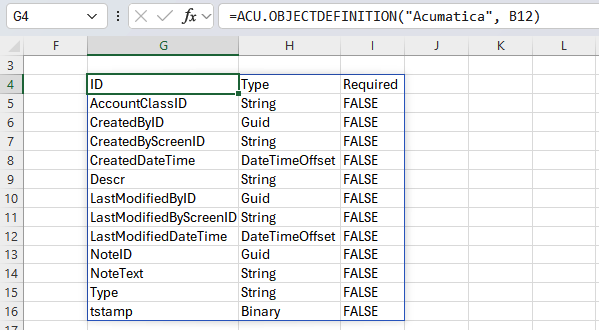
=ACU.OBJECTDEFINITION(
    "Acumatica",
    B12
)
Description: Returns the set of IDs, data types, and optionality for the object AccountClass listed in cell B12.
Result: