
Overview
If your ERP server sits behind a firewall, accepts connections only from approved IP addresses, or is reachable only from your internal network, you must allow the Velixo NX proxy addresses to reach it. Otherwise Velixo NX cannot connect, even when the ERP opens normally in your browser.
This article covers:
-
How Velixo NX connects to your ERP
-
The Velixo NX proxy addresses to allow-list
-
How to check whether your ERP server is reachable
-
How Velixo Classic connects
If Velixo NX shows the message That doesn't look like a valid Acumatica website when you connect, see Error: That doesn't look like a valid Acumatica website.
How Velixo NX connects to your ERP
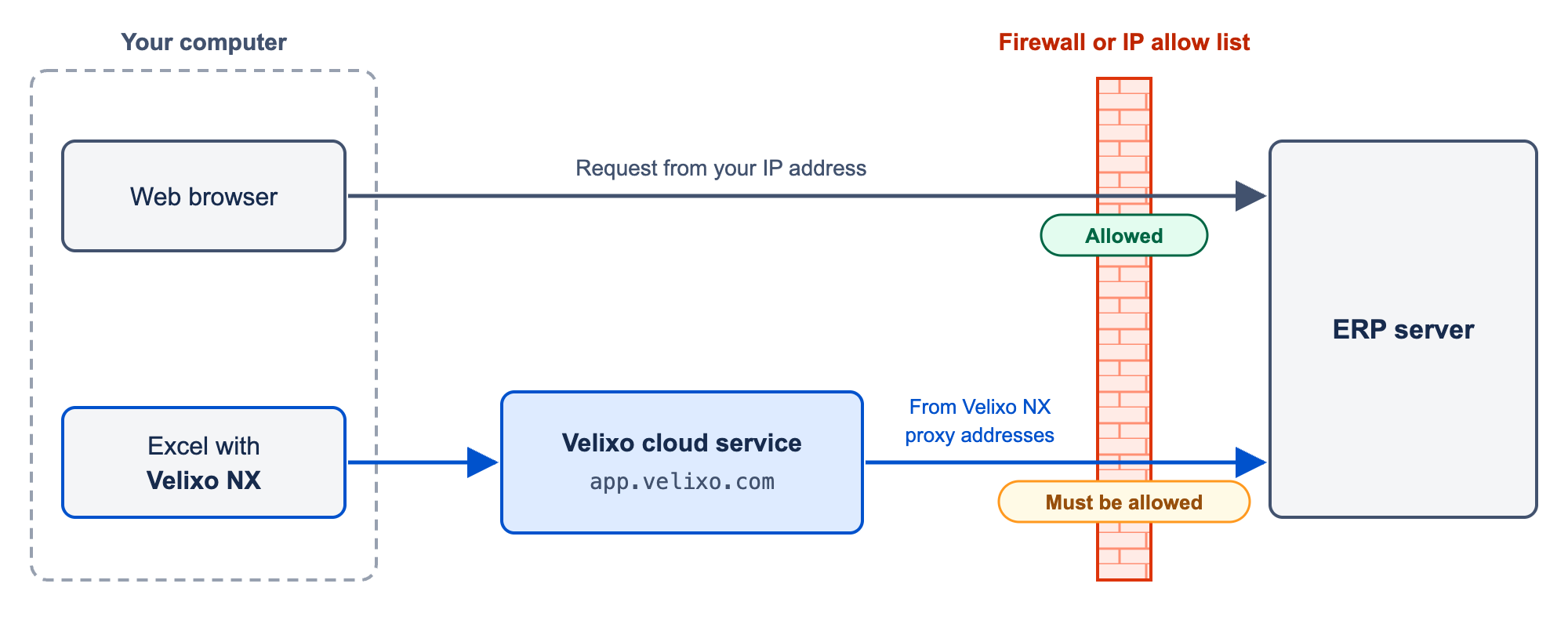
Velixo NX runs inside Excel, and Excel add-ins cannot send requests directly to your ERP. Instead, Velixo NX sends each request to the Velixo cloud service, which forwards it to your ERP server. Your ERP server therefore receives requests from the Velixo NX proxy addresses, not from your computer.
This has two consequences:
-
Your ERP server must be reachable over the public internet. Velixo NX cannot connect to a server that is available only over a VPN.
-
If your ERP server restricts access by IP address, you must allow-list the Velixo NX proxy addresses, in addition to your users' own addresses.
The Velixo cloud service does not store or cache your ERP data. It passes requests through and handles authentication.
Velixo NX proxy addresses
Add every address in this list to the allow list of your ERP server:
-
13.239.34.44 -
15.157.55.169
Check whether your Acumatica server is reachable
Before you contact your IT team, you can check whether your Acumatica server is reachable from outside your network:
-
Use a device that is outside your corporate network and not connected to your VPN, for example, a phone on mobile data.
-
In a browser on that device, open
https://<erp-host>/<instance>/entity, where<erp-host>and<instance>come from the URL of your Velixo connection. For example, for the connection URLhttps://erp.example.com/26r1/, openhttps://erp.example.com/26r1/entity. -
If the page times out, does not load, or shows an error such as
502, your server is not reachable from outside your network. Ask your IT team to add the Velixo NX proxy addresses to its allow list.