
Symptom
When you set up a predefined connection that signs in to Acumatica with single sign-on, Acumatica shows an unauthorized_client error instead of its sign-in page.
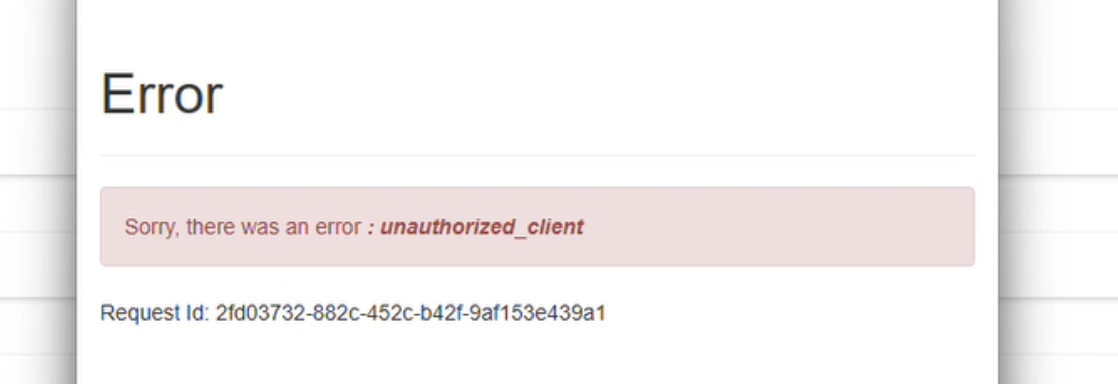
The same connection works when it signs in with a username and password.
Cause
Velixo signs in to Acumatica through the Velixo connected application, which the Velixo customization package adds to your ERP. Single sign-on for predefined connections returns the user to the Velixo Portal at the following callback URL:
https://app.velixo.com/portal/oauth/callback
Customization package versions earlier than 20261008 don't list this URL among the connected application's allowed redirect URIs, so Acumatica rejects the sign-in request.
Resolution
Instructions in this section require admin privileges in Acumatica.
Update the customization package (recommended)
Install customization package version 20261008 or later. This version adds the callback URL to the Velixo connected application, so no manual setup is needed. See Updating the Customization Package.
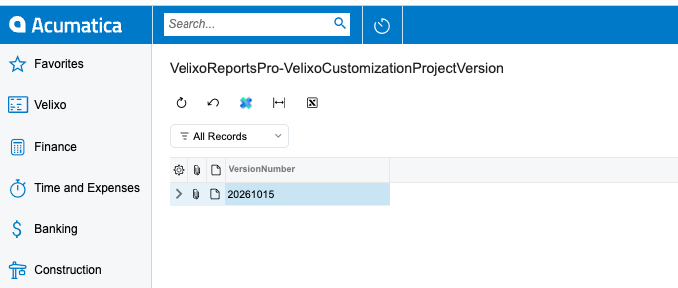
You can check your Velixo Customization Project version in Acumatica, in the VelixoReportsPro-VelixoCustomizationProjectVersion screen (ScreenID VE500095).
Add the callback URL manually
Use this method only if you can't update the customization package.
-
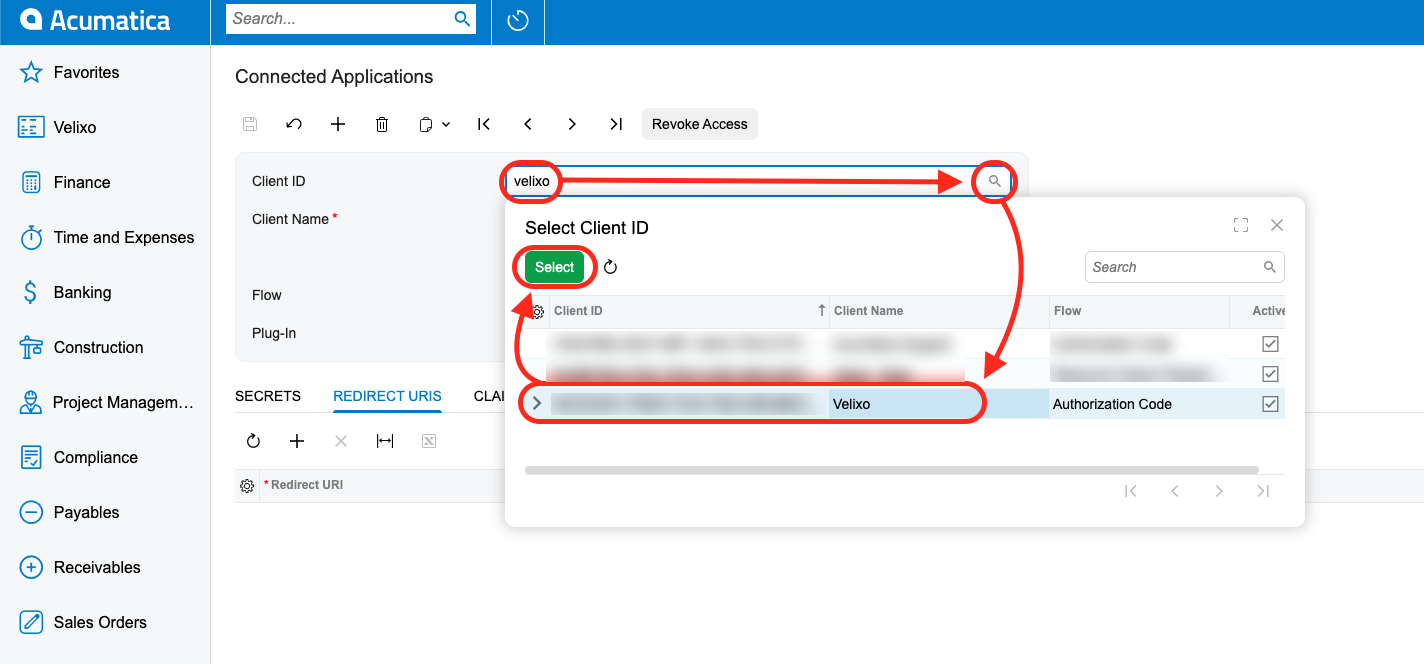
In Acumatica, open the Connected Applications screen (SM303010).
-
Click the lookup icon next to the Client ID box, select the row where Client Name is Velixo, and click Select.
-
Open the Redirect URIs tab, and click + to add a row.
-
In the Redirect URI column, enter
https://app.velixo.com/portal/oauth/callback.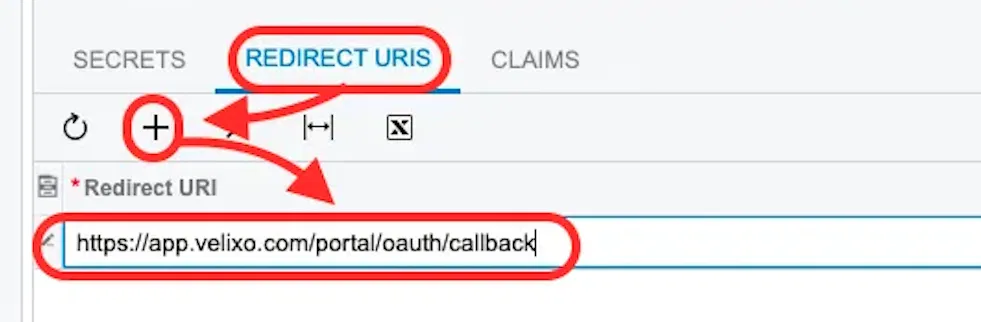
-
Click Save on the toolbar.
-
If you use Velixo with more than one tenant, repeat these steps in each tenant.
Set up the predefined connection again. Acumatica now shows its sign-in page instead of the error.
If you later update to customization package version 20261008 or later, you don't need to remove the redirect URI you added manually.