Overview
The WRITEBACKCOMMIT function is a supplementary function to the various Velixo writeback functions and can be used to separate those functions into groups - ensuring that all such functions preceding the WRITEBACKCOMMIT function are fully completed before any such subsequent functions are evaluated.
This makes it possible, for example, to perform multi-step writebacks (where the output of a first writeback can be used as the input for the next writeback), for instance, in the case of writing back to separate objects in a parent-child relationship.
Related articles
-
Getting started with Writeback - A general article on setting up and using writeback functions.
Syntax
=WRITEBACKCOMMIT()
Arguments
The WRITEBACKCOMMIT() function uses no arguments.
Example - WRITEBACK
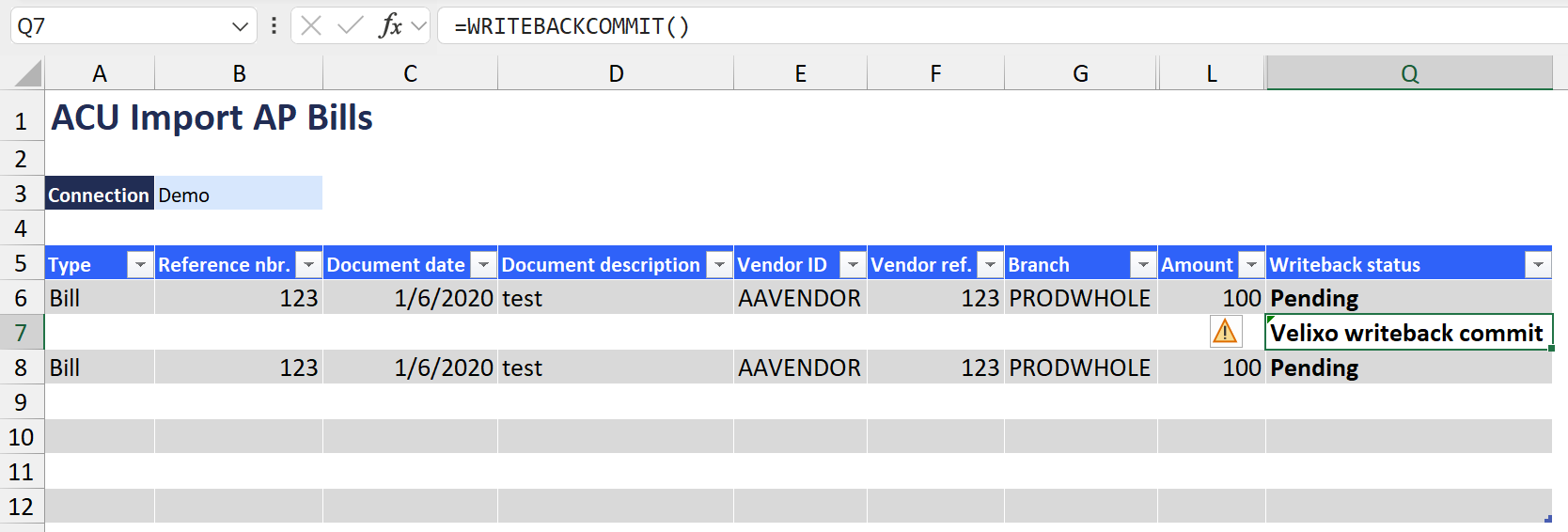
=WRITEBACKCOMMIT()
Description
Forces any WRITEBACK functions (listed after the WRITEBACKCOMMIT) to wait until any WRITEBACK functions (prior to the WRITEBACKCOMMIT) are fully completed before proceeding.
Results
When click on Perform Writeback → Current worksheet, instead of creating a single AP Bill with two entries, two AP Bills will be created in Acumatica:

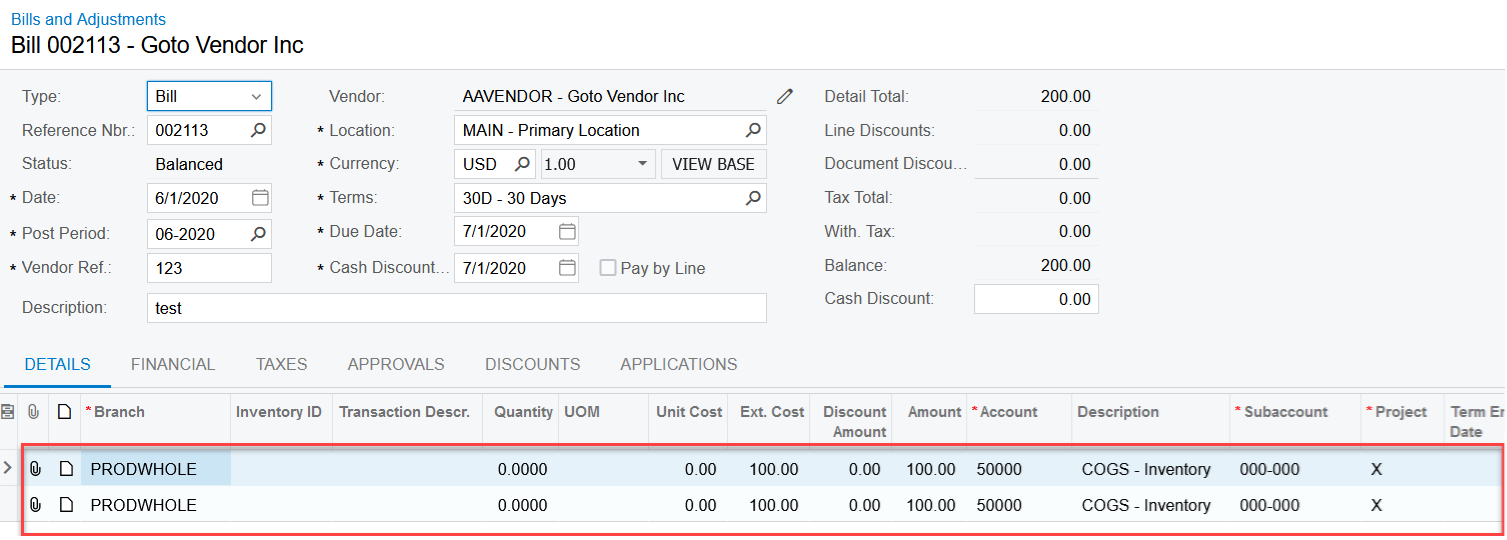
If the WRITEBACKCOMMIT() function were removed, a single AP Bill (with two entries) would have been created: