
Overview
After refreshing or when working with a report, instead of all the values being displayed...
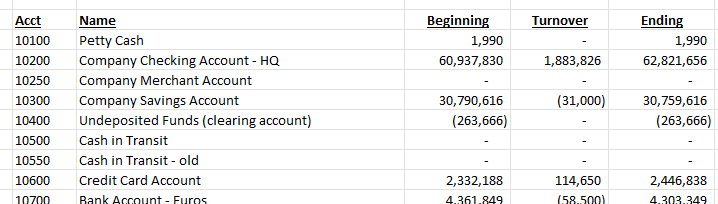
... all the Velixo functions display #N/A...

... and they have to be edited one function at a time to get data to display:
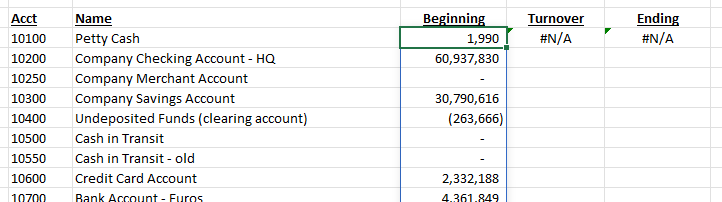
Cause
Excel includes an Advanced Option which allows a user to use Lotus 1-2-3 style key combinations:
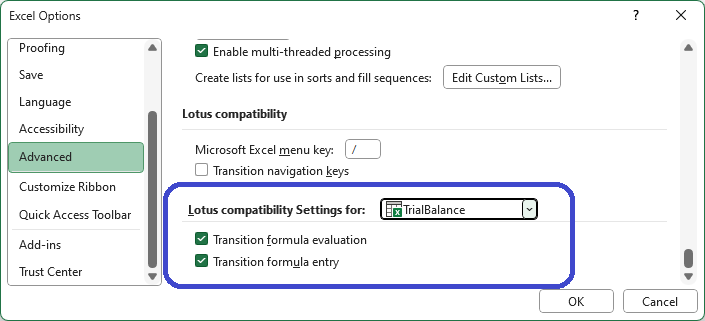
Use of this feature places Excel in an emulation mode that is not compatible with any version of the Velixo add-in.
Resolution
Excel's Lotus Compatibility Settings must be disabled (unchecked):
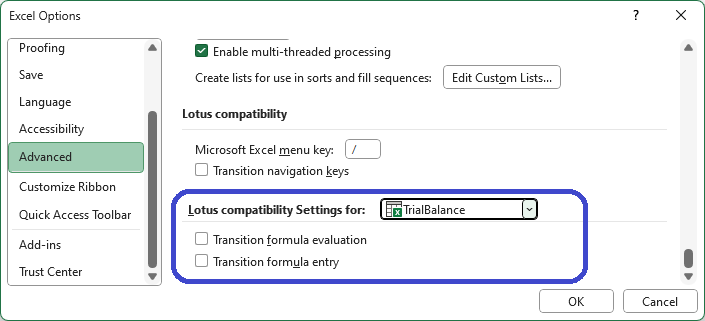
After doing so, you must save your file, close all instances of Excel, and then restart Excel to load it without being in emulation mode.