Overview
Let's add Purchase Order Commitments to our P&L.
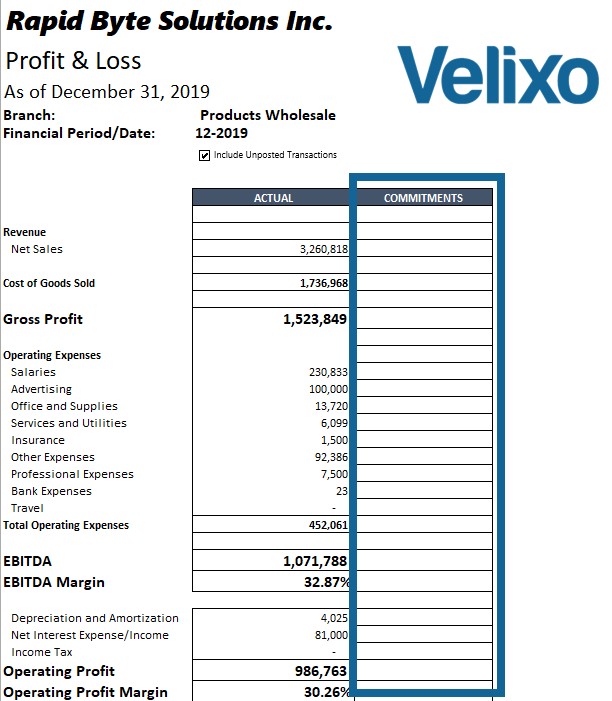
In our P&L, we want to have an additional column, next to the actuals, that shows PO Commitments (a purchase order commitment represents a pending financial obligation).
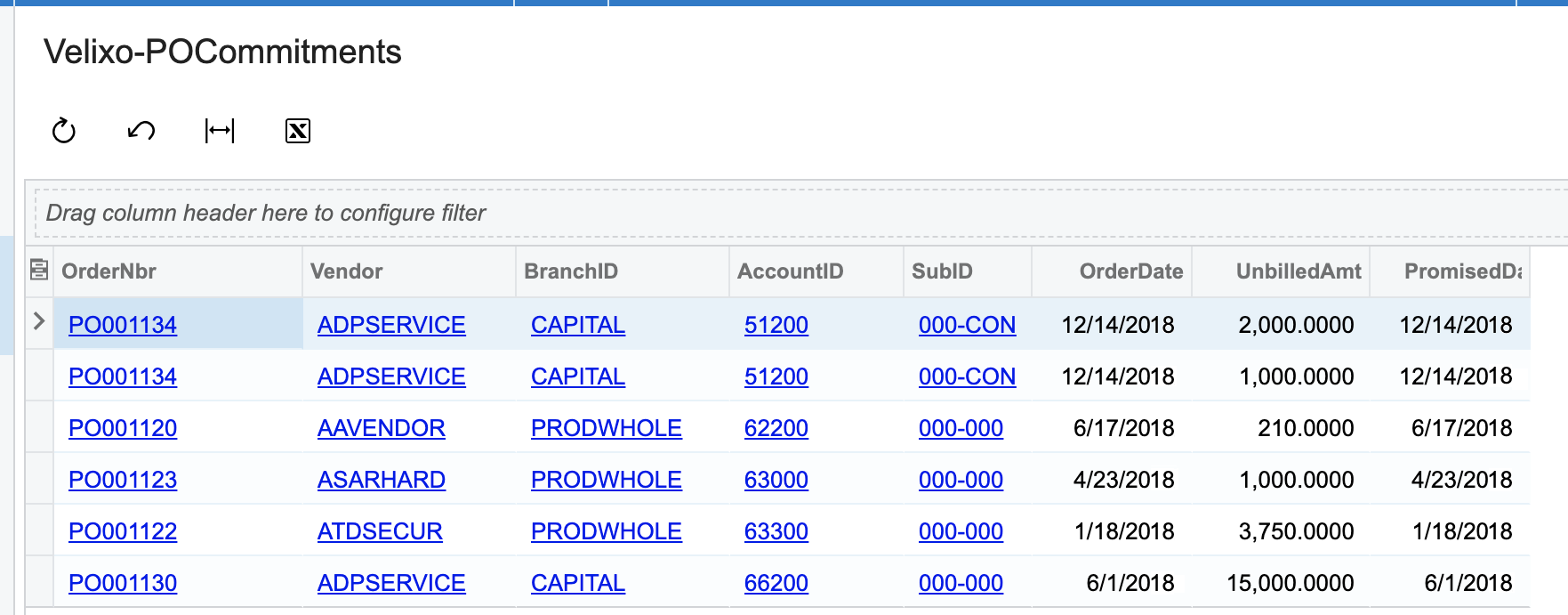
We have created a simple Generic Inquiry to help us.
Velixo-POCommitments Generic Inquiry
We mostly care about non-stock (service, subcontracting, etc.) orders -- inventory purchases would become an asset after getting received. So, we have filtered out any line that doesn't have an expense account ID so we just end up with this list:
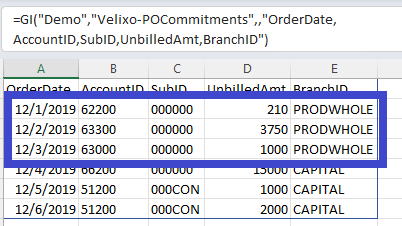
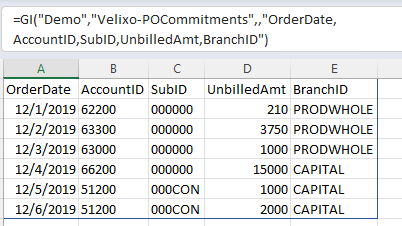
We'll want to bring this data into our report. So, we add a "Commitments" worksheet to our report and use the Velixo GI() function to show the OrderDate, AccountID, SubID, UnbilledAmt, and BranchID fields:
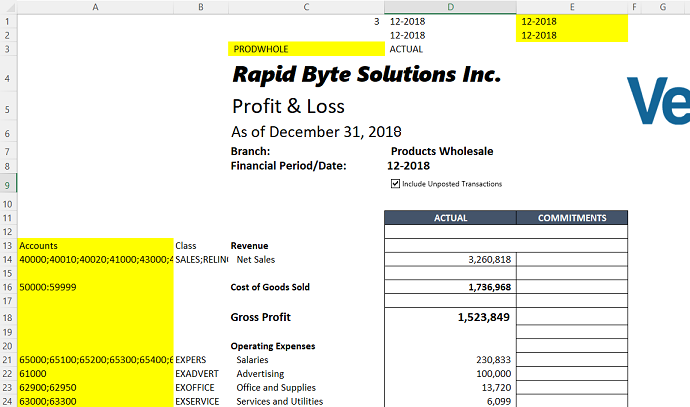
Our report P&L report already includes all the information we need to find the data in our Generic Inquiry:
-
Account Numbers (column A)
-
Branch (cell C3)
-
Start Period (cell E1)
-
End Period (cell E2)
Now, it's a simple matter of creating an Excel function to add up the values from our inquiry for each line of our report. The Excel SUMIFS function allows us to specify multiple critieria for get values form the list we have created.
This function...
=SUM(SUMIFS(Commitments!D:D,
         Commitments!B:B,EXPANDACCOUNTRANGE("Demo",A14),
         Commitments!E:E,'P&L'!$C$3,
         Commitments!A:A,">="&FINANCIALPERIODSTARTDATE("Demo",'P&L'!$E$1),
         Commitments!A:A,"<="&FINANCIALPERIODENDDATE("Demo",'P&L'!$E$2))
)
... will match up the:
-
Accounts from column A (with column B in our GI)
-
Branch from C3 (with column E in the GI)
-
Start and Dates from E1 and E2 (with column A in the GI) and sum up the totals for the Amount (column D in the GI)
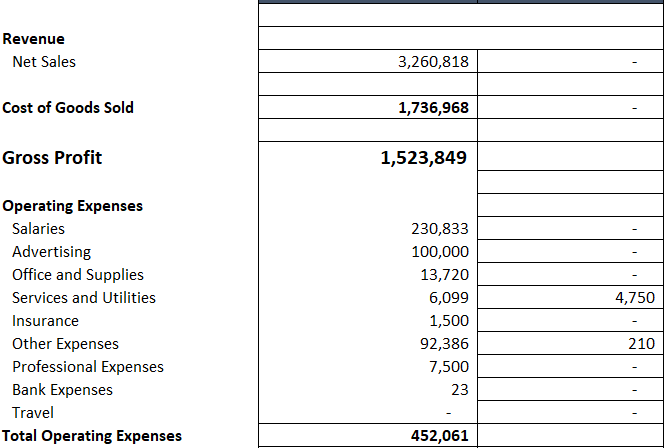
Once we add that function to each line of our report, the appropriate totals are listed: