Overview
The Velixo Copy Workbook Without Formulas feature can be used with a variety of reports.
When using the feature with Excel arrays (i.e., data where a single function fills in multiple cells within a worksheet), there are certain limitations when working with Financial Periods.
Details
The financial periods in most of the ERPs supported by Velixo are in the format MM-YYYY. The period number is always represented by two digits.
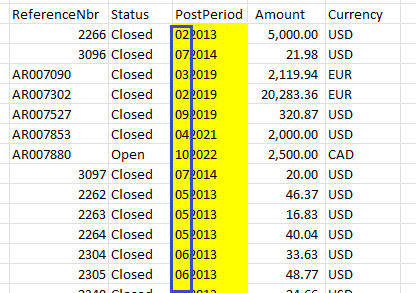
So, for period 1 through 9, there is always a leading zero required at the beginning of the value. For example: 01-2020, 07-2022, 09-2023, etc.
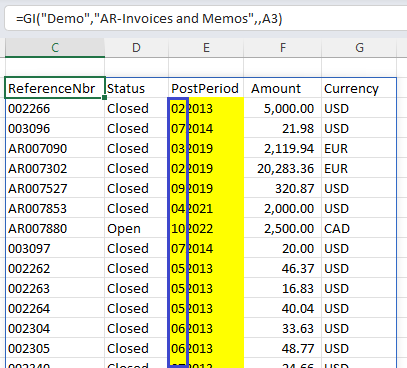
The Velixo functions which return Excel arrays [such as the GI() function] always include the leading zero for financial periods:
Because Excel does not typically recognize leading zeros for numeric values, when the financial period is included as part of an array, the copy process involved in the Copy Workbook Without Formulas feature removes the leading zeros:
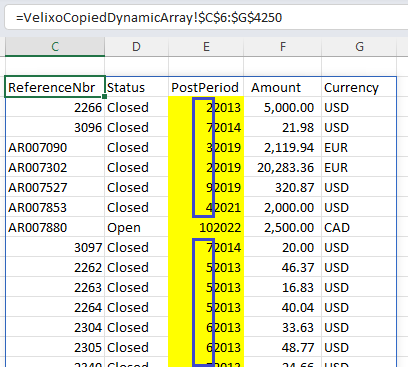
This also applies to the Velixo Distribution List feature, when used to remove the formulas.
Workaround
While the Velixo Team is looking at techniques to avoid this issue, there is a certain workaround you can utilize.
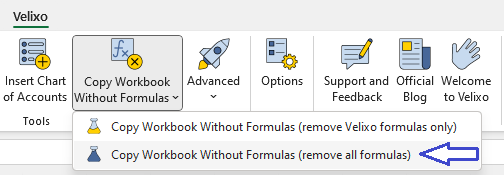
Use the "remove all formulas" option from either the Velixo ribbon:
or with a Distibution List:
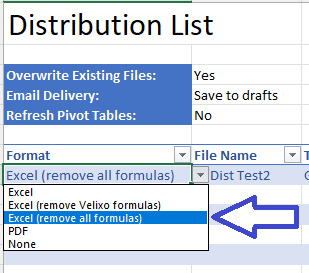
and format the column (containing the financial periods) as Text:
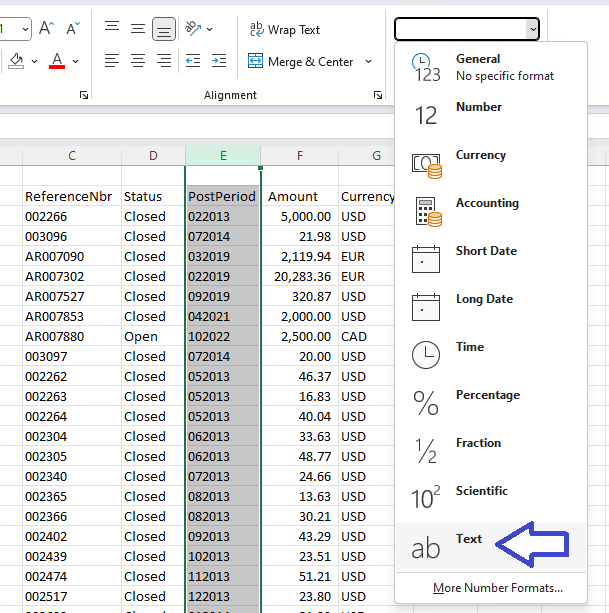
Then, Excel is able to automatically retain the leading zeros in the resulting file: