
Explanation
The Velixo Drilldown feature presents a summary of underlying data for a value returned by a Velixo function.
Drilling down can also be performed on calculations and on certain Excel summarizing functions (e.g., SUM & AVERAGE). When doing so, a Drilldown worksheet presents a summary of all the relevant accounts.
For example, when we drill down on a cell with a formula such as =X-Y where X and Y are ACCOUNTTURNOVER functions:
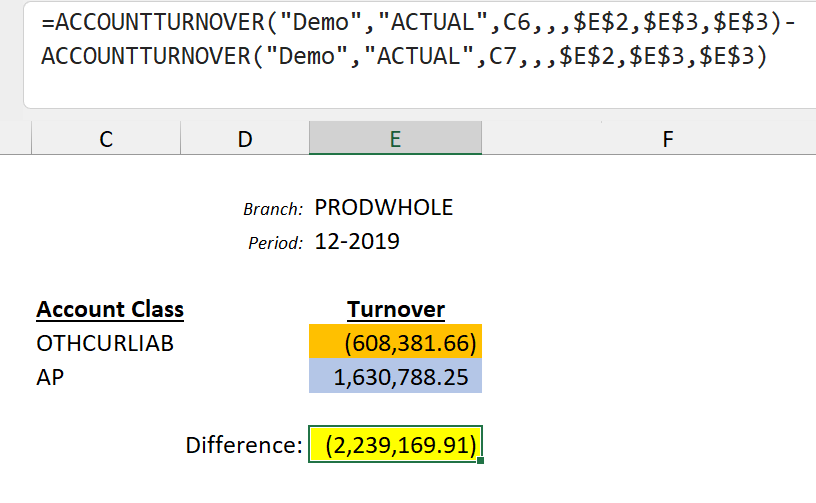
We cannot expect the drilldown totals to match the result of the subtraction in the original cell formula. In fact, the subtraction operator (or any other arithmetic operator) is disregarded.
While we can perform a drilldown on individual Velixo function results...
OthCurLiab:
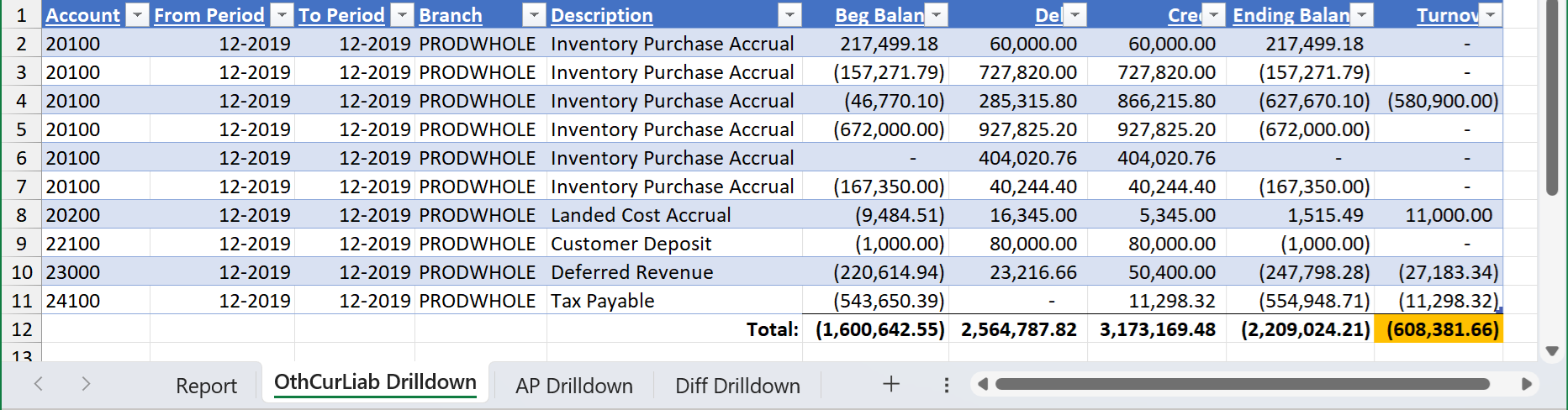
AP:

... the drilldown totals for a calculation always display the sum of the underlying transactions for the values associated with the calculation and do not reflect the calculation itself:
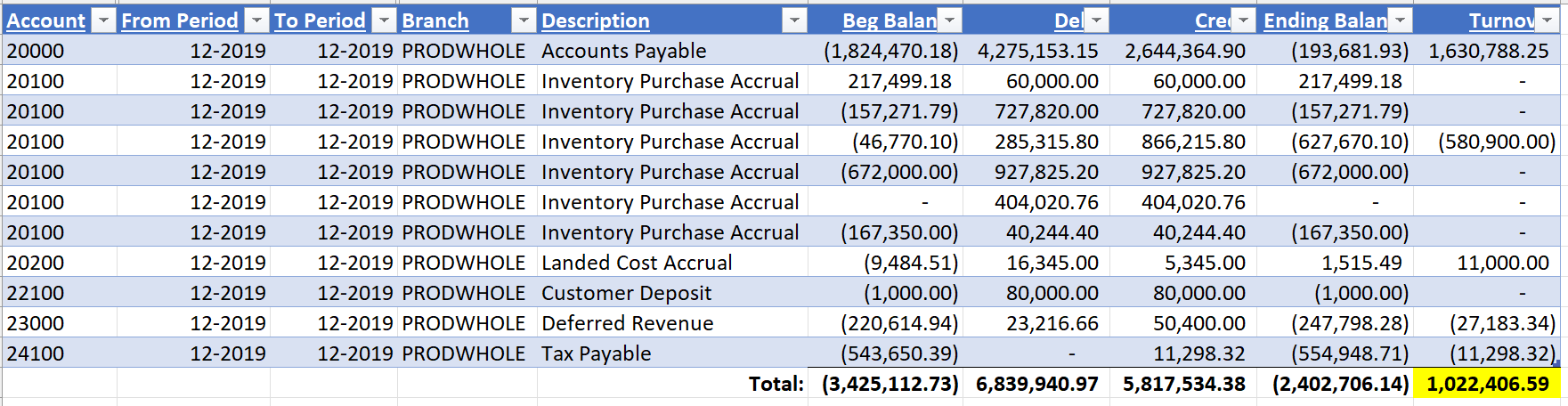
Even when the underlying transaction is a credit transaction, the matching turnover for it is a positive figure (unless "Account Balance Sign" is REVERSED, or a negative Velixo range expression is used). This behavior matches that of the ERP.