Overview
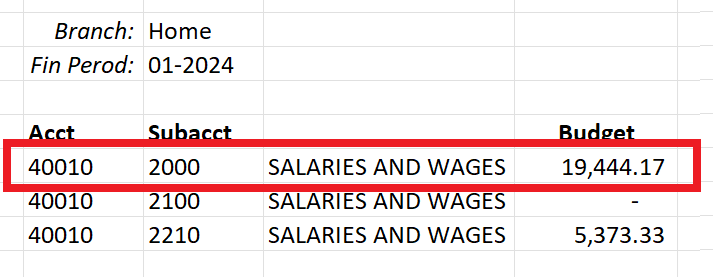
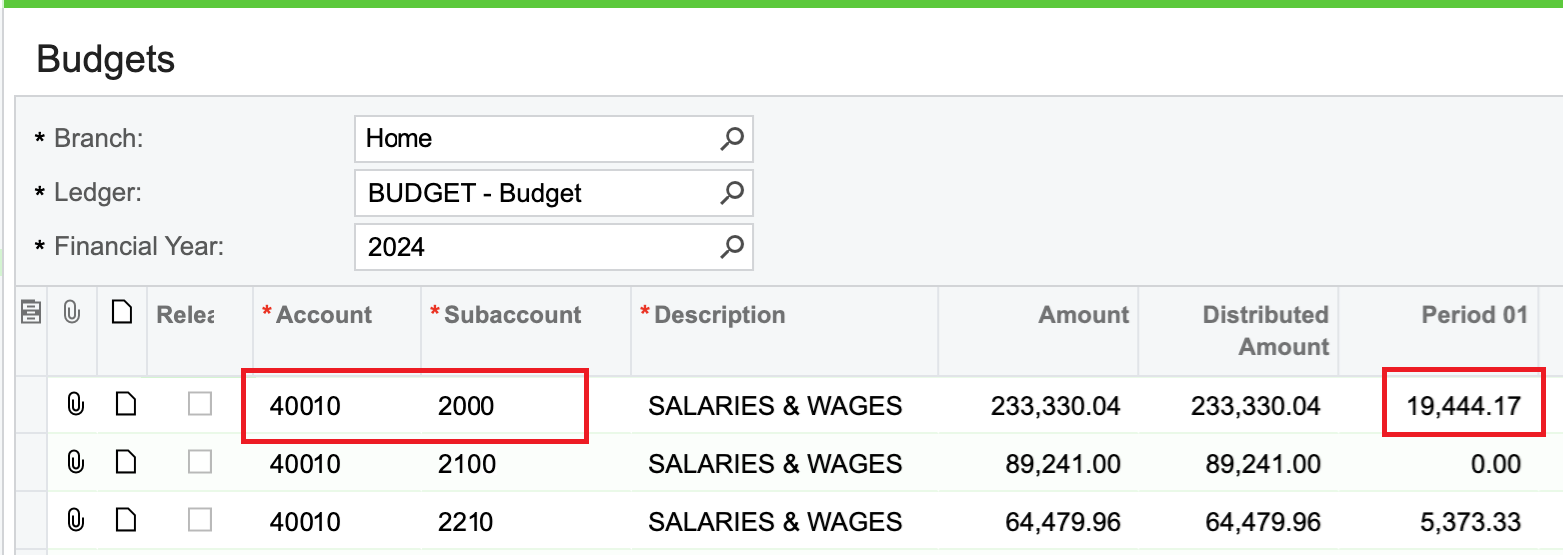
When using the Velixo balance functions (i.e., ACCOUNTBEGINNINGBALANCE, ACCOUNTTURNOVER, ACCOUNTENDINGBALANCE), the values that appear in the report do not match the values seen on the ERP Budgets screen.
Example
Velixo report:
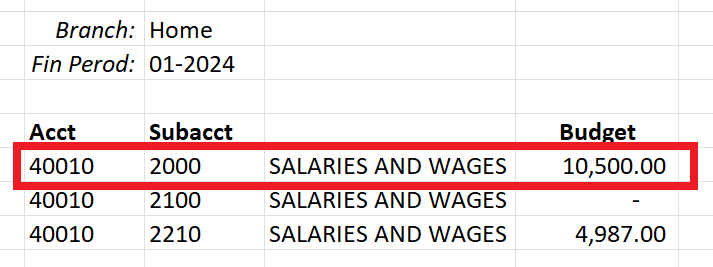
ERP Budgets screen:
Cause
Assuming that a Refresh of the report does not successfully bring in the expected information, the most common cause of this is when the values being displayed on the ERP's Budgets screen have not yet been released:
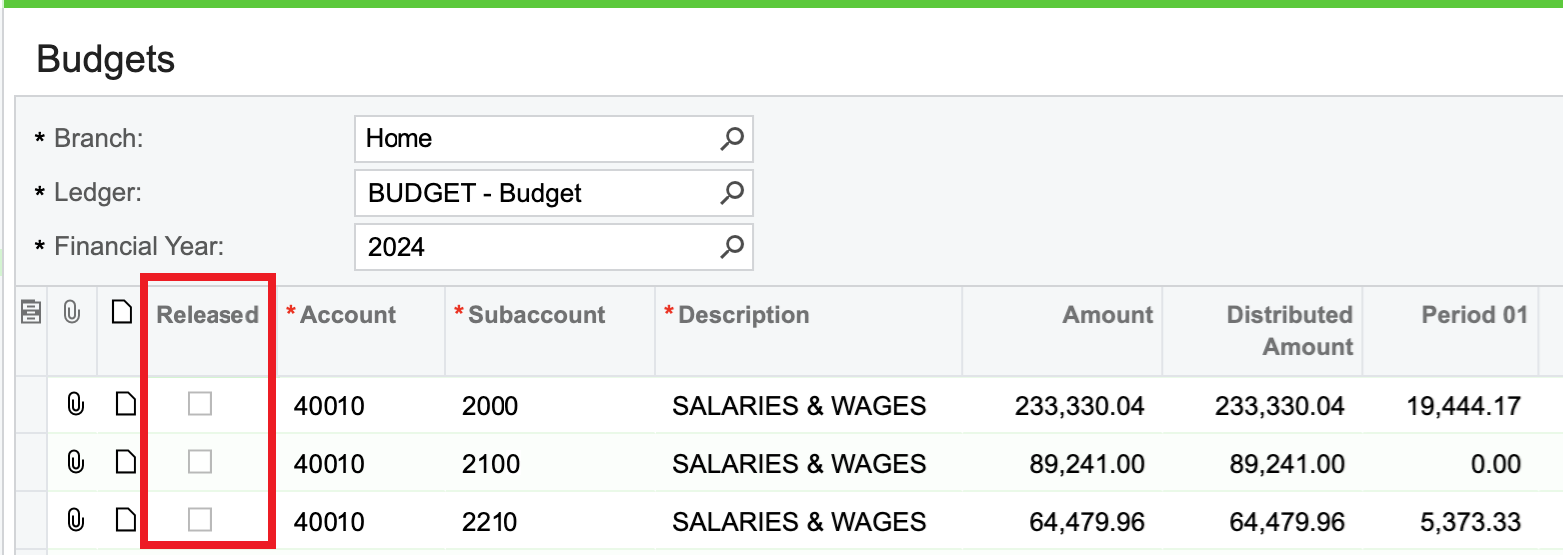
When used with Budget ledgers, the Velixo balance functions return only RELEASED data.
Resolution
Once the budget values have been released from the ERP's Release Budgets screen...
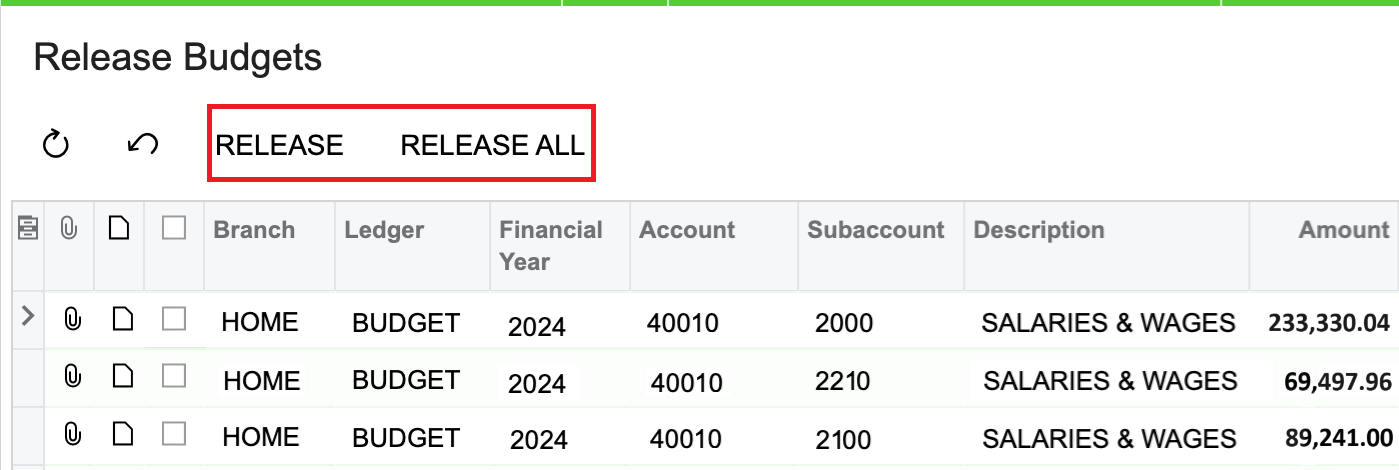
... those values will show on the Budgets screen as having been released:
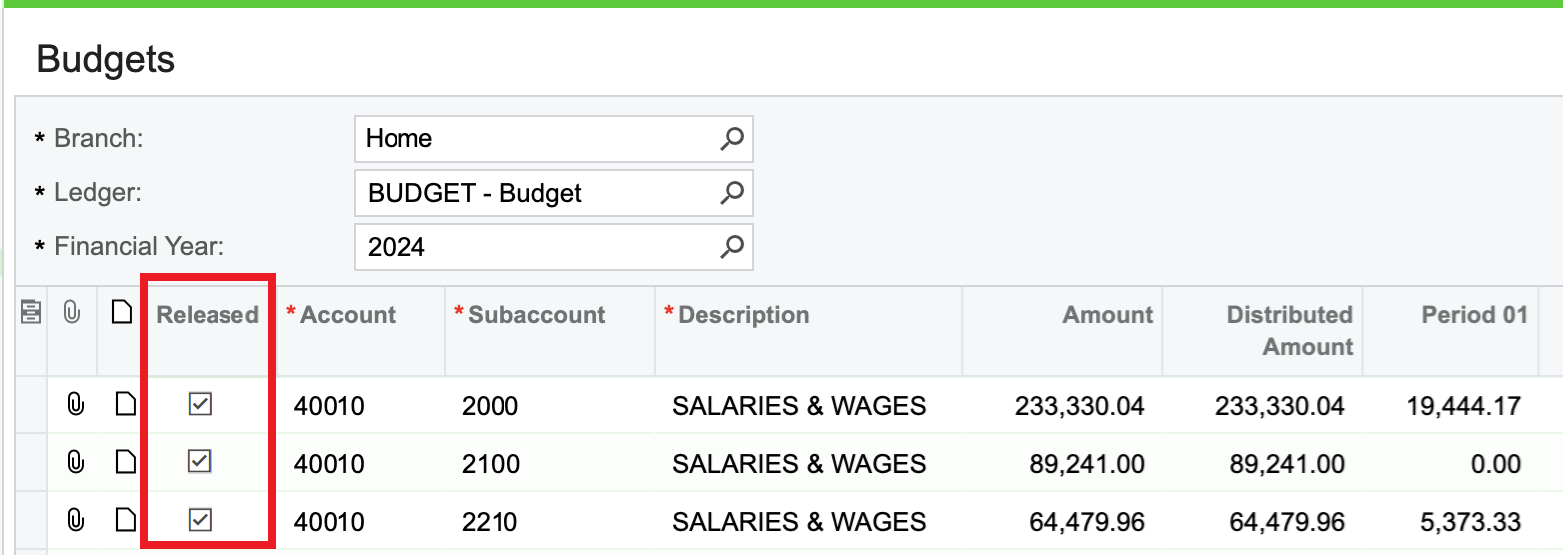
and the Velixo balance functions will display the released data: