
Overview
While attempting to write and release budget values using the Budget Writeback feature of either Velixo or Velixo NX, the writeback fails and an error is generated:
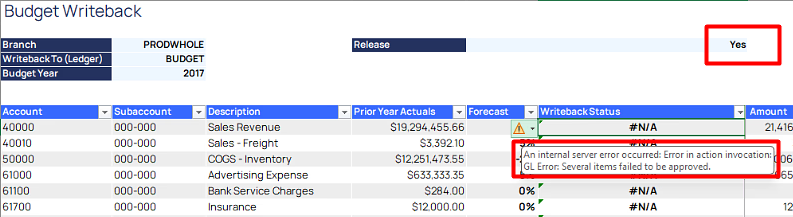
Text of Message
An internal server error occurred. Error in action invocation: GL Error: Several items failed to be approved.
Cause
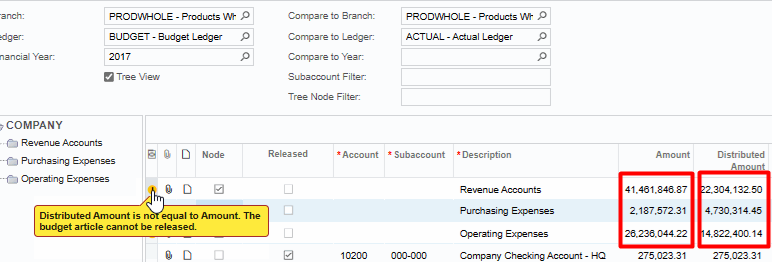
The writeback failed because (within the ERP) there are pre-existing budget lines which are not balanced; that is, the values shown in the Amount and Distributed Amount columns are not equal.
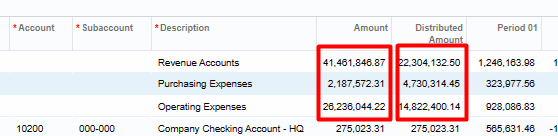
This prevents any new budget values (in the writeback) from being released.
If you go to the budget within the ERP and hover over the error icon that is displayed - you will see additional details:
Resolution
Once the discrepancy within the existing budget values is resolved (either by balancing or removing the amounts), you will be able to use the Velixo Budget Writeback feature.