Pre-requisites
-
Acumatica site 23R1 or 23R2, freshly installed, with Sales Demo data.
-
Velixo customization package published to make web service endpoints available - 18.200.001, 20.200.001.
-
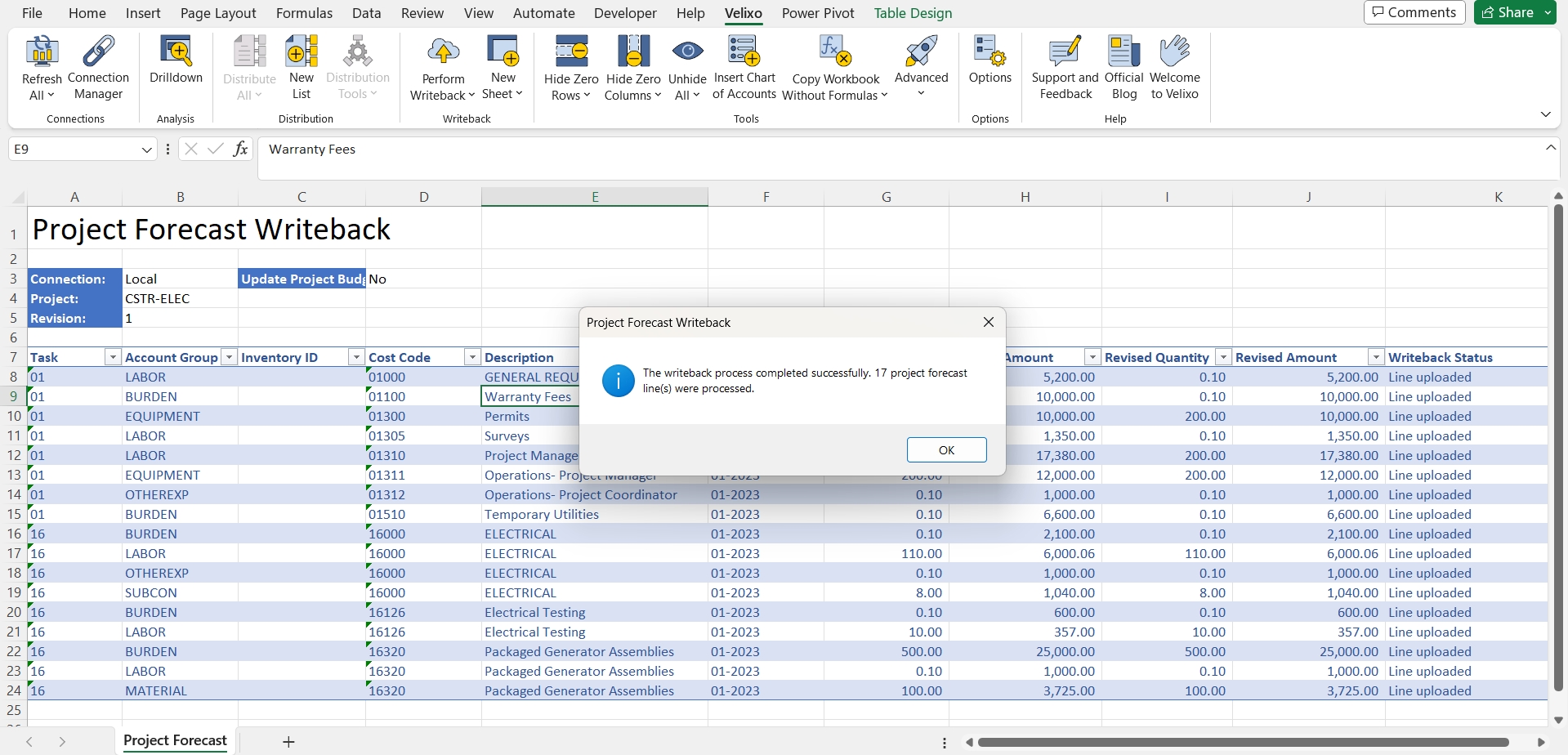
Cost Codes are specified on the Project Forecast Writeback template.
Overview
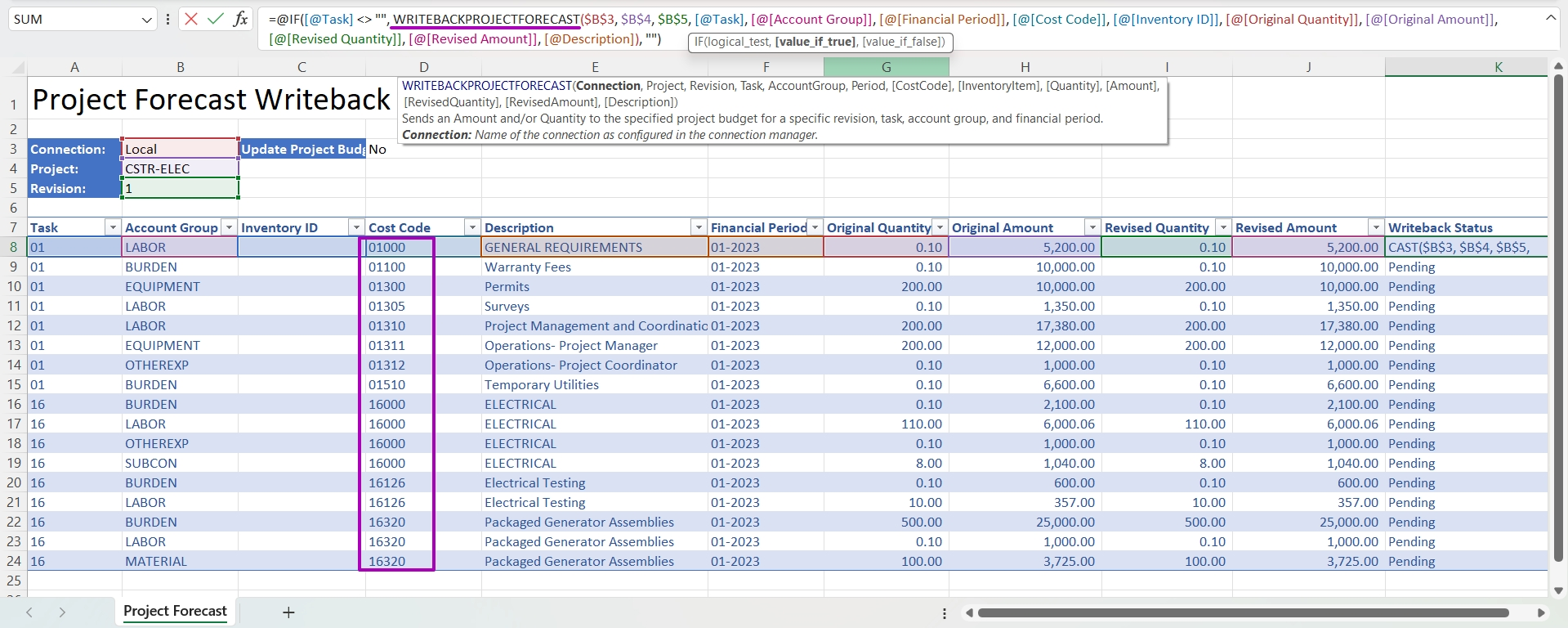
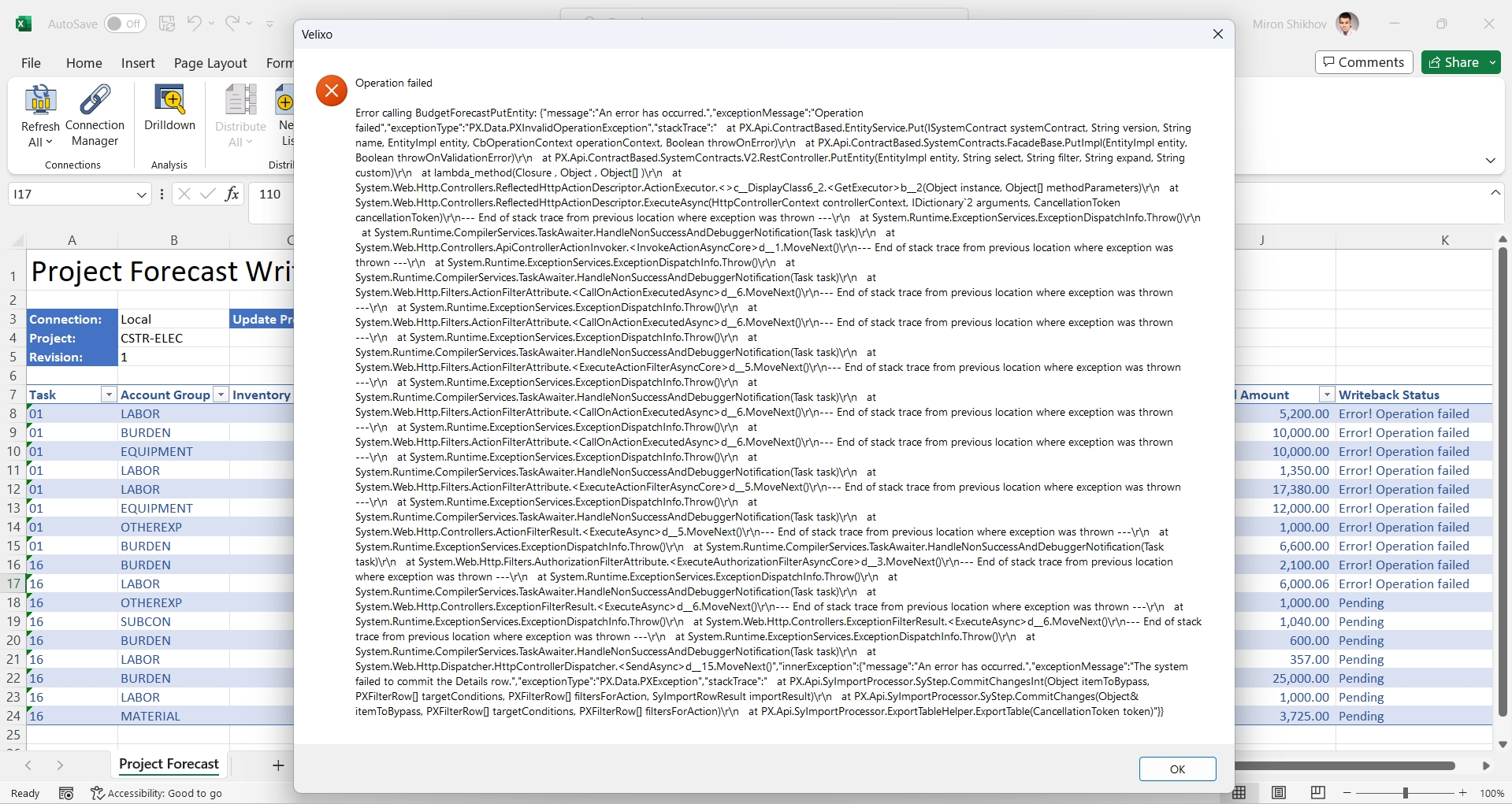
While trying to use Velixo Project Forecast Writeback functionality with newly installed Acumatica Sales Demo site, the following error appears on the writeback of a few lines or on the whole worksheet.
Operation failed.

Error calling BudgetForecastPutEntity: {"message": "An error has occurred.","exceptionMessage":"Operation failed","exceptionType":"PX.Data.PXInvalidOperationException","stackTrace":" at PX.Api.ContractBased.EntityService.Put(ISystemContract systemContract, String version, String name, EntityImpl entity, CbOperationContext operationContext, Boolean throwOnError) at PX.Api.ContractBased.SystemContracts.FacadeBase.PutImpl(EntityImpl entity, Boolean throwOnValidationError) at PX.Api.ContractBased.SystemContracts.V2.RestController.PutEntity(EntityImpl entity, String select, String filter, String expand, String custom) at lambda_method(Closure , Object , Object[] ) ...
Writeback works fine for a single line.
Root cause
Cost Codes feature is not enabled on the Enable/Disable Features screen (CS100000) by default, although it shows a warning - This feature is in use, disabling it may cause unexpected results.
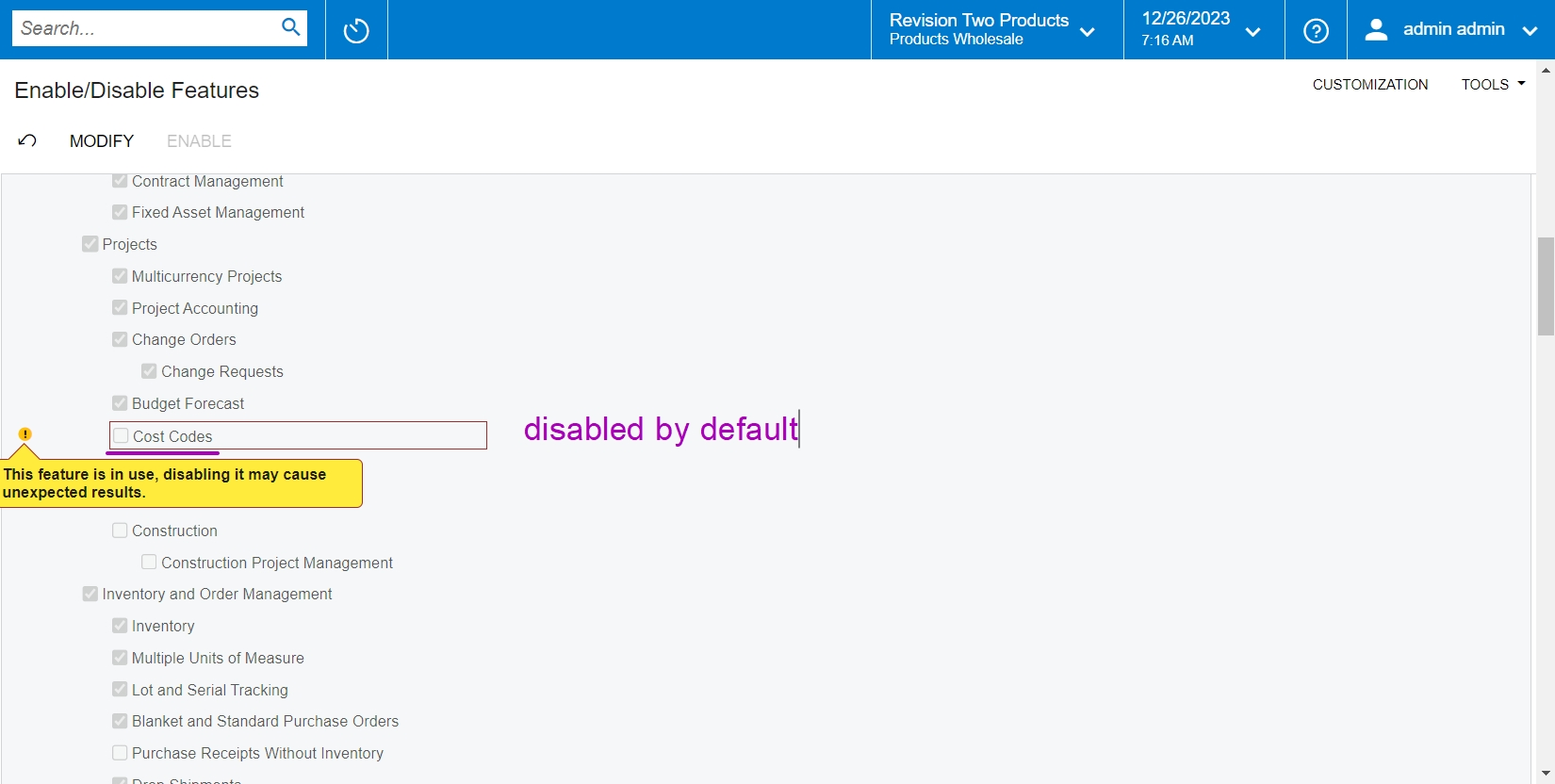
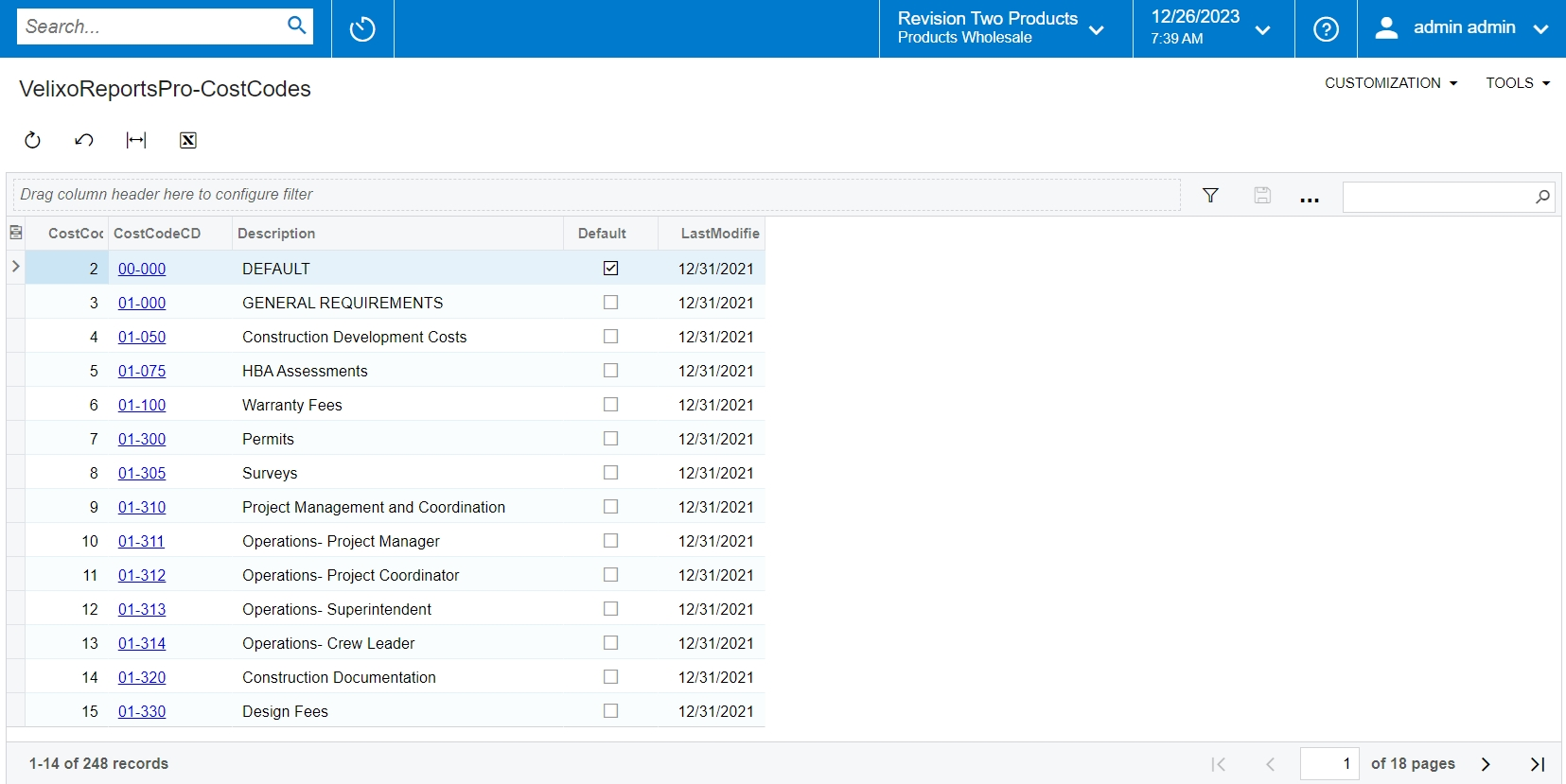
Even though Cost Codes feature is not enabled by default, the VelixoReportsPro-CostCodes generic inquiry returns the records.
Solution
The solution is to enable the Cost Codes feature on the Enable/Disable Features screen (CS100000).
Click Modify → select Cost Codes checkbox → click Enable.
Once enabled, the writeback for a few lines or for the whole worksheet starts working.