
Release date: November 30th, 2025
On top of additions and improvements to Velixo NX listed below, we are excited to announce the launch of Velixo Portal. The Portal is a tool enabling easy management of organization-wide settings, and shared Velixo connections, as well as access to the Template Gallery.
🚀 New
-
Feature preview: You can now query several Velixo connections using a single formula. See the dedicated article for details. (RD-5106)
In the preview version of the feature, several Drilldown-related scenarios are not supported. See the article for details.
-
You can now use the VX.SETTINGS function to create an Excel array ready to use as the
SettingsorDimensionsargument of many Velixo functions. (RD-7012)
-
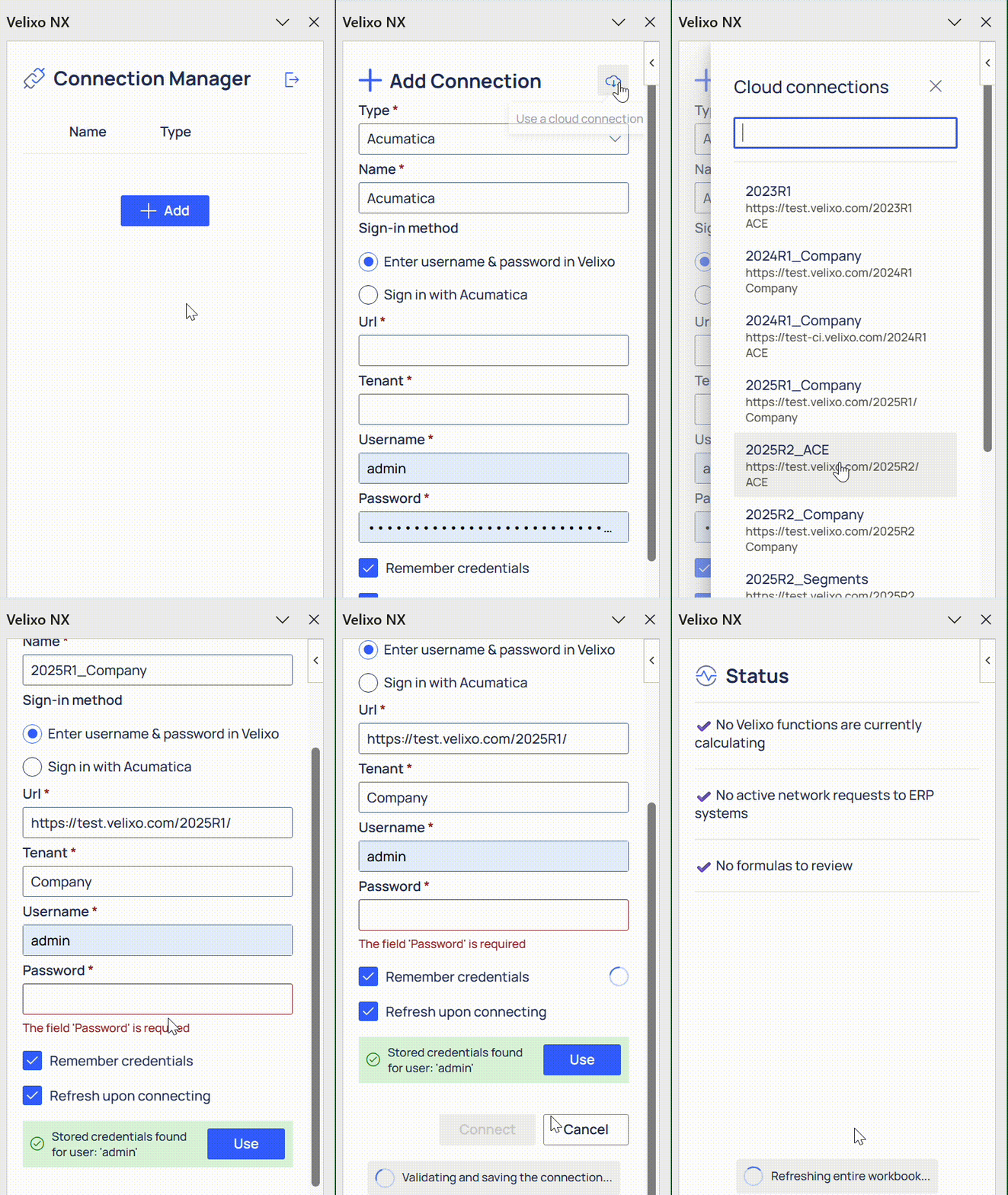
Feature preview: Organization administrators can now create, manage and share Velixo ERP connections via the Velixo Portal. To register as an organization admin and leverage this feature, contact Velixo Support. (RD-2080)
-
In a drastic improvement of Velixo’s Smart Refresh algorithm, Velixo now detects records that have been hard-deleted in your ERP system or no longer match the query filter. This ensures your reports always stay accurate without requiring a slower Full Refresh. (RD-5059)
-
Note: this improvement has a necessary trade-off of performance for accuracy, and will be gradually rolled out to our users with ongoing monitoring. Please contact Velixo support if you experience a significant slow-down.
-
✨ Improved
-
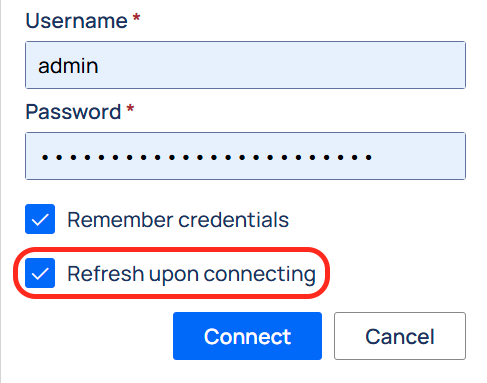
The connection editor now has a Refresh upon connecting check box, which refreshes your workbook after the connection is established. It is checked by default when adding a first connection to the workbook or adding missing credentials to the only connection in the workbook. For your convenience, to avoid multiple redundant refreshes, it remains unchecked by default in multi-connection workbooks. (RD-6453, RD-6919)
-
For functions that support rendering their output into an Excel table (e.g.
TOTABLE), there is now a clearer error message in case a table cannot be rendered due to a data in its way. (RD-5951) -
We modified how Velixo saves certain background information in your workbook, letting you use the Undo feature more reliably. (RD-2982)
-
The Velixo Options menu is now organized more clearly. (RD-5936)
-
Slice feature improvements:
-
We introduced a tooltip explaining the differences between Pairing modes. (RD-5575)
-
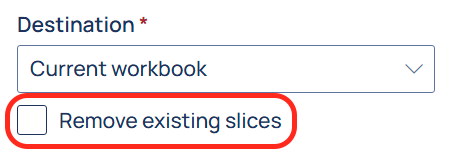
A new Remove existing slices checkbox lets you delete all slice sheets present in a workbook upon the creation of new ones. (RD-5052)
-
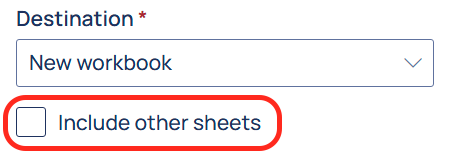
A new Include other sheets checkbox is available when using slice with a new workbook as a destination. Once checked, you can select which worksheets you’d like included in the created workbook. (RD-5053)
-
-
The Status panel more accurately displays the number of Velixo functions being calculated. (RD-2898)
-
If you make use of spill range arguments (A1#) in your functions, you may notice that the peak number of Velixo functions is now significantly higher. This is because each spilling cell, not just the spill parent, is accurately counted as a separate Velixo function.
-
-
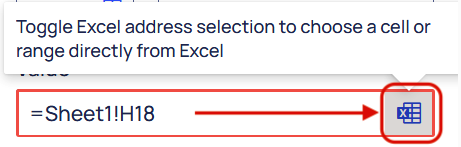
Cell/range selection in Slice now uses a toggle-based mechanism, reducing the odds of accidentally changing the selection. To select a cell or range, click the selection toggle button. (RD-6671)
-
Refresh → Current Sheet now also refreshes the worksheets that contain data validation sources for the dropdowns present in the current sheet. (RD-6365)
-
The
Objectparameter in ACU.QUERY, ACU.QUERYFILTER, ACU.OBJECTDEFINITION functions now expects DAC names, not internal object names; ACU.EXPANDOBJECTRANGE returns DAC names that can be used with the query functions. (RD-6543)
While unlikely, this change can potentially affect your existing formulas.
-
For ACU.QUERY requests, the side panel now displays an accurate record loading status. (RD-4224)
-
When using
WRITEBACKREFRESHDATA, your worksheet will now refreshes automatically upon completing Writeback → Current Sheet. (RD-6546)
🔨 Fixed
-
An issue causing the
Parameter out of rangeerror when performing a Snapshot on large ranges is no longer present. (RD-6024) -
We fixed an error that caused some users signed in to Velixo with their Microsoft accounts to be unexpectedly signed out on their next session. (RD-6652)
-
Fixed a bug that caused incorrect date calculations for users in time zones with a negative UTC offset and daylight savings time. (RD-6876)
-
The
InventoryIDargument of the WRITEBACKPROJECTCOSTPROJECTION function is no longer treated as required despite being optional. (RD-6635)
🐛 Known Issues
-
Three new troubleshooting articles are available: