
Overview
When refreshing a workbook containing Velixo functions, the following message is displayed for some functions:

Text of Message
Error! An item with the same key has already been added.
Cause
For performance reasons, Velixo caches certain data returned by the functions in your workbook (so that you do not have to retrieve identical data from your ERP over and over again).
Sometimes, the cached data may be out-of-date and cause an issue when attempting to access it. In this case, it is necessary to re-retrieve the data from the ERP
Resolution
Ensure you are using Velixo NX or the latest update of Velixo Classic.
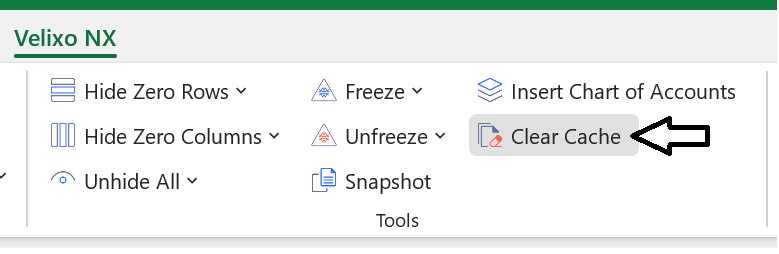
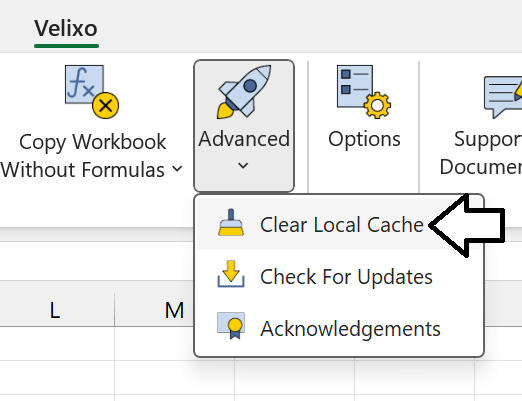
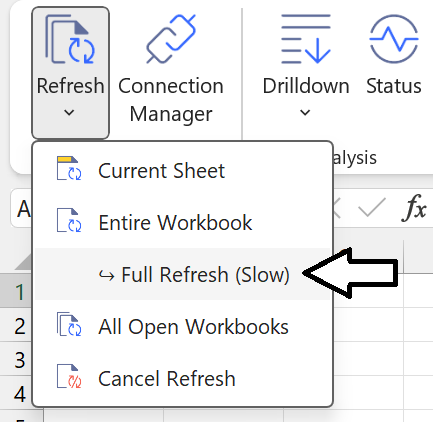
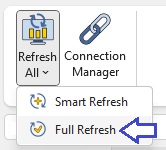
Clear the Velixo Cache and then perform a Full Refresh of your Velixo functions:
|
Velixo NX |
Velixo Classic |
|
|
|
|
This will not only retrieve the latest data from the ERP, but it will also update the cached data.