
Templates are a pre-built Reporting, Budgeting/Forecasting or Automation Excel workbooks built and maintained by Velixo for a given ERP, use case, industry or persona.
Their purpose is to accelerate your time-to-value by enabling you with either an example of a report or a final report that you can customize to your needs.
To view the list of available Velixo Templates for your ERP and download Templates, visit the Templates gallery.
Downloading a Template from the Templates gallery requires authenticatiion using your Microsoft Business account.
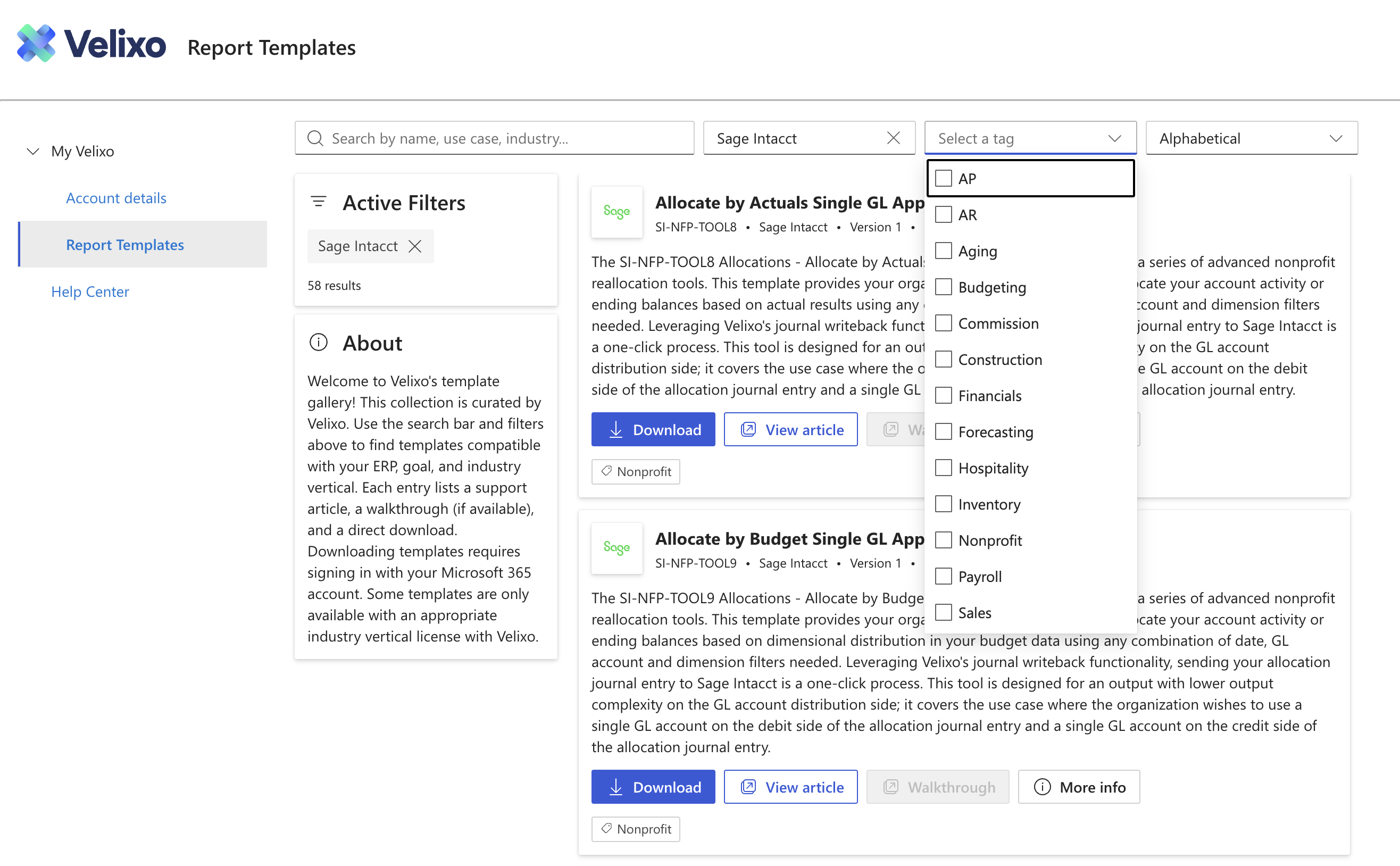
For more information about Velixo's Templates, please visit Introduction to Report Templates
Understanding Standard vs. Industry ERP Templates
Every Velixo Template is packaged generically for a given module your ERP (such as General Ledger, AR, AP, Inventory or Sales.) and may or may not require a level of configuration to fit your ERP's data.
It is however important to understand the distinction between a Standard and an Industry Template.
-
Standard Template - these templates are usually included with your subscription of Velixo and can be instantly downloaded and leveraged.
-
Industry Template - They are purpose-built and optimized for specific industry use cases and personas, and as a result they add significant value. Some of these industry templates (Solutions) are packaged with the Velixo software as seperate Velixo subscriptions (e.g. Velixo for Construction).
Standard and Industry Templates can easily be found on the Templates gallery by:
-
selecting the Tags dropdown
-
checking the Module or Industry boxes (e.g. AR is a module, but Construction is an Industry)
Downloading Industry Solution Templates requires your organization to have purchased the right Industry subscription of Velixo. Contact your partner or Velixo if you would like access.