
Purpose
Please see Introduction to Report Templates for information about Samples, Demos, and Production Templates and the differences between them. You many also want to refer to How to Modify Velixo Sample Reports.
While Configure Price Quote (CPQ) software is popular among businesses seeking to streamline and standardize their sales quoting process, many find these solutions overly complex and expensive.
Instead, sales representatives tend to create and manage Excel workbooks with the information they require to develop quotes.
If you use Excel alongside your ERP to configure unique quotes for your prospective customers, Velixo can help streamline this process - saving you time and money.
The Velixo Tile Estimating with Writeback report provides an example of how to perform CPQ tasks using Velixo and Excel.
Coverage
-
Generic Inquiry
-
Universal Writeback
Examples
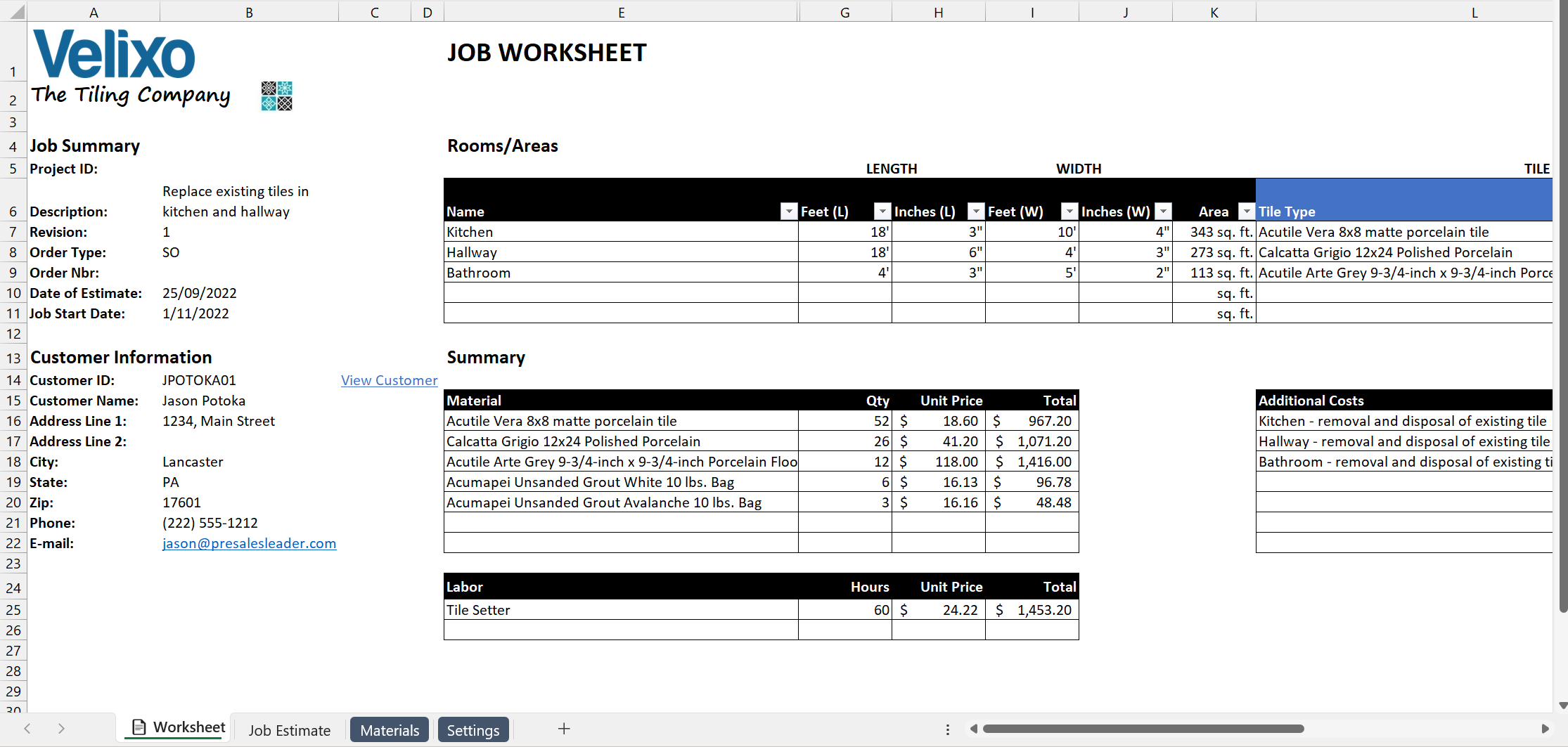
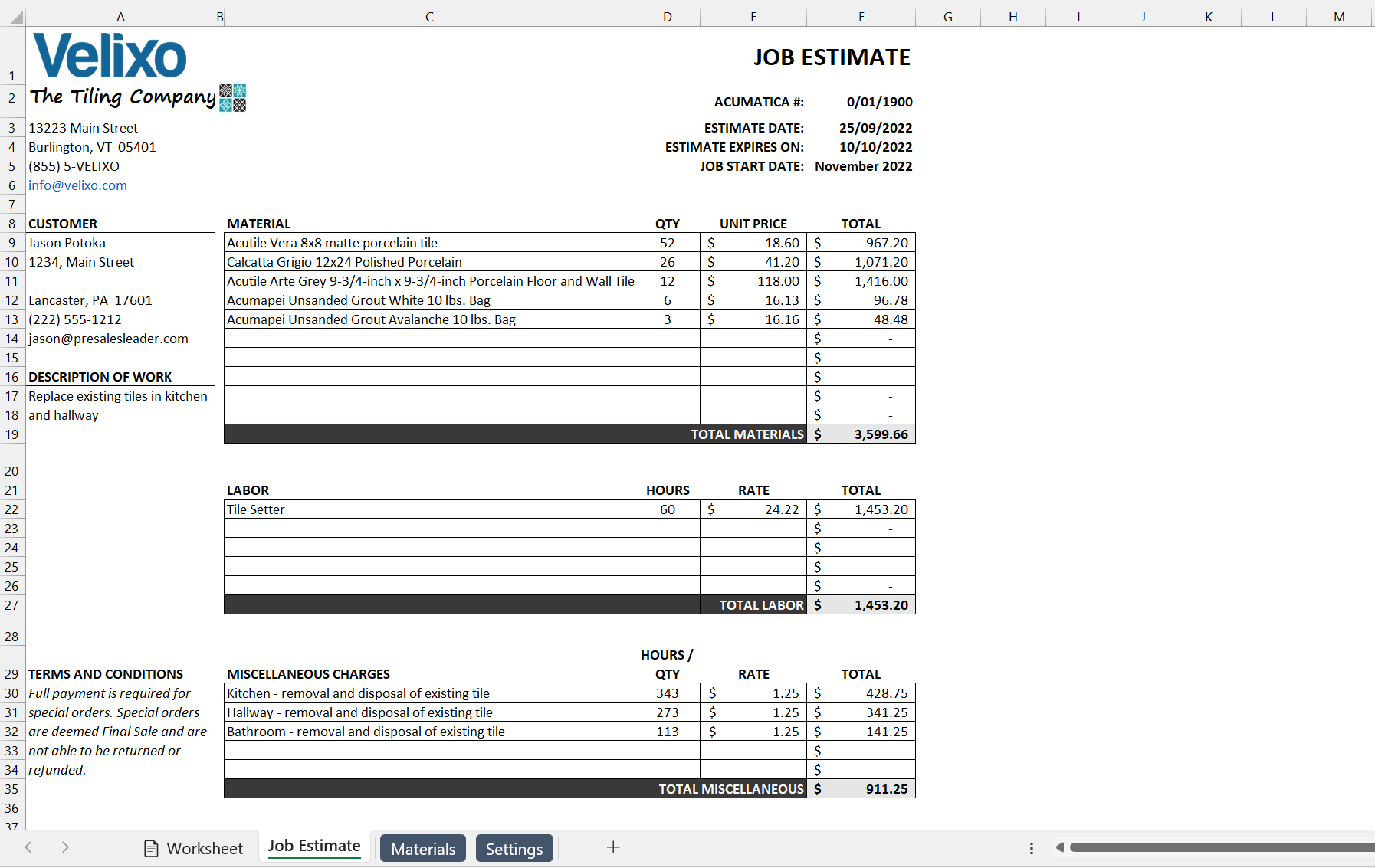
Demo video
Download the
|
Download the
|
Download the
|
|
|
(need help importing the Generic Inquiry?)
|
|


This report also requires that the Import Scenarios and Generic Inquiry be installed in your ERP instance.
Having trouble downloading the files? Simply right-click the link and select Save link as