Overview
The SI.EXPANDBUDGETRANGE function returns the Budget ID values as defined within Sage Intacct.
Syntax
=SI.EXPANDBUDGETRANGE(
    ConnectionName,
    Budget,
    DefaultBudget,
    IsConsolidated
)
Parameters
The SI.EXPANDBUDGETRANGE function uses the following arguments:
|
Argument |
Required/ Optional |
Description |
|
|
Optional |
Provide one of the following values:
OR Omit the argument to return results for all compatible connections with default aggregation settings. |
|
|
Optional |
The Budget IDs to include in the results |
|
|
Optional |
|
|
|
Optional |
|
Examples
Given the following configuration within Sage Intacct:
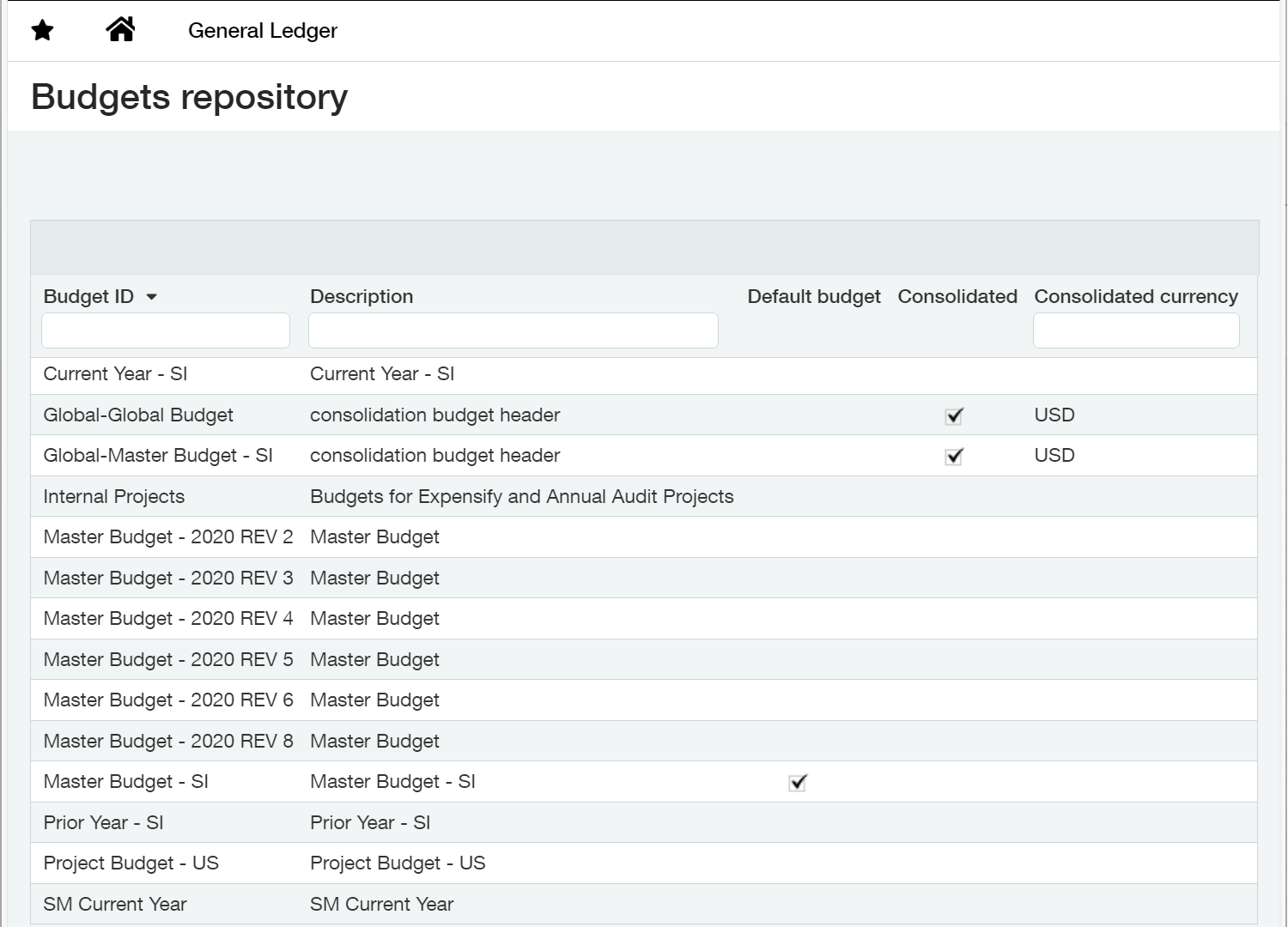
(includes a total of 14 budgets, one of which is the default, and two are consolidated budgets)
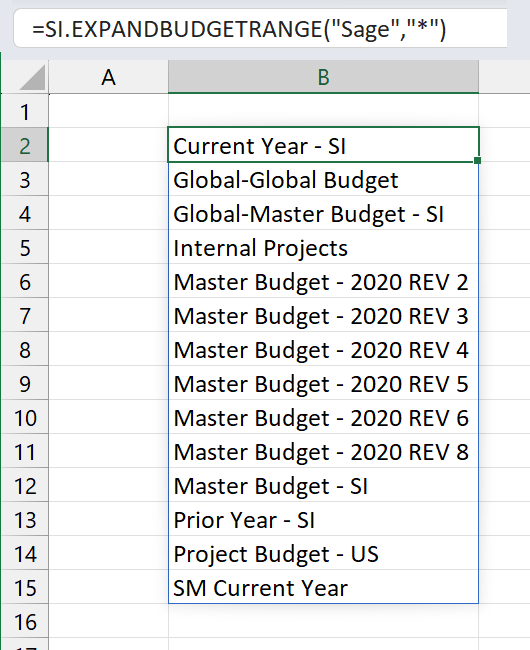
Example 1 - all budgets
=SI.EXPANDBUDGETRANGE(
    "Sage",
    "*"
)

OR

=SI.EXPANDBUDGETRANGE(
    "Sage"
)
Description
Returns all budgets defined in Sage Intacct
Result
Example 2 - default budgets
=SI.EXPANDBUDGETRANGE(
    "Sage",
    ,
    TRUE
)
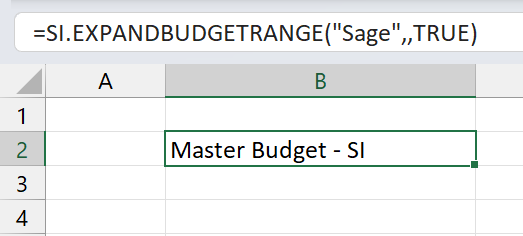
Description
Returns all budgets marked in Sage Intacct as DEFAULT
Result
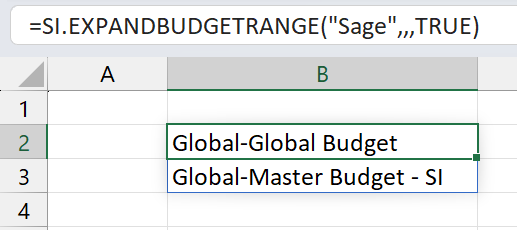
Example 3 - consolidated budgets
=SI.EXPANDBUDGETRANGE(
    "Sage",
    ,
    ,
    TRUE
)
Description
Returns all budgets marked in Sage Intacct as CONSOLIDATED
Result
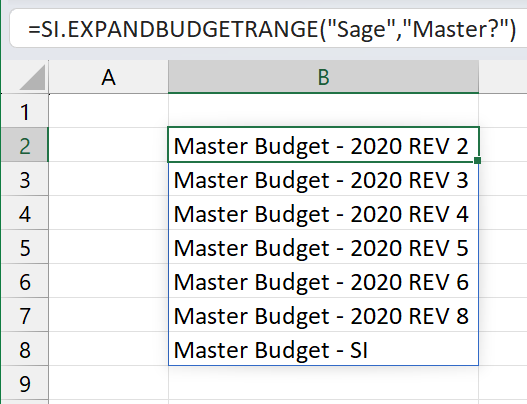
Example 4 - budgets starting with certain characters
=SI.EXPANDBUDGETRANGE(
    "Sage",
    "Master?"
)
Description
Returns all budgets starting with the word "Master"
Result