Overview
SI.XOBJECTDEFINITION lets you retrieve the names, data types, and additional information about queryable Sage Intacct REST API objects, including available fields in related objects. You can use the results for input in the SI.XQUERY, SI.XQUERYFILTER, and SI.XQUERYLOOKUP functions.
Field names are also available in the Sage Intacct documentation, but the Velixo function lets you retrieve the information without leaving Excel and reference it in other formulas.
Syntax
=SI.XOBJECTDEFINITION(
    ConnectionName,
    Object,
    IncludeRelationships
)
Arguments
|
Argument |
Required/Optional |
Description |
|---|---|---|
|
|
Optional |
Provide one of the following values:
OR Omit the argument to return results for all compatible connections with default aggregation settings. |
|
|
Required |
The name of the Sage Intacct REST API object, for instance, accounts-payable/adjustment.
Use SI.XEXPANDOBJECTRANGE to explore available objects. |
|
|
Optional |
Displays additional columns with information relevant to related object fields. See details below. Accepted values: Default value: |
Output
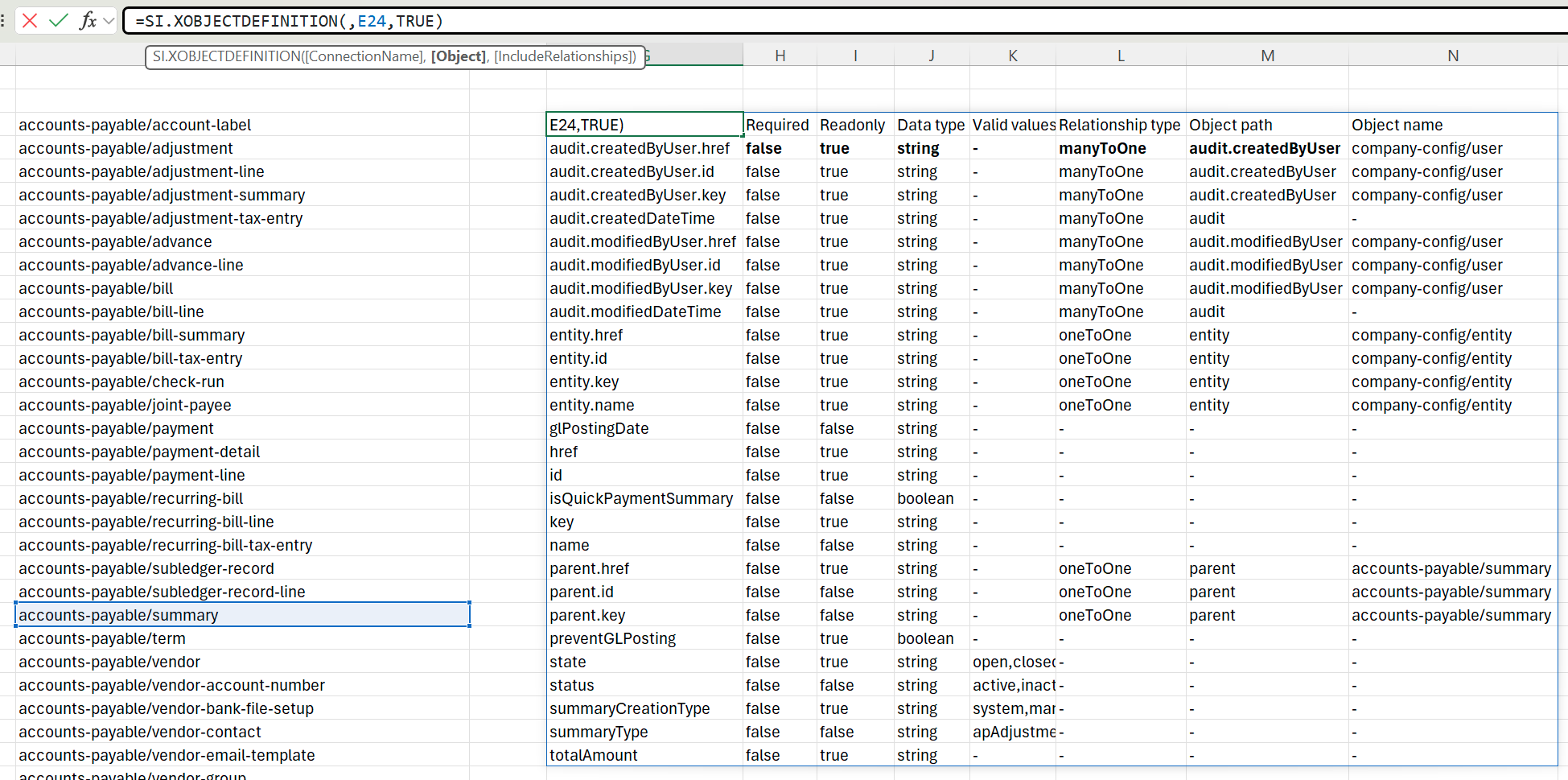
The function returns a spill range of the Sage Intacct object fields and their attributes:
-
ID - field name OR related object and field name - uses
.dot syntax (relatedObjectName.fieldName). The values in this column are ready to use in SI.XQUERY, SI.XQUERYFILTER, and SI.XQUERYLOOKUP functions. -
Required - if the field is required when creating the object.
-
Readonly - if the field is editable after the object is created.
-
Data type - the field data type. One of the string, integer, and boolean.
-
Please note that dates and decimal numbers are referred to as strings.
-
-
Valid values - the exhaustive comma-separated list of valid values, if the field accepts only specific values. If there is no validation for the field, the columns contains a dash (
-). -
Additional fields relevant to related object columns when
IncludeRelationshipsis set toTRUE:-
Relationship type - possible values:
-
ManyToOne - Multiple records in the queried object point to the same single record in the related object. For example, many
accounts-payable/billrecords can reference the samecustomer. -
OneToOne - Each record in the queried object maps to exactly one record in the related object, and vice versa. For example, a bill might have a one-to-one link to its
purchasingrecord.
-
-
Object path - the path to the object containing the related field.
-
Object name - the name of the object containing the related field as listed by SI.XEXPANDOBJECTRANGE
-
For example, for accounts-payable/summary the function returns the following: