
Overview
The SI.EXPANDCUSTOMERRANGE function returns an array containing one or more Sage Intacct Customer IDs (based on the specified range).
Syntax
=SI.EXPANDCUSTOMERRANGE(
    ConnectionName,
    Range,
    Status
)
Arguments
The SI. EXPANDCUSTOMERRANGE function uses the following arguments:
|
Argument |
Required/ Optional |
Description |
|
|
Optional |
Provide one of the following values:
OR Omit the argument to return results for all compatible connections with default aggregation settings. |
|
|
Optional |
A range filtering specifying the Customer IDs to be displayed. See Filtering Velixo Functions. |
|
|
Optional |
An indicator of which status(es) of customers to include in the results.
(a combination may be used - e.g., |
Examples
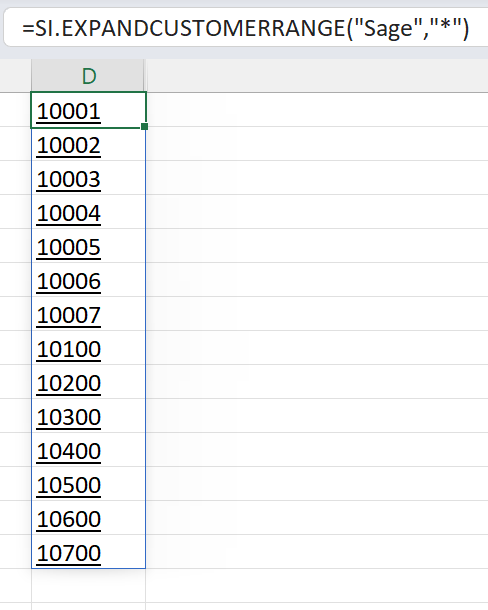
Example 1
=SI.EXPANDCUSTOMERRANGE(
    "Sage",
    "*"
)
Description
Returns the Customer ID for every customer in the specified connection.
Results
Example 2
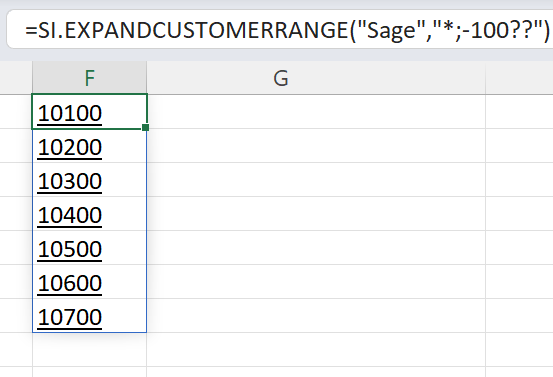
=SI.EXPANDCUSTOMERRANGE(
    "Sage",
    "*;-100??"
)
Description
Returns every Customer ID which does not start with 100.
Results
Example 3
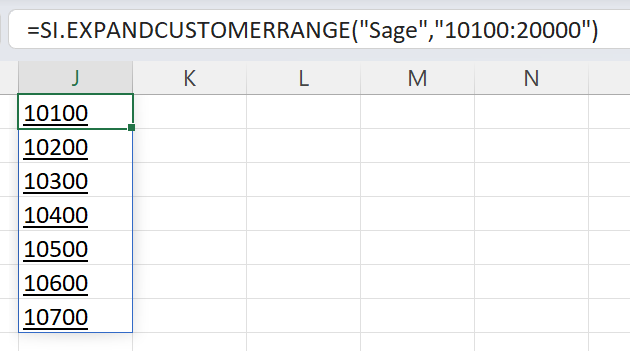
=SI.EXPANDCUSTOMERRANGE(
    "Sage",
    "10100:20000"
)
Description
Returns every Customer ID between 10100 and 20000 (inclusive).
Results
Example 4
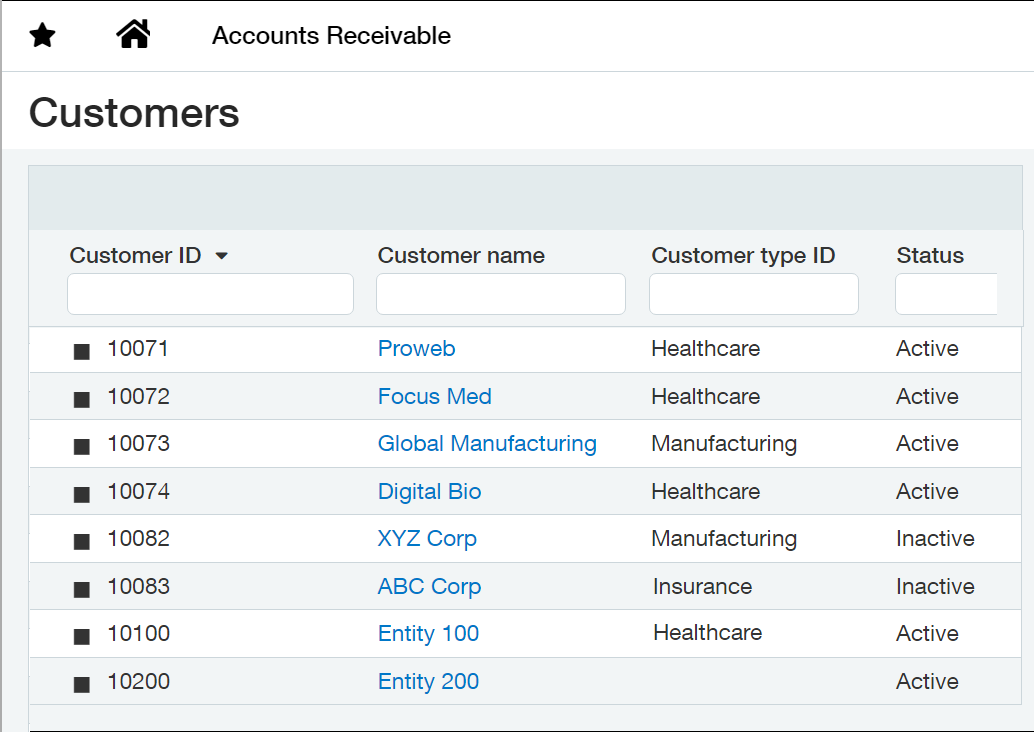
Assuming the following configuration within Sage Intacct:
=SI.EXPANDCUSTOMERRANGE(
    "Sage",
    "10100:20000",
    "NI"
)
Description
Returns every non-inactive Customer ID between 10060 and 10200 (inclusive).
Results
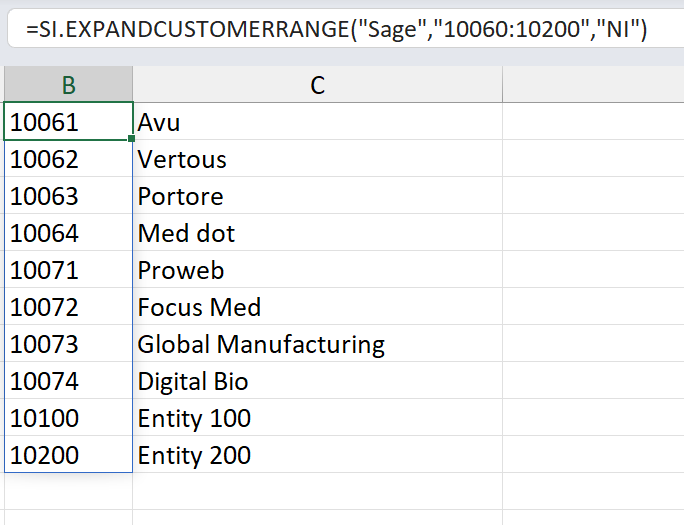
Inactive customers 10082 and 10083 are not included