
Overview
The SI.EXPANDPROJECTESTIMATERANGE function returns an array containing one or more Sage Intacct Project Estimate IDs (based on the specified projects and range).
Syntax
=SI.EXPANDPROJECTESTIMATERANGE(
    ConnectionName,
    Project,
    EstimateId,
    Status,
    IsPrimary,
    EstimateType
)
Arguments
The SI. EXPANDPROJECTESTIMATE RANGE function uses the following arguments (See Filtering Velixo Functions for how to include multiple values in a argument):
|
Argument |
Required/ Optional |
Description |
|
|
Optional |
Provide one of the following values:
OR Omit the argument to return results for all compatible connections with default aggregation settings. |
|
|
Optional |
A range filter specifying the Project IDs to be used to determine the Estimate IDs to be displayed. |
|
|
Optional |
A range filter specifying the IDs of the Estimates to be displayed. |
|
|
Optional |
An indicator of which status(es) of project to include in the results.
A combination may be used. The default is |
|
|
Optional |
|
|
|
Optional |
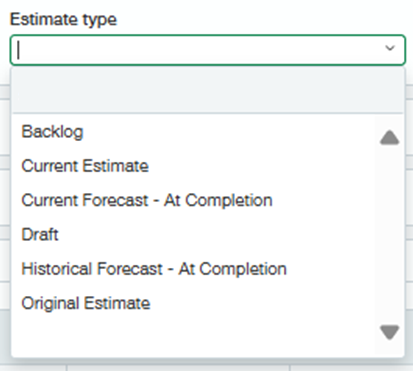
Valid options (as defined in Sage Intacct):
|
Examples
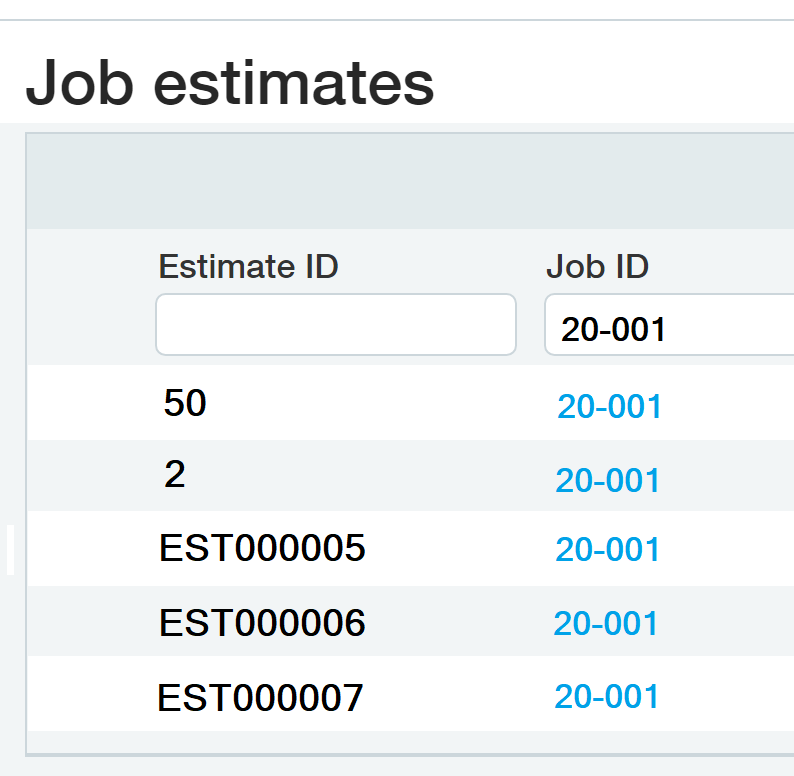
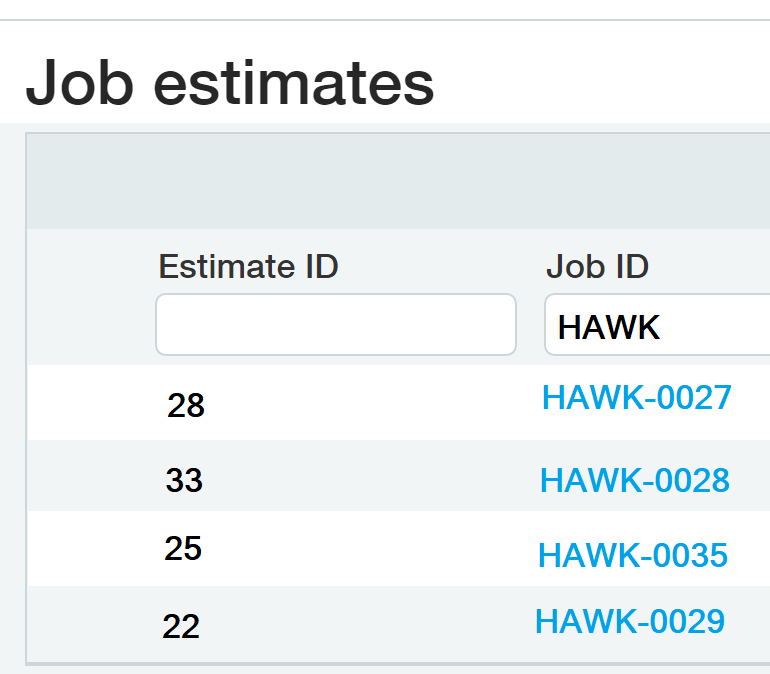
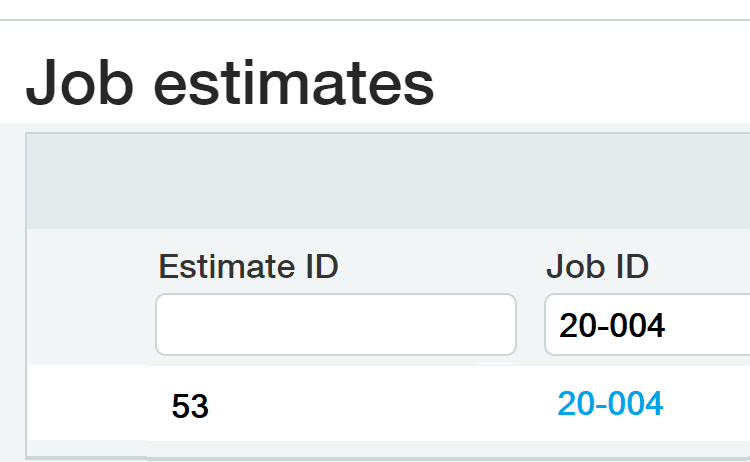
For examples 1 through 3, we are assuming the following configuration within Sage Intacct:
|
|
|
Example 1 - all Estimate IDs for a specific project
=SI.EXPANDPROJECTETIMATERANGE(
    "Sage",
    "20-001"
)
Description
Returns all Estimate IDs used in the 20-001 project.
Results
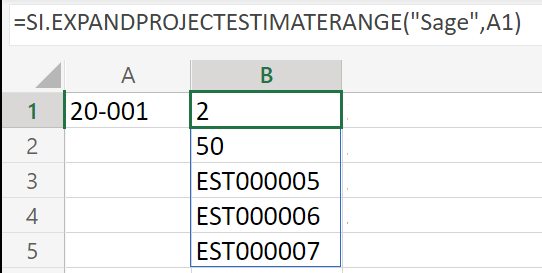
(the ProjectRange argument has been represented by a cell reference)
Example 2 - all Estimate IDs for projects starting with the same name
=SI.EXPANDPROJECTESTIMATERANGE(
    "Sage",
    "HAWK???"
)
Description
Returns all Estimate IDs for projects whose ID begins with HAWK
Results
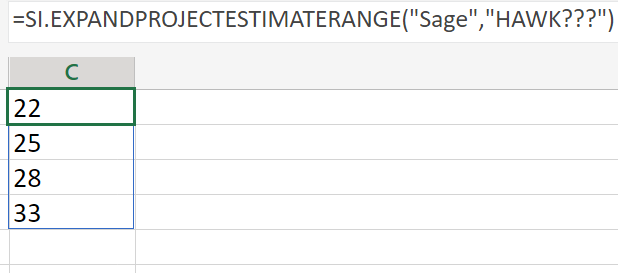
Example 3 - all Estimate IDs for multiple projects
=SI.EXPANDPROJECTESTIMATERANGE(
    "Sage",
    "20-001;20-004"
)
Description
Returns all Estimate IDs used in the two specified projects.
Results
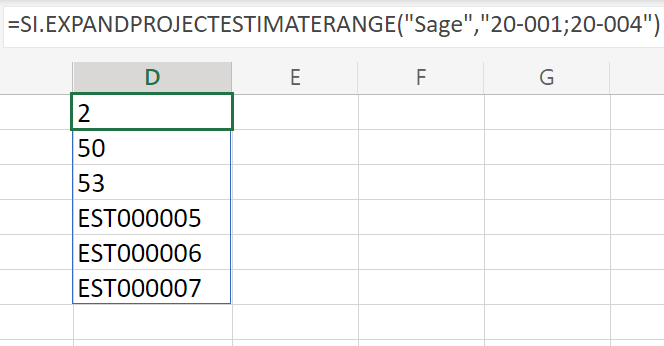
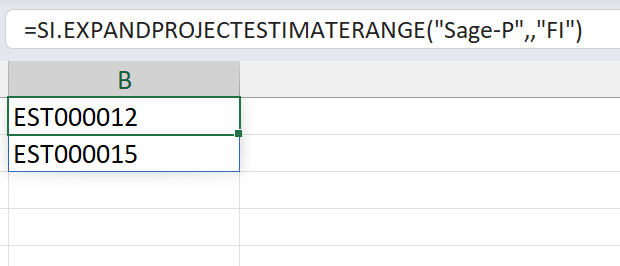
Example 4 - all Estimate IDs with a specific status
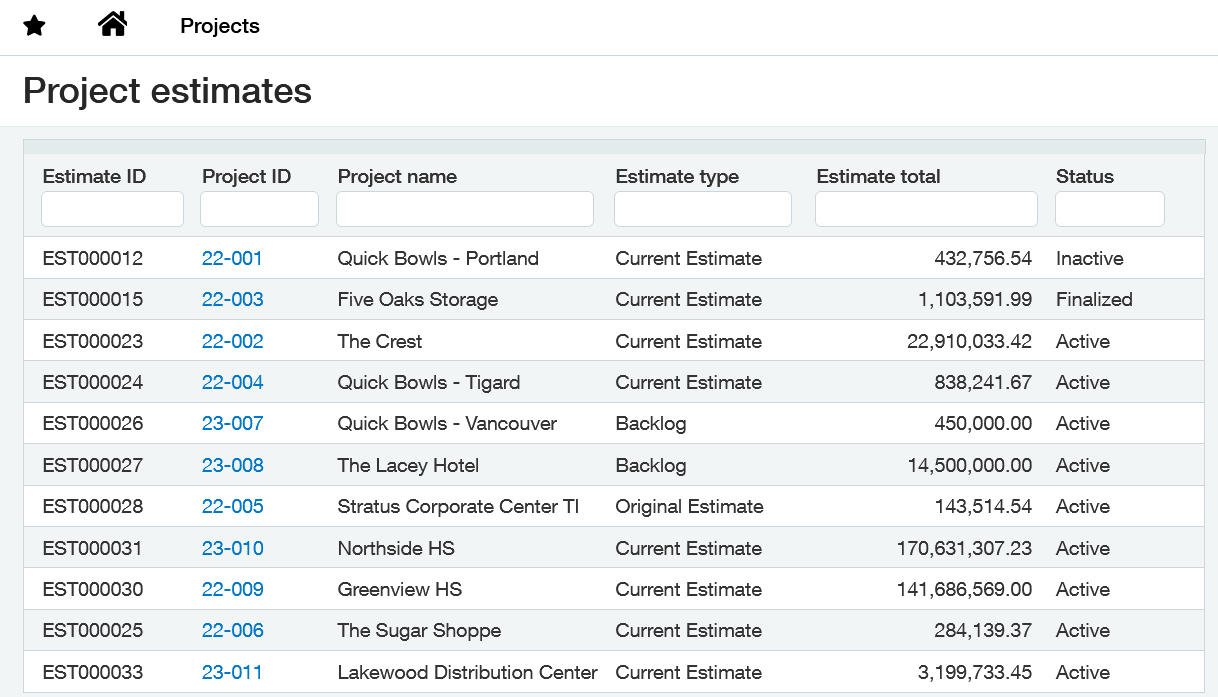
Assuming the following configuration within Sage Intacct:
=SI.EXPANDPROJECTESTIMATERANGE(
    "Sage",
    ,
    "FI"
)
Description
Returns all Estimate IDs with a status of either Finalized or Inactive
Results
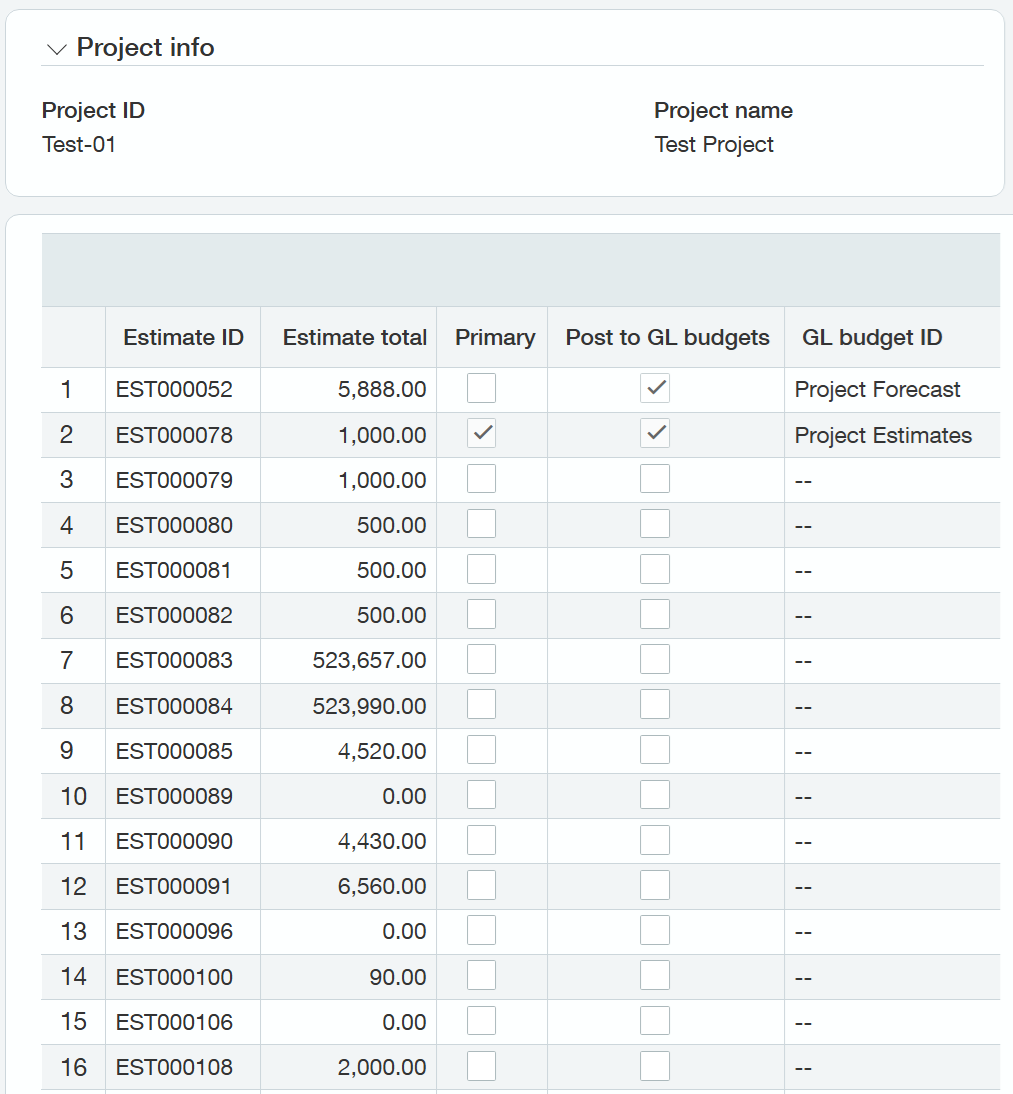
For examples 5 and 6, we are assuming the following estimates for Project Test-01:
Example 5 - exclude Draft estimates from the results
=SI.EXPANDPROJECTESTIMATERANGE(
    Connection,
    "Test-01",
    ,
    ,
    ,
    "*;-draft"
)
Description
Returns the non-draft Estimate IDs for project Test-01.
Results
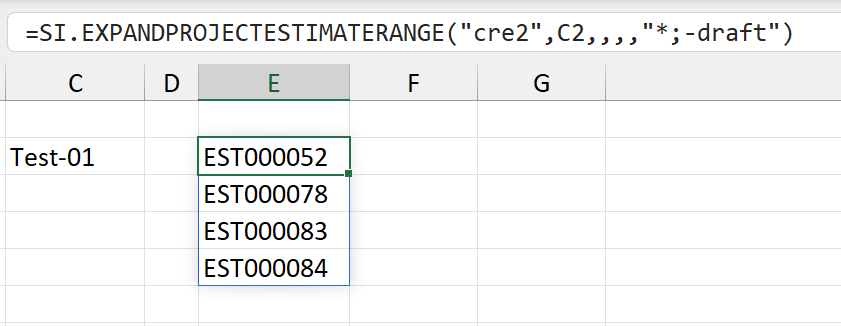
(the ProjectRange argument has been represented by a cell reference)
If an estimate is not assigned an Estimate Type, it will be filtered out when Draft types are filtered out.
Example 6 - include only the Primary estimate for a project
=SI.EXPANDPROJECTESTIMATERANGE(
    Connection,
    "Test-01",
    ,
    ,
    TRUE
)
Description
Returns the primary Estimate ID for project Test-01.
Results
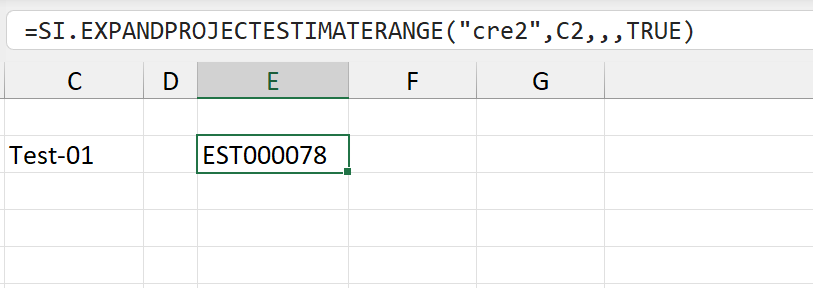
(the ProjectRange argument has been represented by a cell reference)
Troubleshooting
When using the EstimateType argument, if either:
-
The filter specified in the argument eliminates all possible records OR
-
There is an invalid type specified in the argument
The ExpandProjectEstimateRange function will return #VALUE!
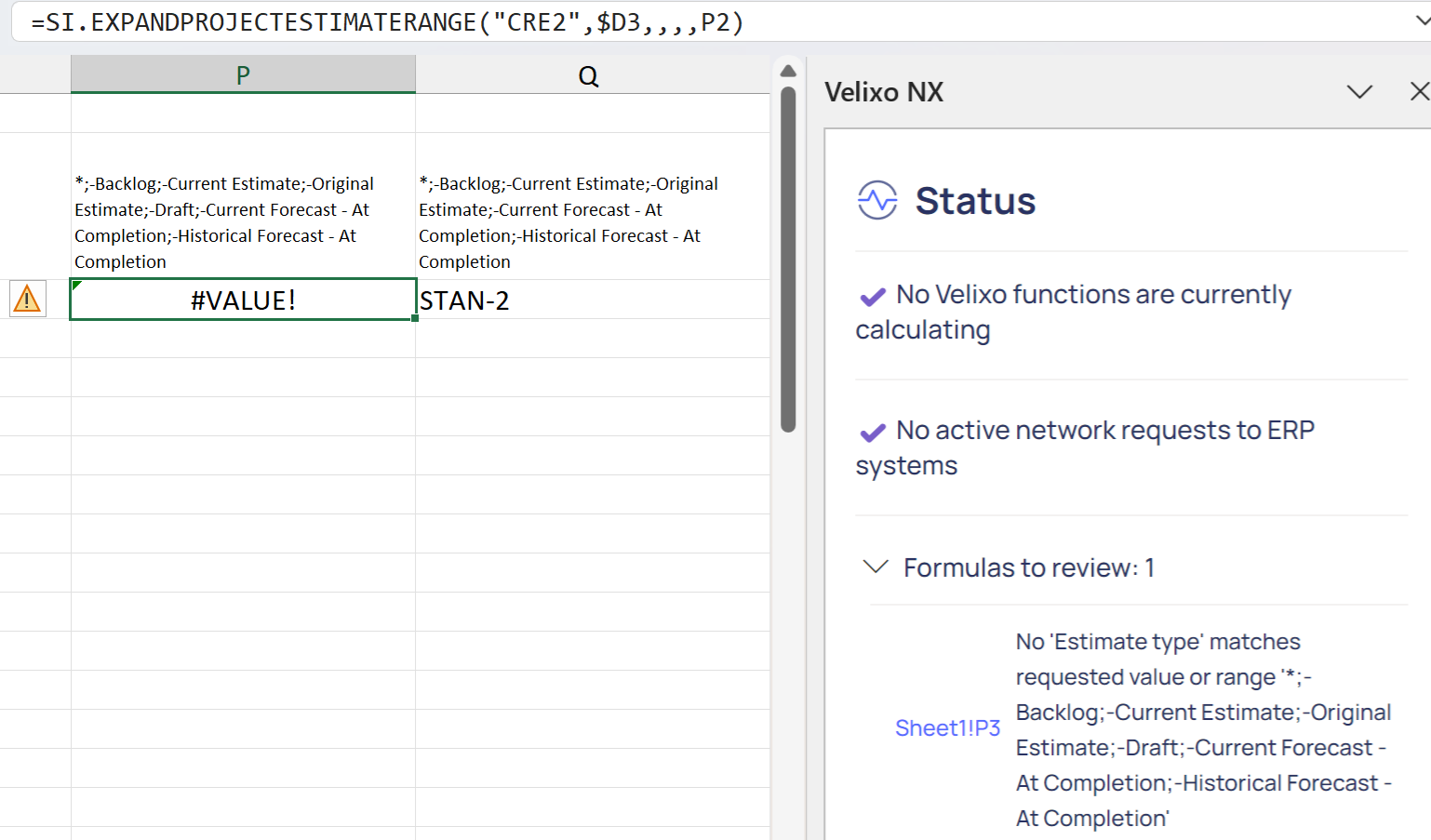
(all possible records eliminated)
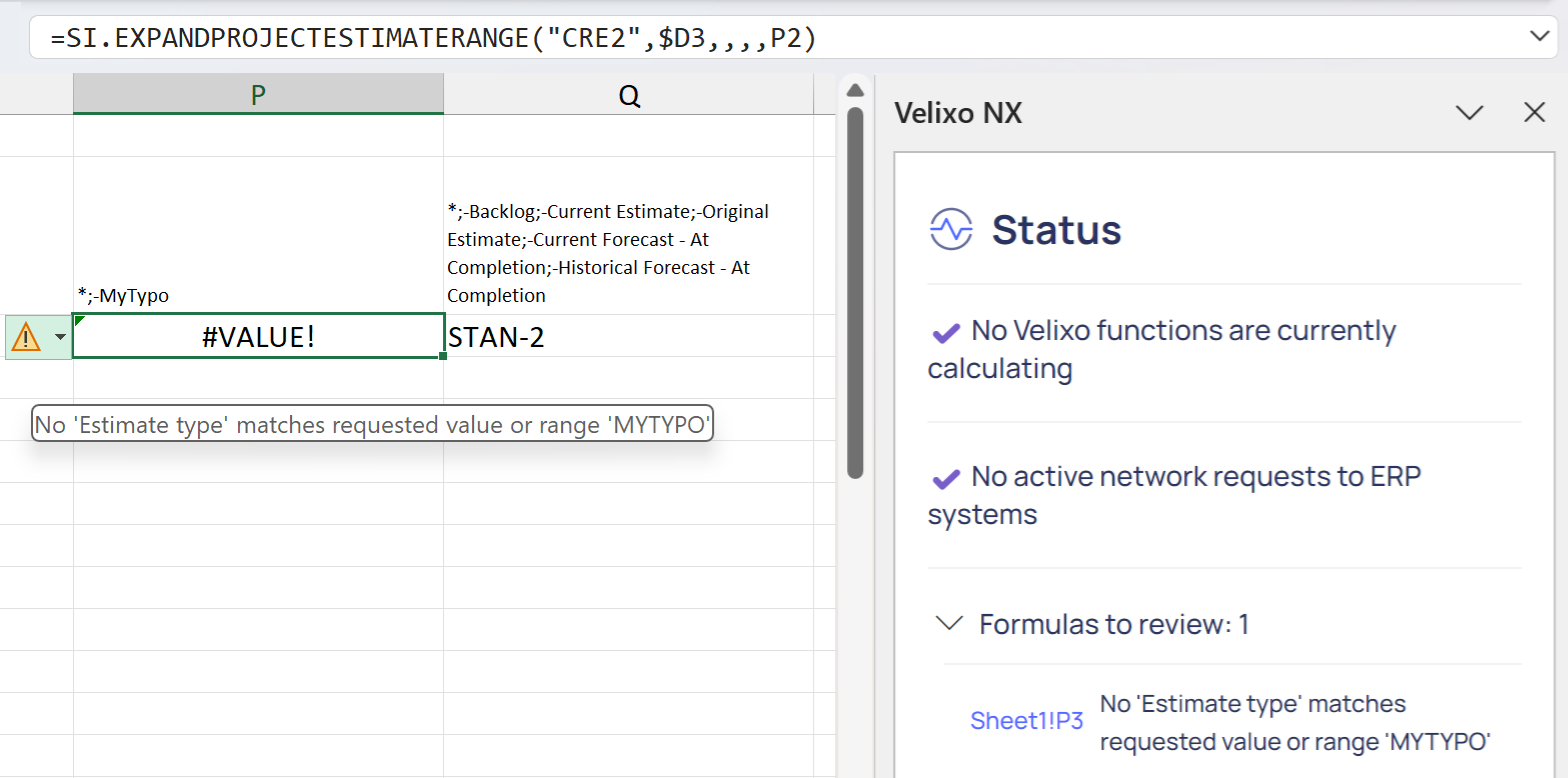
(filter includes an invalid type)
along with the message:
No 'Estimate type' matches the requested value or range