
Overview
The SI.EXPANDACCOUNTSINGROUP function returns an array of the GL accounts which are defined in Sage Intacct as being included in the specified account groups(s).
Syntax
=SI.EXPANDACCOUNTSINGROUP(
    ConnectionName,
    AccountGroup
)
Arguments
The SI.EXPANDACCOUNTSINGROUP function uses the following arguments:
|
Argument |
Required/Optional |
Description |
|
|
Optional |
Provide one of the following values:
OR Omit the argument to return results for all compatible connections with default aggregation settings. |
|
|
Required |
A Velixo filter specifying which group(s) to include.
|
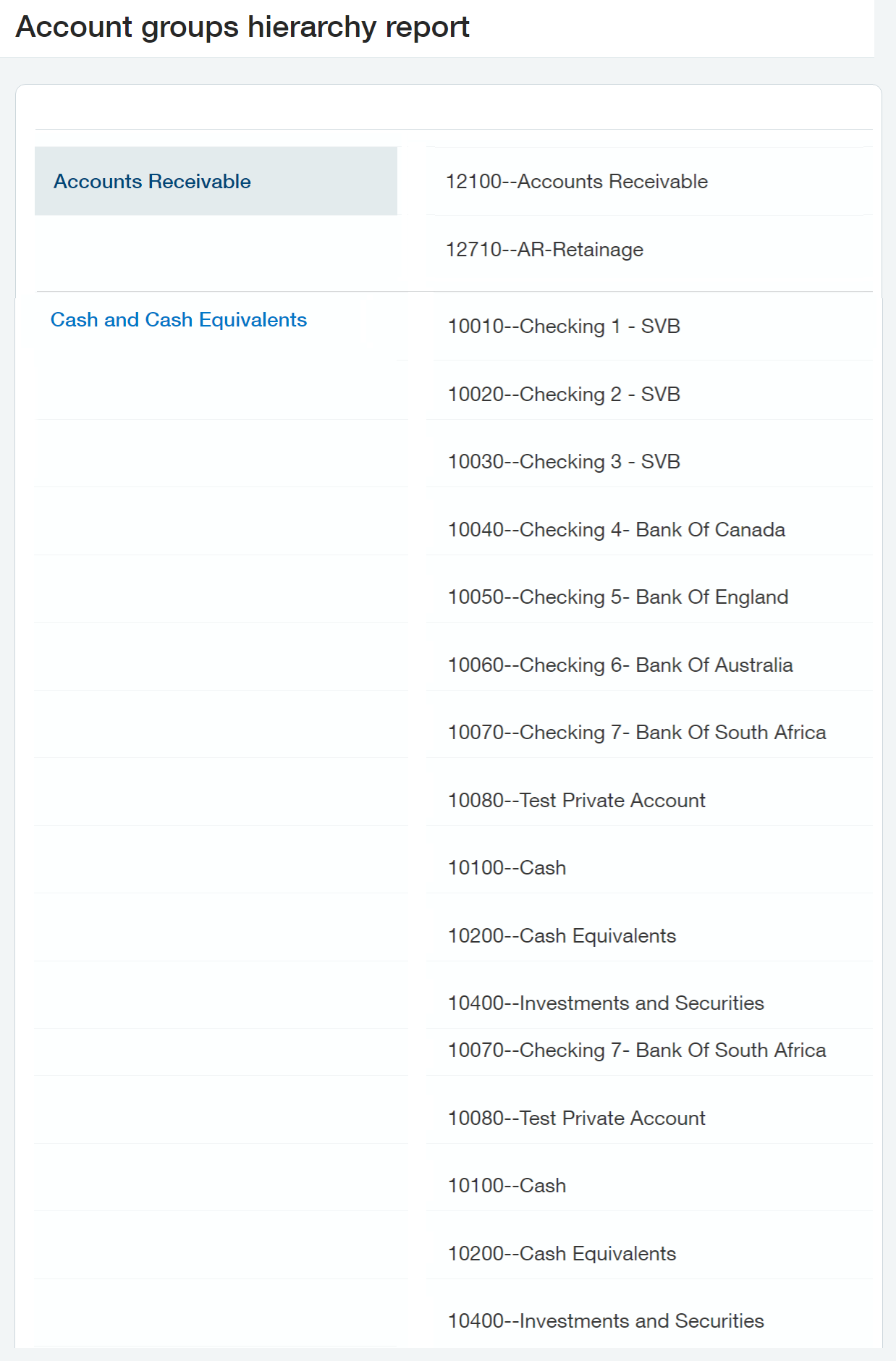
In Sage Intacct, account groups with their accounts can be found in the Account Groups Hierarchy report (General Ledger → Reports → Account Groups Hierarchy)
Examples
Given this configuration within Sage Intact:
Example 1
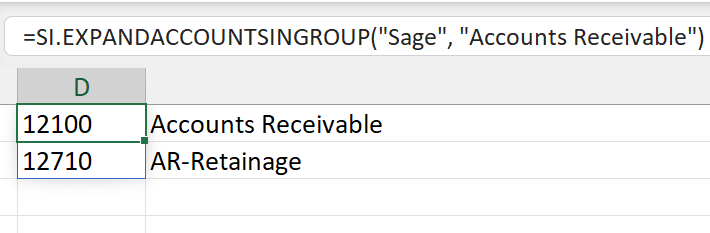
=SI.EXPANDACCOUNTSINGROUP(
    "Sage",
    "Accounts Receivable"
)
Description
Returns all accounts defined as being in the Accounts Receivable account group.
Result
Example 2
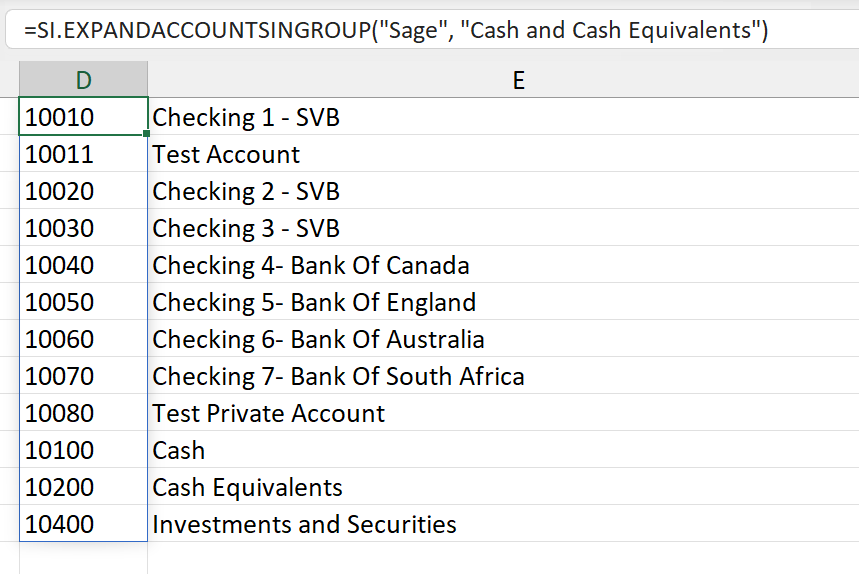
=SI.EXPANDACCOUNTSINGROUP(
    "Sage",
    "Cash and Cash Equivalents"
)
Description
Returns all accounts defined as being in the Cash and Cash Equivalents account group.
Result
Example 3 - Multiple Groups
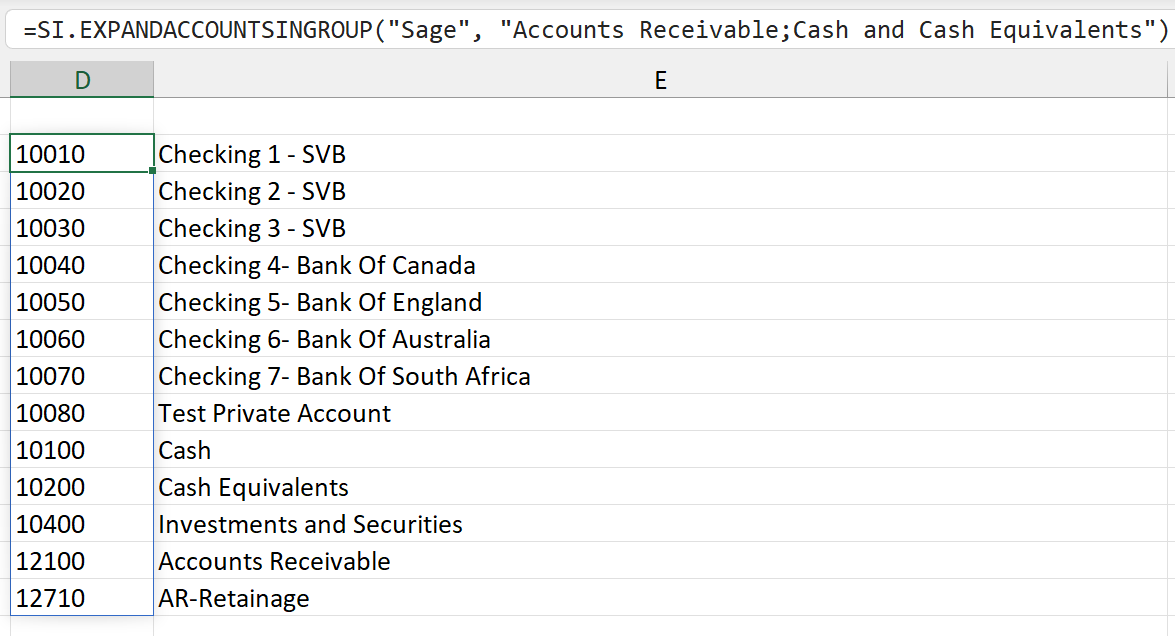
=SI.EXPANDACCOUNTSINGROUP(
    "Sage",
    "Accounts Receivable;Cash and Cash Equivalents"
)
Description
Returns all accounts defined as being in either the Accounts Receivable or the Cash and Cash Equivalents account group.
Result
Example 4 - High Level Groups
=SI.EXPANDACCOUNTSINGROUP(
    "Sage",
    "Liabilities"
)
Description
Groups can be very high level. Here we have used the function to display all liability accounts.
Result
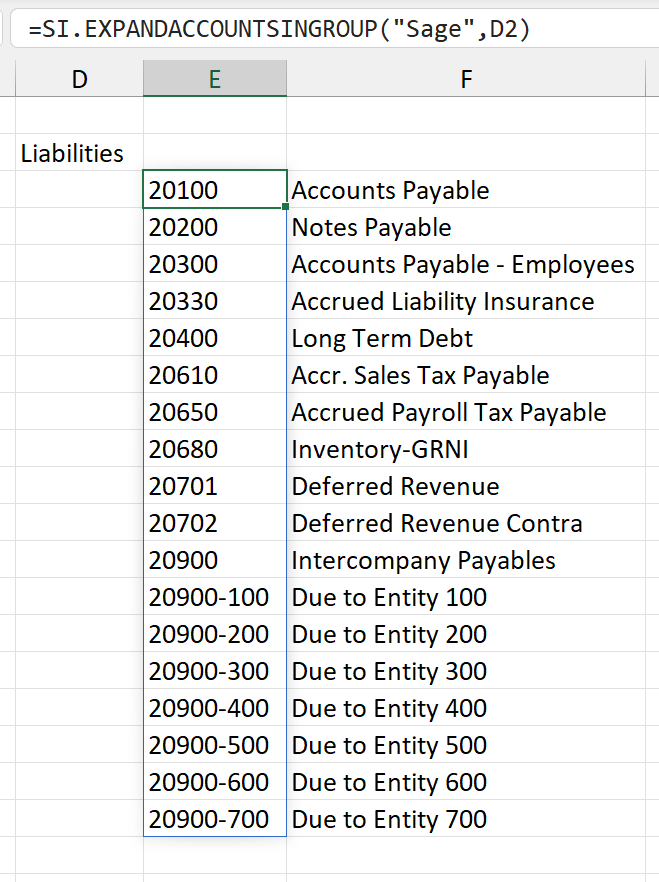
A cell reference has been used for one of the arguments in this example