Overview
The SI.EXPANDTAXSOLUTIONRANGE function returns the list of Tax solution name field values from the Tax solutions form (Taxes → Setup tab → Tax solutions) in Sage Intacct, which have a defined Tax engine of "VAT or GST".
Syntax
=SI.EXPANDTAXSOLUTIONRANGE(
    ConnectionName,
    Range,
    Status
)
Arguments
The SI. EXPANDTAXSOLUTIONRANGE function uses the following arguments:
|
Argument |
Required/Optional |
Description |
|
|
Optional |
Provide one of the following values:
OR Omit the argument to return results for all compatible connections with default aggregation settings. |
|
|
Optional |
The range of tax solution names to include in the results. See our article on including multiple argument values |
|
|
Optional |
Filters tax solutions by their status.
You can combine values to return multiple statuses.
|
Example
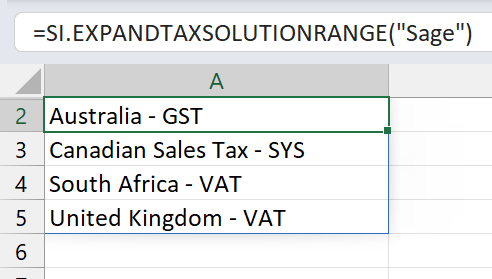
Example 1 - all tax solutions
=SI.EXPANDTAXSOLUTIONRANGE(
    "Sage"
)
Description:
Returns the names of all tax solutions defined in Sage Intacct where the Tax engine field is set to "VAT or GST".
Result:
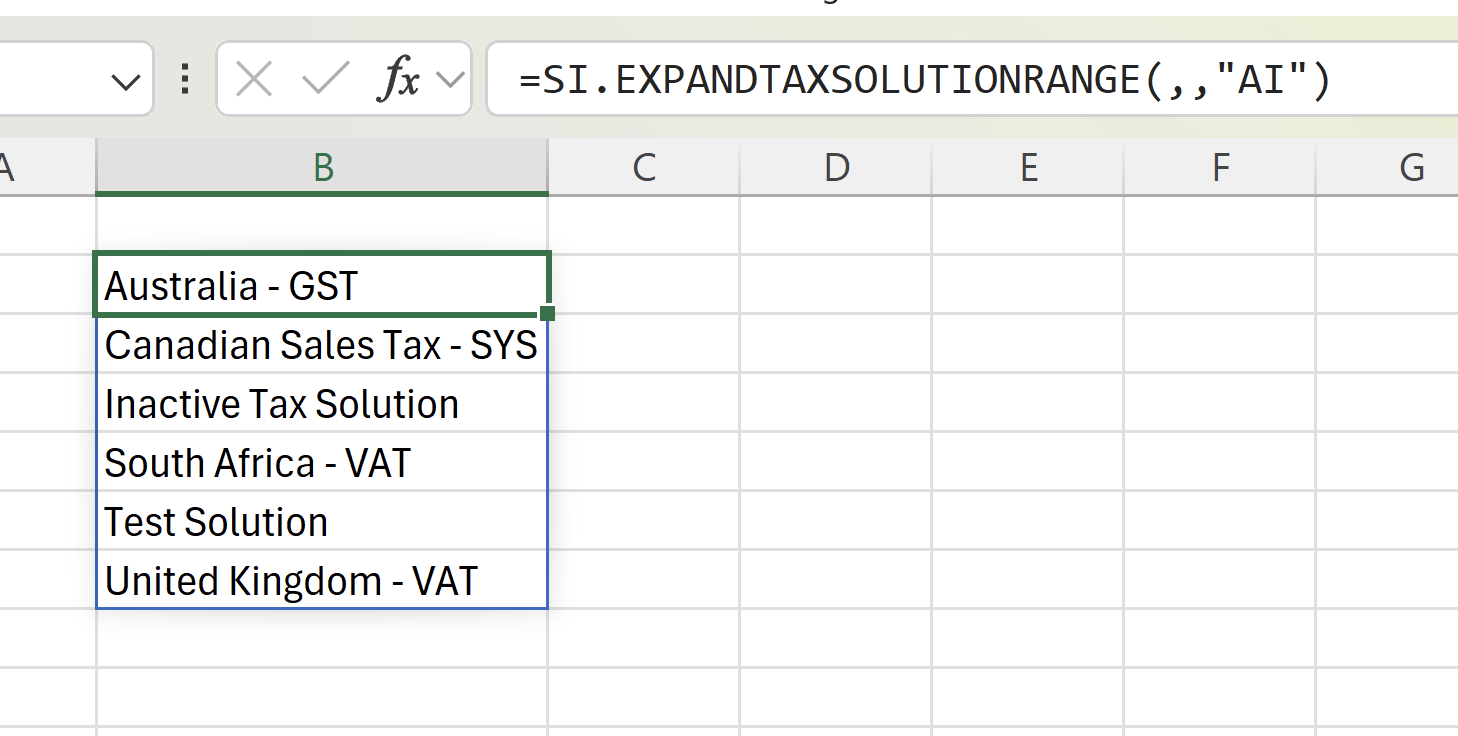
Example 2 - active and inactive tax solutions
=SI.EXPANDTAXSOLUTIONRANGE(
  ,
  ,
  "AI"
)
Description:
Returns the names of all tax solutions defined in Sage Intacct where the Tax engine field is set to "VAT or GST", and whose status is “active” or “inactive”.
Result:
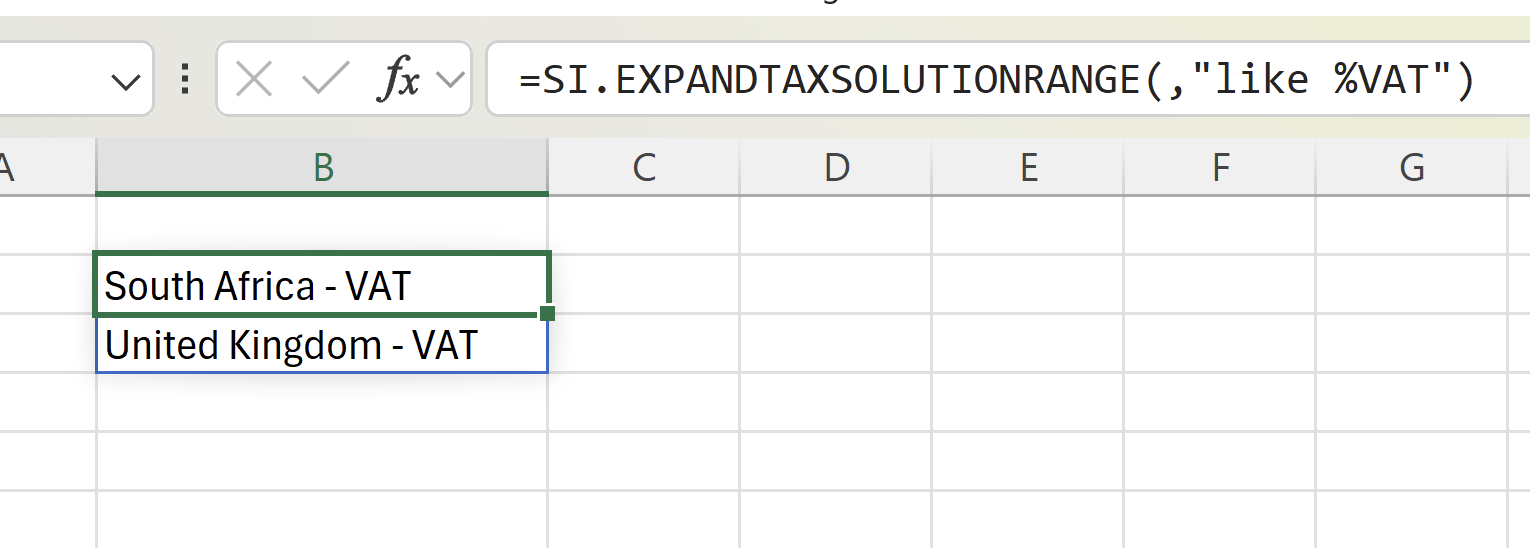
Example 3 - filtered range
=SI.EXPANDTAXSOLUTIONRANGE(
  ,
  "like %VAT"
)
Description:
Returns all tax solutions whose names end with the string VAT.
Result: