
Overview
The SI.ADJCREDITS function returns the total of the adjusted credits applied to a GL account (between two dates).
This feature supports Drilldown – a functionality that lets you list all underlying transactions for a formula.
Syntax
=SI.ADJCREDITS(
    ConnectionName,
    AccountGroup,
    Account,
    FromDate,
    ToDate,
    LocationId,
    Books,
    Dimensions,
    UserDefinedDimensions,
    IncludeChildDimensionBalances
)
Arguments
The SI.ADJCREDITS function uses the following arguments:
|
Argument |
Required/Optional |
Description |
|
|
Optional |
Provide one of the following values:
OR Omit the argument to return results for all compatible connections with default aggregation settings. |
|
|
Optional if |
The name of the account group for which to return the aggregated adjusted credits.
Computational Account Groups are not supported. |
|
|
Optional if |
The code of the general ledger account, or multiple account codes defined by a Velixo range expression
|
|
|
Required |
The start date (inclusive) or a cell reference to a date |
|
|
Required |
The end date (inclusive) or a cell reference to a date |
|
|
Optional unless the company has multiple base currencies |
The ID of the entity or location
|
|
|
Optional |
The reporting book or global consolidation book to be used for retrieving the balance. One or more user-defined adjustment book IDs may be included.
|
|
|
Optional |
Either:
When filtering by a dimension group, you can either use a dedicated group dimension name (e.g. For more in-depth information about using Sage Intacct dimensions in Velixo NX, see Using Dimensions. For user-defined dimensions, use the |
|
|
Optional |
Either:
For more in-depth information about using Sage Intacct dimensions in Velixo NX, see Using Dimensions.
|
|
|
Optional |
The 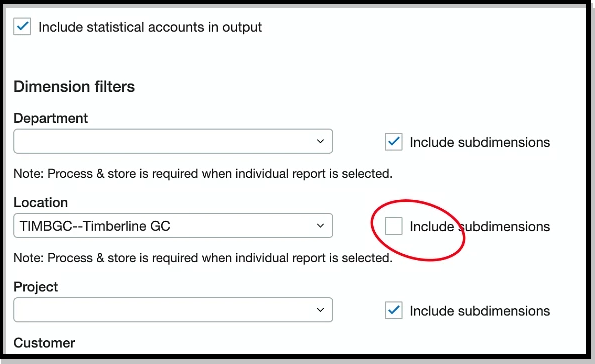
|
Example
=SI.ADJCREDITS(
    "Sage",
    ,
    "60410",
    "12/1/2024",
    "12/31/2024",
    "100",
    "ACCRUAL"
)
Description
Returns the total of the adjusted credits applied to account "60410" during December 2024 for entity "100" in the ACCRUAL reporting book.
Result
100.00

(This example uses cell references for the arguments)