
Overview
Drilldown shows you a detailed view of the underlying data behind any value returned by a supported Velixo NX function. Instead of manually cross-referencing your ERP to verify a number, you can inspect it directly from Excel in one click.
This article covers:
-
How to start a Drilldown
-
The structure of the Drilldown sheet
-
Removing Drilldown worksheets
-
Supported functions
-
Tips and limitations
For Drilldown results to match the Account Balances report in Sage Intacct, your Velixo Drilldown presentation settings must match your Sage Intacct settings.
You can also use this functionality via the Velixo Intelligence assistant.
Supported functions
Starting a Drilldown
-
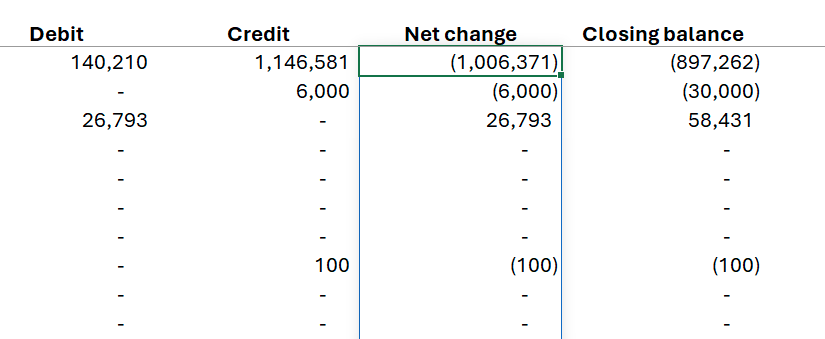
In your report, select the cell whose value you want to investigate.
-
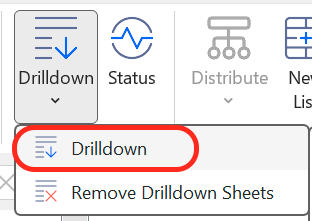
In the Velixo NX Excel menu, click Drilldown → Drilldown.
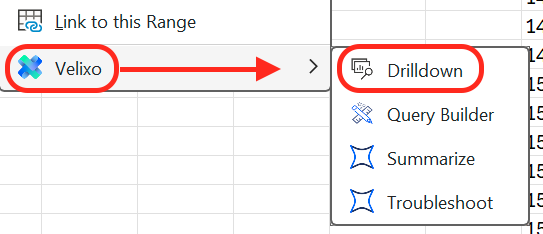
Alternatively, right-click the cell and select Velixo → Drilldown.
Velixo refreshes the workbook and opens a new worksheet tab containing the Drilldown results.
You can choose whether to add a Drilldown to the current workbook or open it in a new one in Velixo NX Options.
Starting a Drilldown always triggers a data refresh. Even if the cell shows a previously cached value, the Drilldown reflects the latest data from your ERP.
You can run multiple Drilldowns — each one opens in a separate worksheet tab.
The Drilldown worksheet
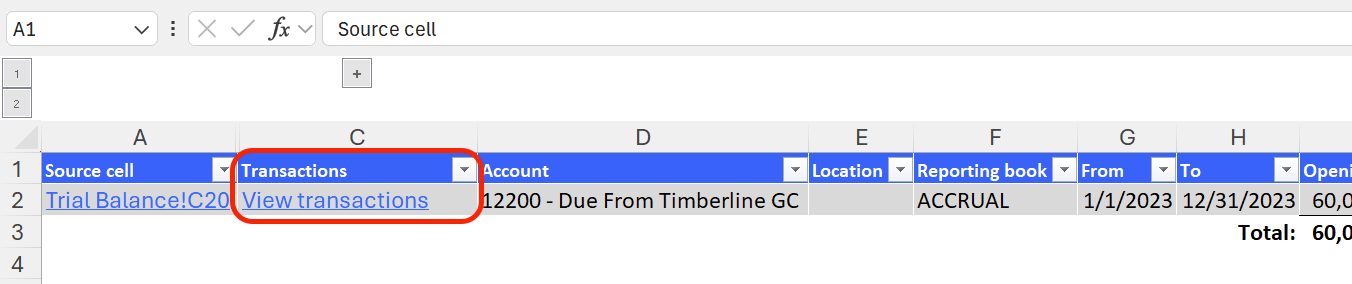
The Drilldown worksheet is a summary table. Each row represents an entry that contributed to the drilled-down value, and each column is a field relevant to the returned entry set.
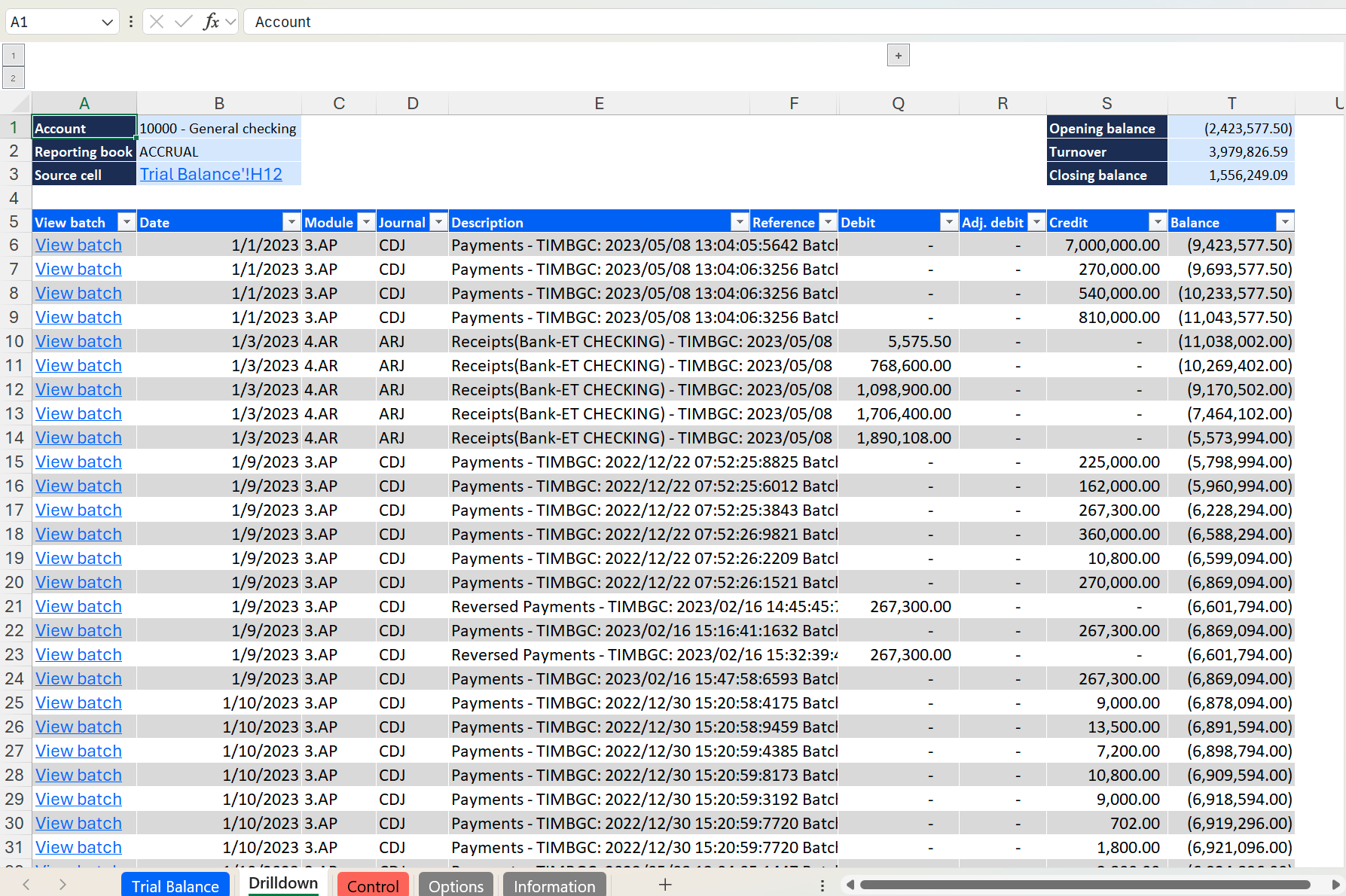
Dimension columns appear when the drilled-down data includes entries with different dimension values. Each column is named after the dimension it represents and displays the dimension value code and name.
If any row contains a non-zero adjusting amount, the Adj.Debit and/or Adj.Credit column appears in the results.
You can use the links in the Source Cell column to return to the original report (not available in Excel for the Web).
To improve performance, minimize the number of cells included in the selection before triggering a Drilldown.
Second-level Drilldown
The first-level Drilldown described above groups transactions into summary rows. Each row represents a unique combination of dimension values — such as Location or Department — for which transactions exist within the account and period being drilled into. If an account has activity across multiple Locations, Departments, or other dimensions, the first-level Drilldown shows one row per combination.
To inspect the individual transactions behind a summary row, click View transactions in the Transactions column of that row. Velixo opens a new, separate Drilldown worksheet listing those transactions.

Columns containing dimensional data are collapsed by default — expand them to view dimension details.
If the first-level Drilldown returns only a single summary row, Velixo skips it and opens the second-level Drilldown directly.
Skipping the first-level Drilldown
If you want individual transactions rather than balances grouped by dimension, select Always skip the first-level drilldown and go straight to transactions in Options → Drilldown → Transaction drilldown. Drilling down then opens a single transaction worksheet holding the transactions behind every first-level line, with each line's dimension filters applied.
The worksheet adapts to the scope of the data it covers:
-
An identity field that has the same value on every transaction — Source cell, Connection, Account, Reporting book — stays in the header block as a single value.
-
An identity field whose value differs between transactions becomes a per-row column instead. When several of them differ, they appear in the order Source cell, Connection, View batch, Account, Reporting book, followed by Date and the remaining transaction columns.
-
Opening balance, Turnover, and Closing balance in the header describe the whole worksheet and reconcile to the source cell.
Rows are sorted by date across all first-level lines, and the Balance column accumulates continuously, so the value on the last row equals the Closing balance in the header.
Drilling down on SI.BUDGETTURNOVER with this option selected opens the transactions posted in the period covered by the budget figure.
If no first-level line has a non-zero turnover, Velixo shows the first-level Drilldown worksheet instead.
View transactions in the ERP interface
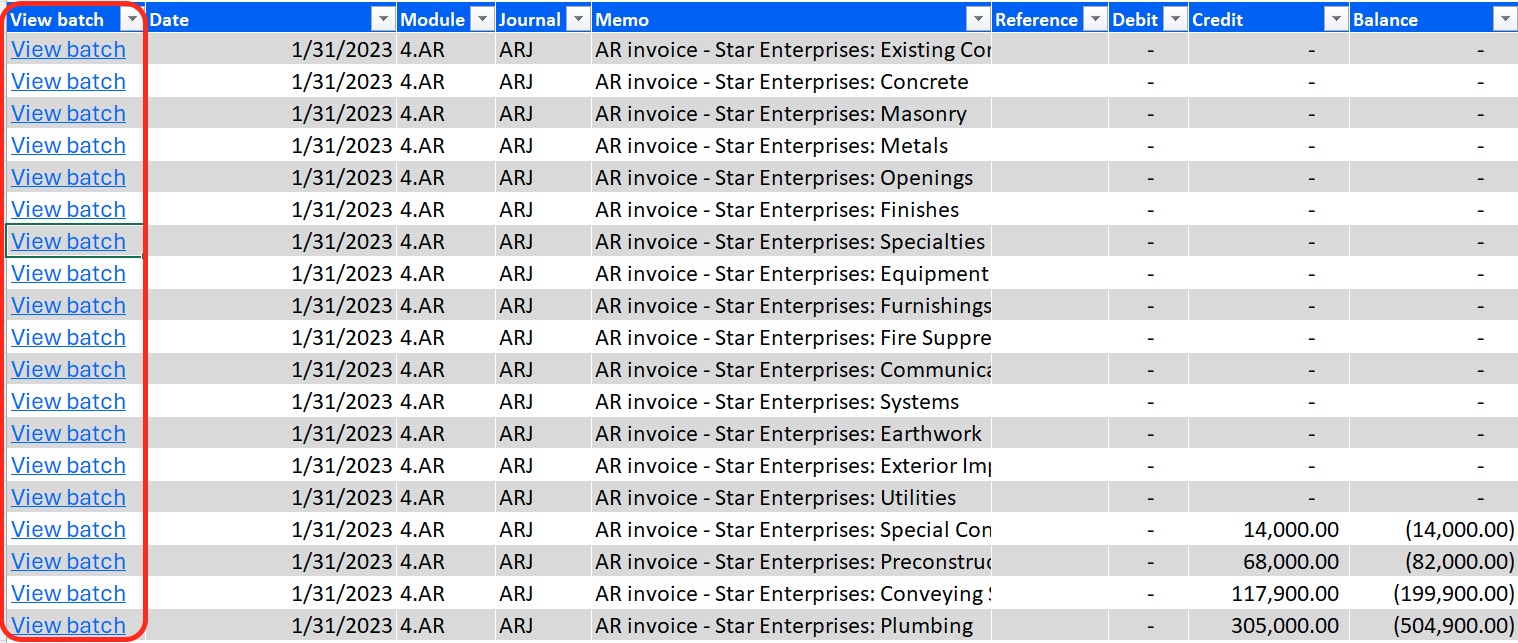
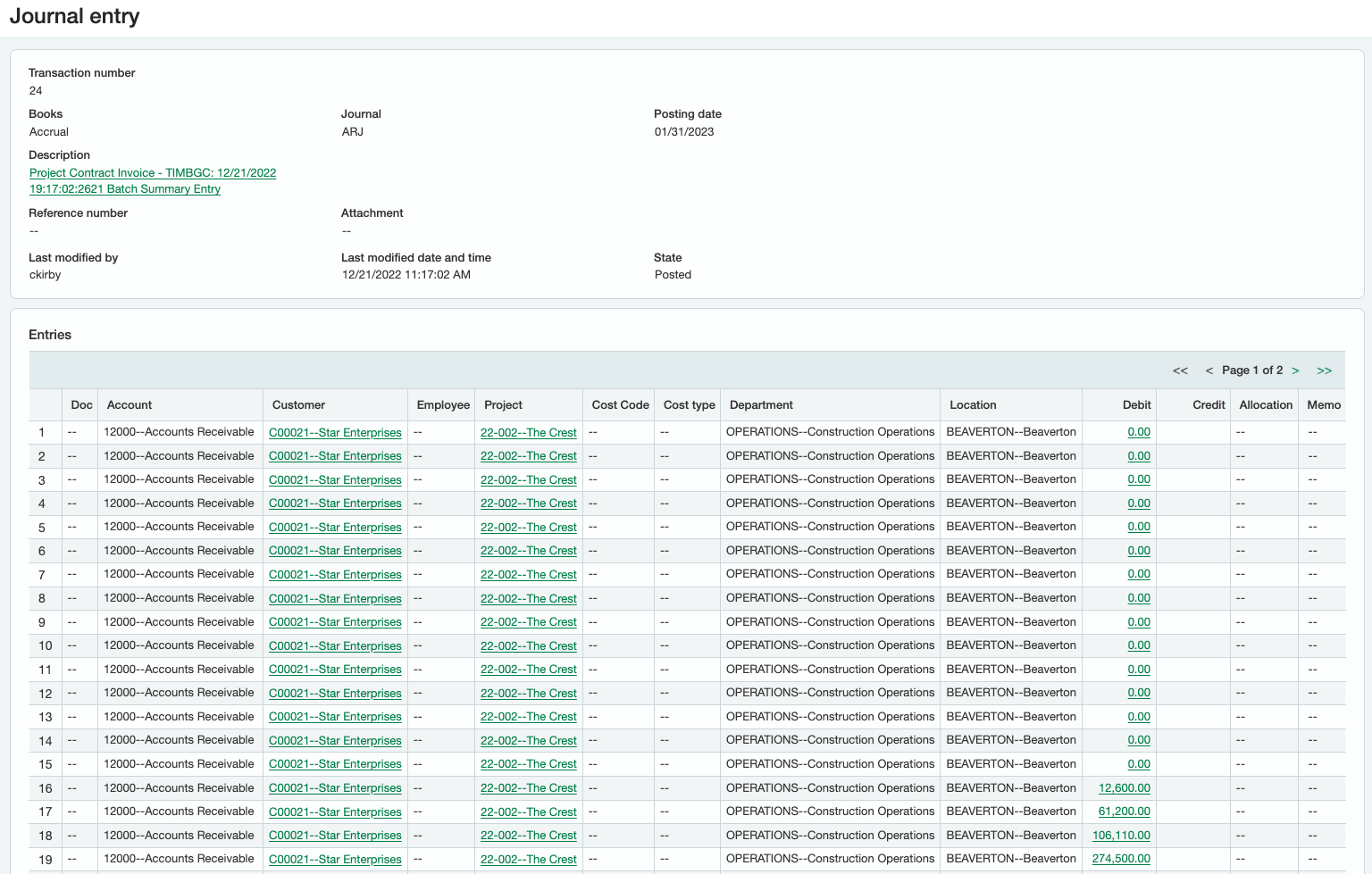
Click a View batch link in the View batch column to view the transaction in its General Ledger Journal Entry in the Sage Intacct web interface.
Drilldown with multi-connection formulas
Drilldown works with formulas that reference more than one connection, including:
-
A wildcard connection — for example,
=TURNOVER("Connection?") -
A formula aggregating results from multiple connections — for example,
=SUM(TURNOVER("Connection1"), TURNOVER("Connection2"))
Removing Drilldown worksheets
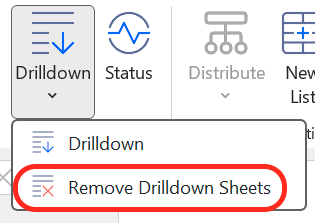
The Drilldown worksheet is static — it doesn't update when the underlying data changes. Once you've finished your analysis, remove it to keep your workbook tidy.
In the Velixo NX Excel menu, click Drilldown → Delete Drilldown Sheets.
Tips
-
Drilldown on aggregated cells: You can drill down on cells that combine supported Velixo functions with Excel functions such as
SUMorAVERAGE. -
Performance: Drilling down on a cell that aggregates many Velixo functions (for example, a
SUMspanning a large range) will be slower than drilling down on a single function cell. Where possible, drill down at the function level rather than on aggregate totals.
Limitations
-
Drilldown is not supported on cells using Excel's
SUMIF,VLOOKUP,HLOOKUP,MATCH, orINDEXfunctions. Because these functions reference entire source ranges, Velixo cannot determine which individual cells contributed to the value. -
Cells involving complex arithmetic on Velixo values cannot be fully represented in a Drilldown. The worksheet summarizes all relevant accounts, not a formula trace.
-
Drilldown results may not match the Account Balances report in Sage Intacct when the
IncludeChildDimensionBalancesargument in your Velixo function is set differently from the Include subdimensions checkbox in Sage Intacct. To get matching results:-
IncludeChildDimensionBalances = TRUE→ Include subdimensions checked -
IncludeChildDimensionBalances = FALSE→ Include subdimensions unchecked
-