Overview
Granular Balance Loading is an option menu that lets users restrict Velixo ERP balance queries to specific dimensions to reduce the refresh time for large Sage Intacct databases.
This functionality enables users to significantly improve performance in cases where a single dimension is used across numerous balances in a single workbook. When this option is active, Velixo will only request balances for selected dimensions used in the workbook.
To improve performance for large databases, you can also use the Global Object Filters functionality to define filters for all queries for a given object.
Usage
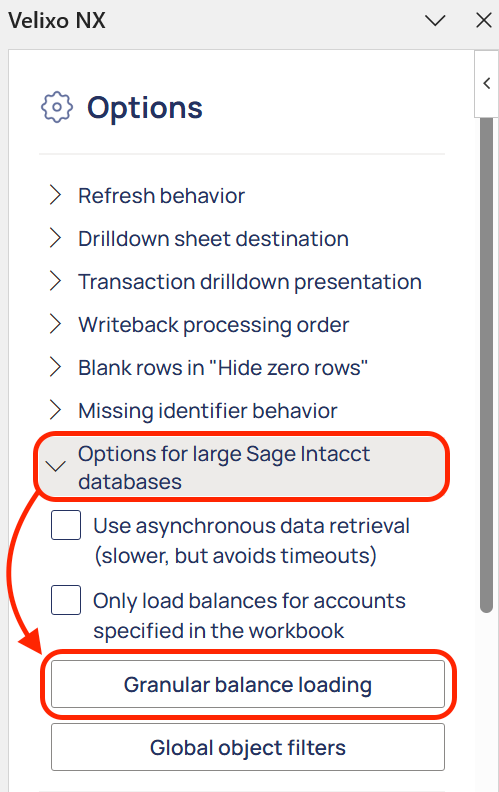
Go to Options in the Velixo NX menu.

Expand Options for large Sage Intacct databases and click the Granular Balance Loading button.
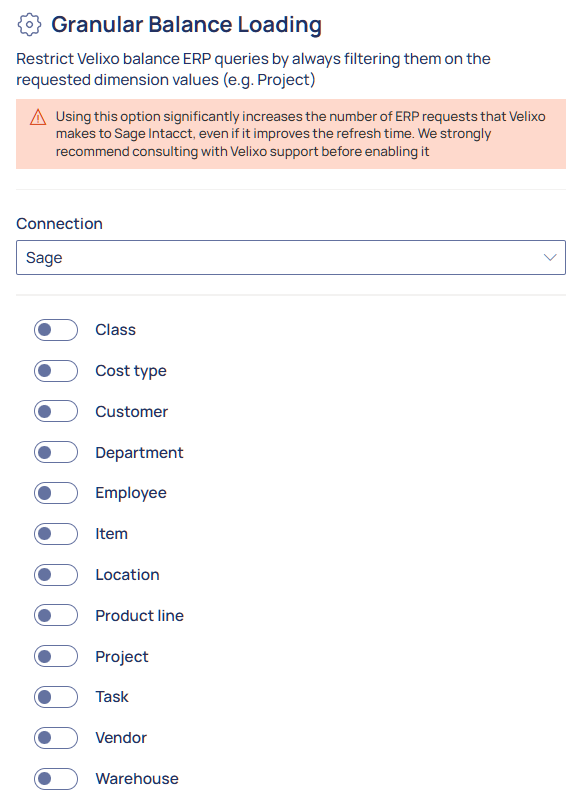
In the Granular Balance Loading menu, you can:
-
Choose the Sage Intacct connection in the Connection drop-down list
-
Toggle the dimensions to which you want to restrict your queries.
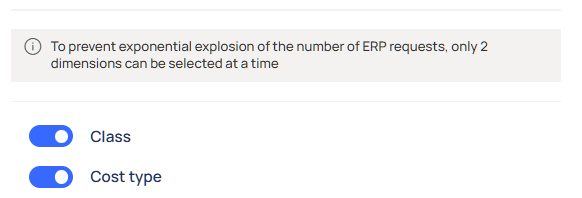
To prevent performance issues, Granular Balance Loading is limited to 2 dimensions, as each added dimension significantly increases the number of ERP requests Velixo makes.