The Velixo Classic installer will generally be able to determine whether you have a 32-bit or 64-bit installation of Microsoft Office. This "bit-level" for the Excel add-in must match the bit-level of Microsoft Excel.
There may be instances when you need to select something on your own, and need to know which bit-level of Excel you have.
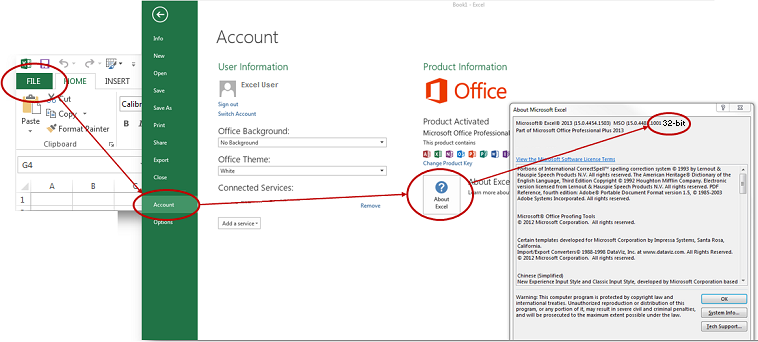
Excel 2013 or higher
Select the File tab from the Excel ribbon and then select Account > About Excel.
The version and bit-level of Excel will be displayed in the top line of the window:
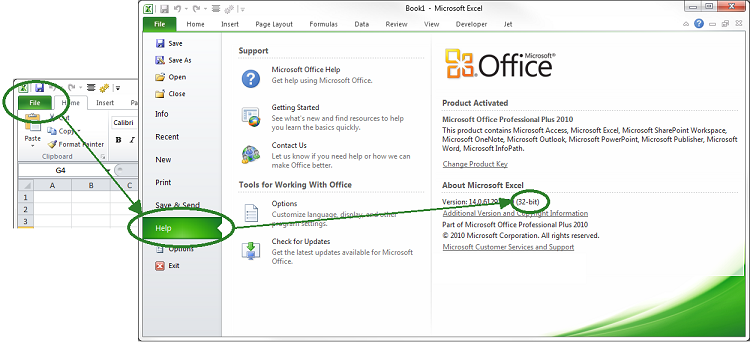
Excel 2010
Select the File tab from the Excel ribbon and then select Help
Your version and bit-level of Excel will appear under About Microsoft Excel.