
Applies to:
-
Velixo NX
-
Sage Intacct
Release date: September 2nd, 2024
Version number: 2024.9.1 or higher
🚀 New
Ribbon UI
-
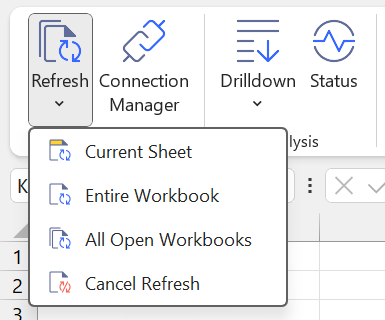
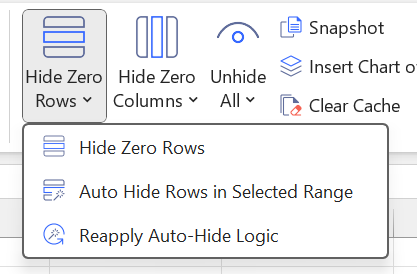
Velixo NX has a new look with more minimalistic and modern ribbon icons that match the style of Velixo's website and look more like Velixo! ✨

|
|
|
Localization
-
Guten Tag! German localization is now supported in Velixo NX.
Snapshot
-
"Copy workbook without formulas" has grown into a more powerful feature called Snapshot: everything you know and love about the functionality, with extras:
-
You can now decide to snapshot only the active worksheet instead of the entire workbook
-
A worksheet-level snapshot can be targeted to the current workbook or a separate workbook
-
You can now decide to preserve writeback formulas while doing snapshots: can be incredibly useful when e.g. iterating on budgets
-
Report distribution
-
New distribution lists that you create will contain a "Refresh workbook" parameter (set to "Yes" by default), which will ensure your workbook is refreshed prior to running the distribution. This helps to address a "partially refreshed" workbook state when:
-
You use distribution lists with parameters;
-
You start a distribution after a long time not refreshing the workbook.
-
-
The scheduled distribution command-line tool supports a new parameter "--workbook-password" that allows you to work with password-protected workbooks.
✨ Improved
Calculation
-
Drill-down performance has been further improved.
-
Improved responsiveness of the "Cancel refresh" operation.
Drill-down
-
This version provides more consistent values for the Memo/Description field in the second-level (GL transaction) drill-down in both the Summary and Detail format.
Budgeting
-
SI.BUDGETABLEPERIODBYDATE – improved the error message and call-to-action when the specified budgeting period is not found in the ERP system.
Ribbon UI
-
For consistency with Excel ribbon terminology, the term "Worksheet" has been replaced with the term "Sheet" throughout the add-in.
UX
-
Date-returning functions such as SI.PROJECTENDDATE will now have a default formatting applied to it (YYYY-MM-DD ISO-based format).
-
Improved error reporting for missing arguments. For example, previously, =SI.ACCOUNTNAME("Sage", A1) for an empty A1 cell would display an error message like: "Account '' does not exist", whereas now Velixo will indicate that an account name is a required argument.
Project reporting
-
SI.EXPANDPROJECTESTIMATETYPERANGE – allows you to list different project estimate types available in your system.
-
SI.EXPANDPROJECTESTIMATERANGE has two new optional arguments:
-
Primary (TRUE/FALSE, defaults to FALSE). Setting it to TRUE will allow you, for example, to retrieve only primary records when reporting on estimate forecasts (there can only be one primary estimate for a given project, and only the primary estimate includes original and change requests)
-
EstimateType – allows filtering by estimate type, use one or more of the values provided by SI.EXPANDPROJECTESTIMATETYPERANGE.
-
-
SI.PROJECTESTIMATEAMOUNT and SI.PROJECTESTIMATEQUANTITY now contain the EffectiveDate argument.
Report distribution
-
Distribution of protected workbooks without a password will now work seamlessly.
-
Improved the reliability of the report distribution process on different platforms.
-
Distribution with attachments will now insert attachments into the resulting PDF in the same order as the SI.GETATTACHMENTS formulas are placed on the worksheet (left-to-right, top-to-bottom).
Query
-
Supported querying the SODOCUMENTENTRY.BILLED_APBILLITEM object relationship.
Project estimate writeback
-
It is now possible to upload multiple new project estimates for several projects in a single writeback run without explicitly breaking those with a WRITEBACKCOMMIT function.
Journal writeback
-
We enabled writing back journal entry lines with user-defined dimensions.
Budget writeback
-
Clearer error message is now provided when the "Note" field exceeds the allowed length of 200 characters.
Universal writeback
-
Implemented the creation of AP payment request objects: use the APPYMT object and make sure to include the PAYMENTDATE field in the source data.
-
Better validation messages.
🔨 Fixed
Calculation
-
Since Velixo NX 2024.7, a refresh operation could take a long time if the workbook was heavy on conditional formatting. This has been resolved.
Drilldown
-
Fixed a bug where if you opened a file and ran drilldown without a prior refresh, the drilldown would get stuck and never end.
Project reporting
-
SI.PROJECTESTIMATEAMOUNT function incorrectly returned zero value under the following conditions: IncludeChildDimensionBalances is set to TRUE, the combination of parent project & task doesn't exist in the system, but combinations of (some) child projects and tasks do exist in the ERP.
Query
-
Querying the USERRESTRICTION object always returned a single record even when multiple restrictions were present for the user.