
Instructions in this article require admin privileges.
Overview
Trying to log into Velixo with Single Sign-On via Sage Intacct returns the following or similar error:
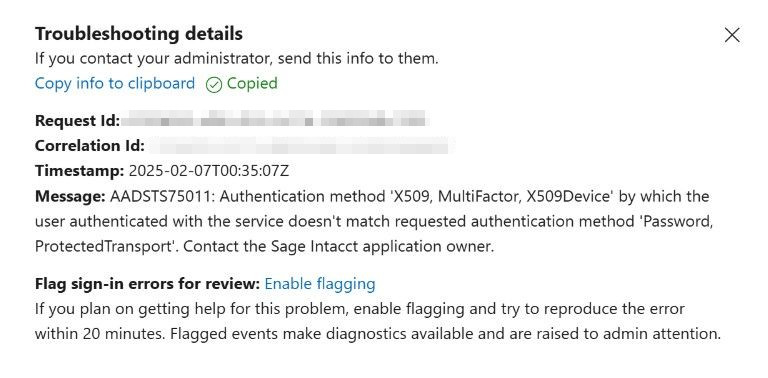
Error message:
AADSTS75011: Authentication method 'X509, MultiFactor, X509Device' by which the user authenticated with the service doesn't match requested authentication method 'Password, ProtectedTransport'. Contact the Sage Intacct application owner.
Cause
This is a result of the authenticator being used by Azure passwordless authentication instead of Microsoft Entra ID supported by Sage Intacct. It is independent of Velixo settings.
Resolution
To resolve this problem, enable Single Sign-On using Microsoft Entra ID in Sage Intacct settings as follows:
-
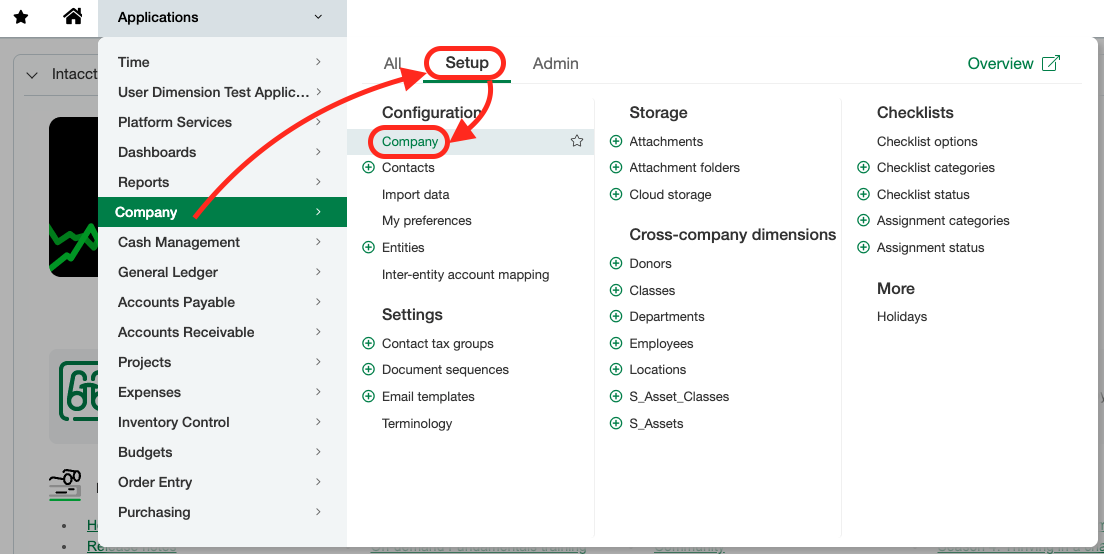
Go to Company → Setup → Configuration → Company → Security tab and select Edit.
-
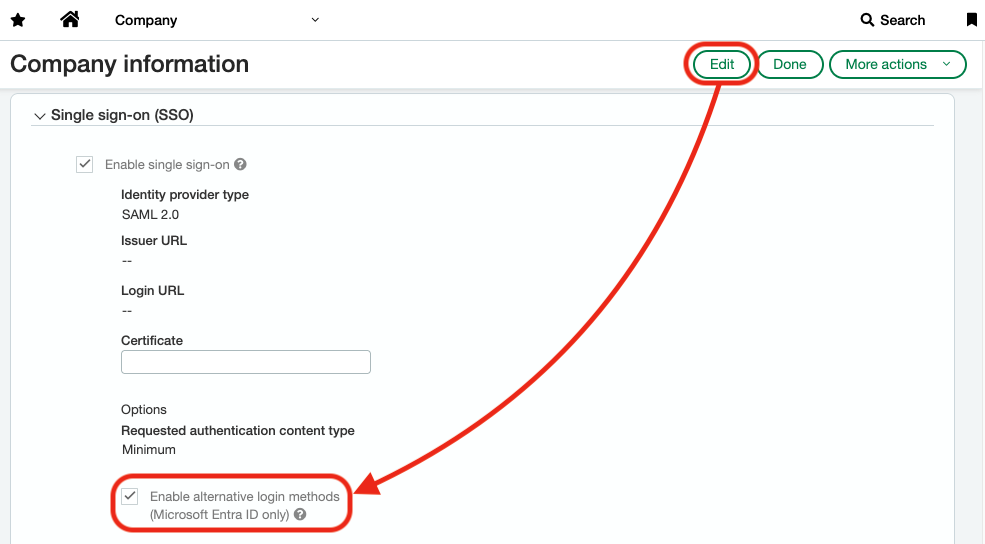
In the Single sign-on (SSO) section, check the Enable alternative login methods (Microsoft Entra ID only) checkbox.
-
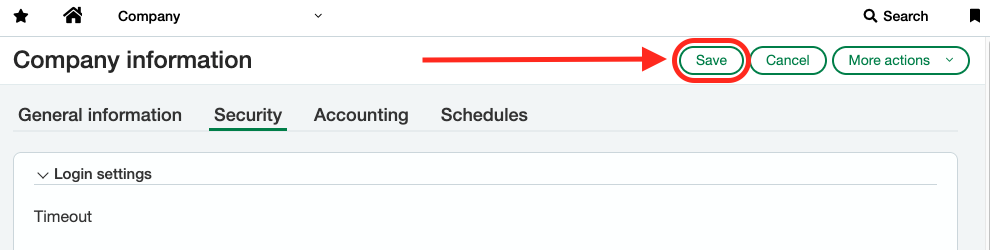
Save your changes.
Single sign-on must be enabled in Sage Intacct before you can use the passwordless authentication methods. Refer to the Sage Intacct documentation for details.