
Explains why Velixo NX displays the "Your session has expired, please login again" message and how to resolve it.
Symptom
When you open Velixo NX, the task pane displays the following error:
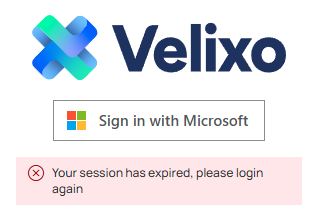
Your session has expired, please login again
The message can appear immediately after installing the add-in, before you have signed in for the first time on that installation. In rare cases, it can also appear right after you sign in.
Cause
Velixo keeps you signed in using a token stored by the add-in. The message appears when that token is no longer valid. This happens in either of the three situations described below.
The stored token has expired
The token expires after 30 days of inactivity. If you haven't used Velixo for more than 30 days, the add-in finds the expired token on startup and signs you out.
Removing the add-in does not clear its stored data. If you remove Velixo and install it again later, the new installation loads the previously stored token. If that token has expired in the meantime, the message appears on first launch – even though you haven't signed in on the new installation yet.
You switched Microsoft accounts in Excel
Your Velixo session is tied to the Microsoft account signed in to Excel. Switching to a different account ends the session.
In these two situations, the message indicates expected behavior – it is not a sign of a problem with your installation.
The message appears right after you sign in
In rare cases, the message can appear immediately after a successful sign-in, even though your credentials are correct. This is a known issue that Velixo is investigating. Signing in again resolves it.
Resolution
Sign in again:
-
Open the Velixo task pane.
-
Select Sign in with Microsoft and proceed with the sign in process.
Your session should now be restored, with Velixo functions calculating normally.