Overview
The SEGMENTDESCRIPTION function returns the description(s) of a segmented key(s) as defined within the ERP.
Syntax
=SEGMENTDESCRIPTION(
    ConnectionName,
    SegmentedKeyId,
    SegmentId,
    LookupValue,
    [KeepRawIfNotFound],
    [ValueMode]
)
Arguments
The SEGMENTDESCRIPTION function uses the following arguments:
|
Argument |
Required/Optional |
Description |
|
|
Optional |
Provide one of the following values:
OR Omit the argument to return results for all compatible connections with default aggregation settings. |
|
|
Required |
The segmented key name for which to filter segments. |
|
|
Required |
The segment number for which to filter segments. |
|
|
Required
|
The segment value (or an array of segment values) specifying for which segments we want to display descriptions. |
|
|
Optional |
|
|
|
Optional |
When using the 1 option, if the value specified in the |
Related articles
-
Troubleshooting article: SEGMENTDESCRIPTION returns blank cells for segments other than the first one
Examples
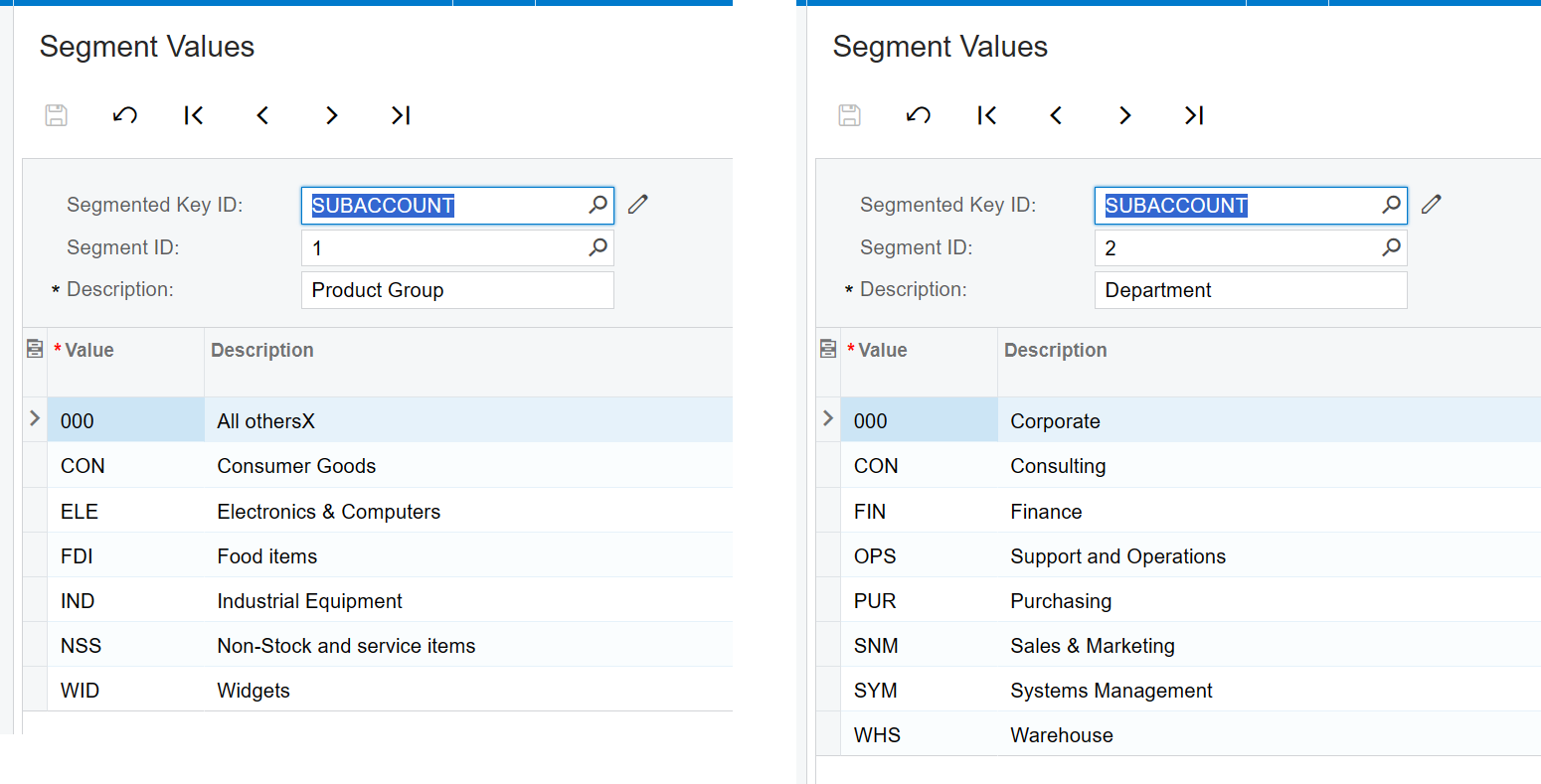
Given the following configuration within the ERP:
Example 1 - Description of segment 1 from full subaccount
=SEGMENTDESCRIPTION(
    "Demo",
    "Subaccount",
    1,
    B4#
)
Description
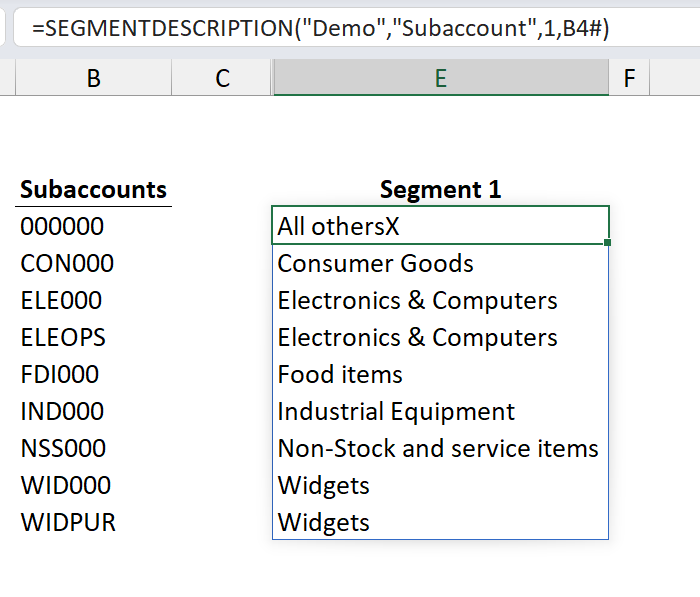
Returns an Excel array containing the descriptions of the first segment 1 values for the subaccounts returned by the function in cell B4
Result
Example 2 - Description of segment 2 from full subaccount
=SEGMENTDESCRIPTION(
    "Demo",
    "SUBACCOUNT,
    2,
    B4#
)
Description
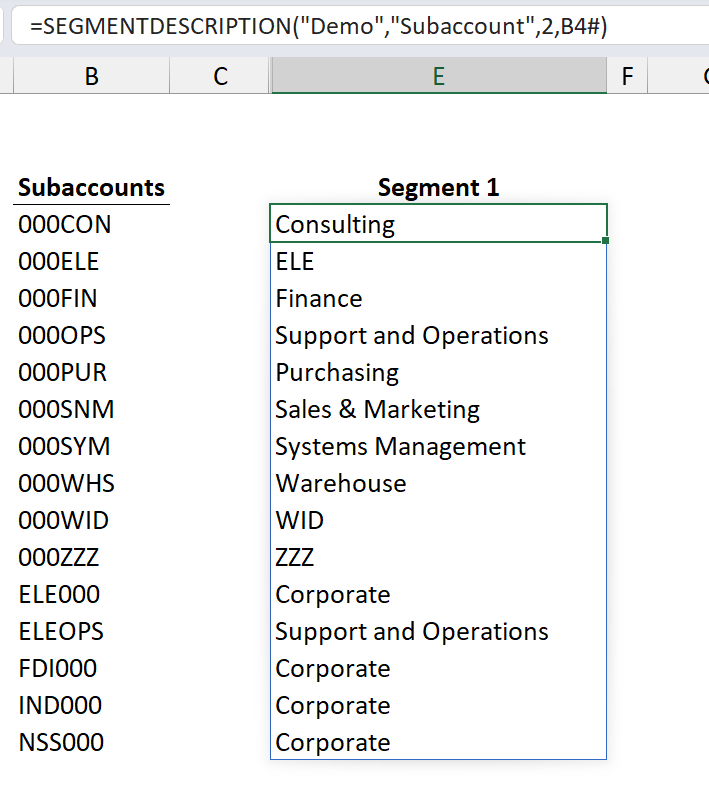
Returns an Excel array containing the descriptions of the second segment values for the entire SUBACCOUNT returned by the function in cell B4 (and returning the subaccount segment value if the description is not found in the ERP)
Result
Example 3 - Description of segment 2 from only the segment value
=SEGMENTDESCRIPTION(
    "Demo",
    "SUBACCOUNT,
    2,
    D4#,
    ,
    1
)
Description
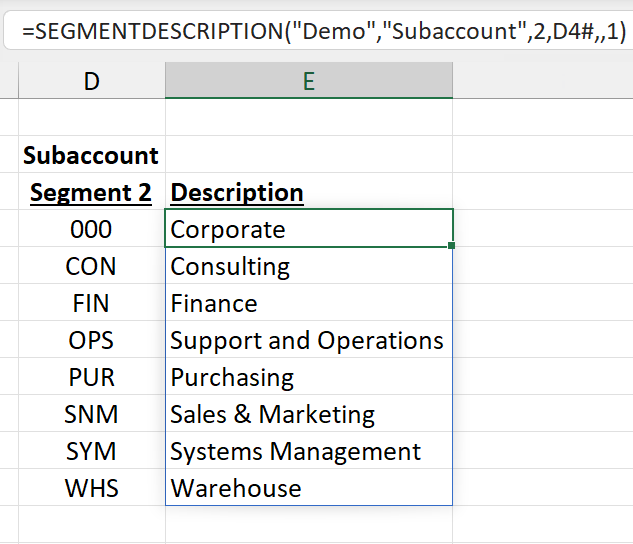
Returns an Excel array containing the descriptions of the second segment values returned by the function in cell D4:
Result