Overview
The WRITEBACKARGUMENTS function returns an Excel array containing the necessary values (those not automatically assigned by the ERP) which need to be included in a writeback for the specified Acumatica/MYOB/CEGID Import Scenario.
Related articles
-
Getting started with Writeback - A general article on setting up and using writeback functions.
Syntax
=WRITEBACKARGUMENTS(
    Connection,
    ImportScenarioName
)
Arguments
The WRITEBACKARGUMENTS function uses the following arguments:
|
Argument |
Required/Optional |
Description |
|
|
Required |
The name of the connection as configured in the Connection Manager |
|
|
Required |
The name of the Import Scenario corresponding to the ERP screen name for which data is being sent. |
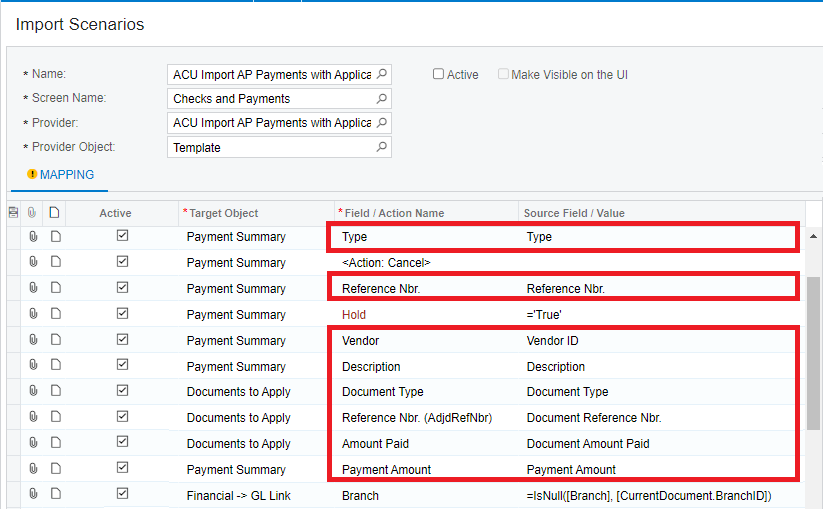
The name of the Import Scenario can be found by navigating to the ERP's Import Scenarios screen (SM206025):
Note that a single Screen Name can have more than one Import Scenario.
Example
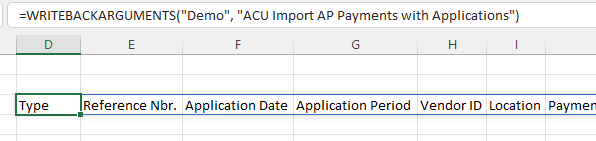
=WRITEBACKARGUMENTS(
    "Demo",
    "ACU Import AP Payments with Applications"
)
Description
Returns the non-defaulted field mappings that are configured in the ERP for the specified Import Scenario.
Result