
Overview
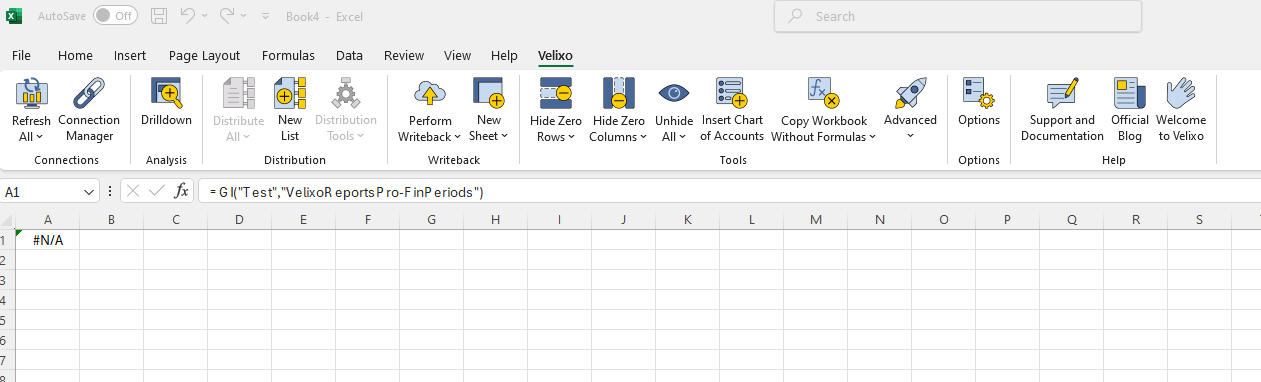
When trying to execute a Velixo formula, the cell in the formula returns #N/A.
Causes
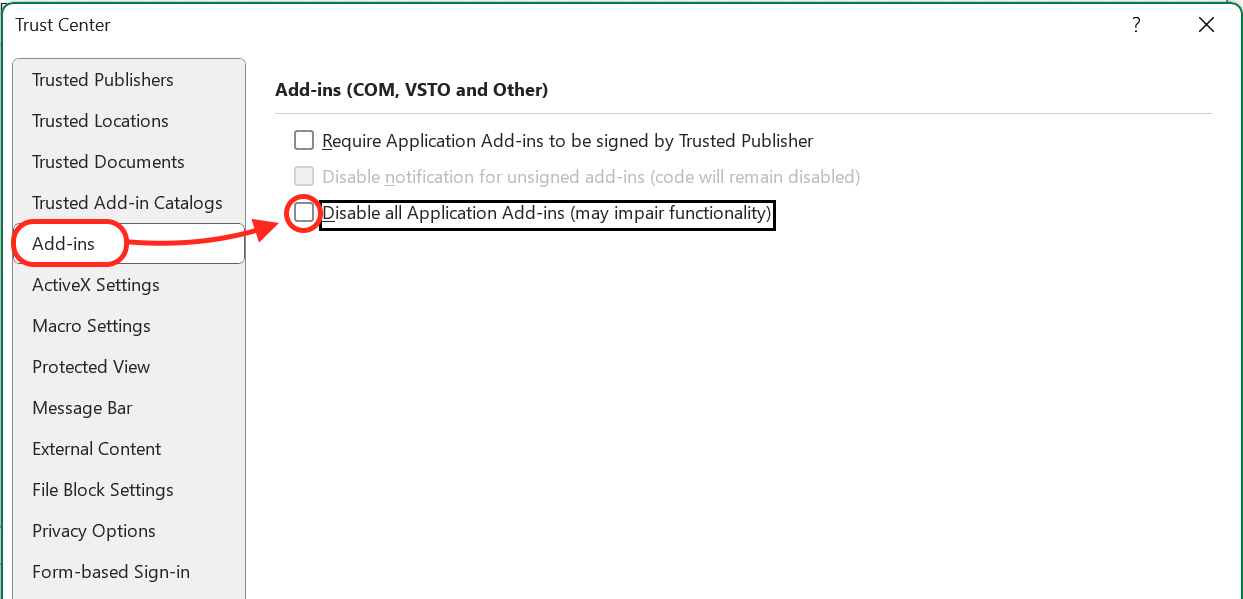
The Disable all Application Add-ins (may impair functionality) checkbox is checked, rendering Velixo non-functional.
Resolution
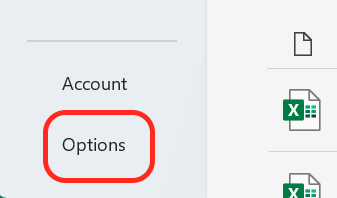
In Excel, navigate to File → Options.
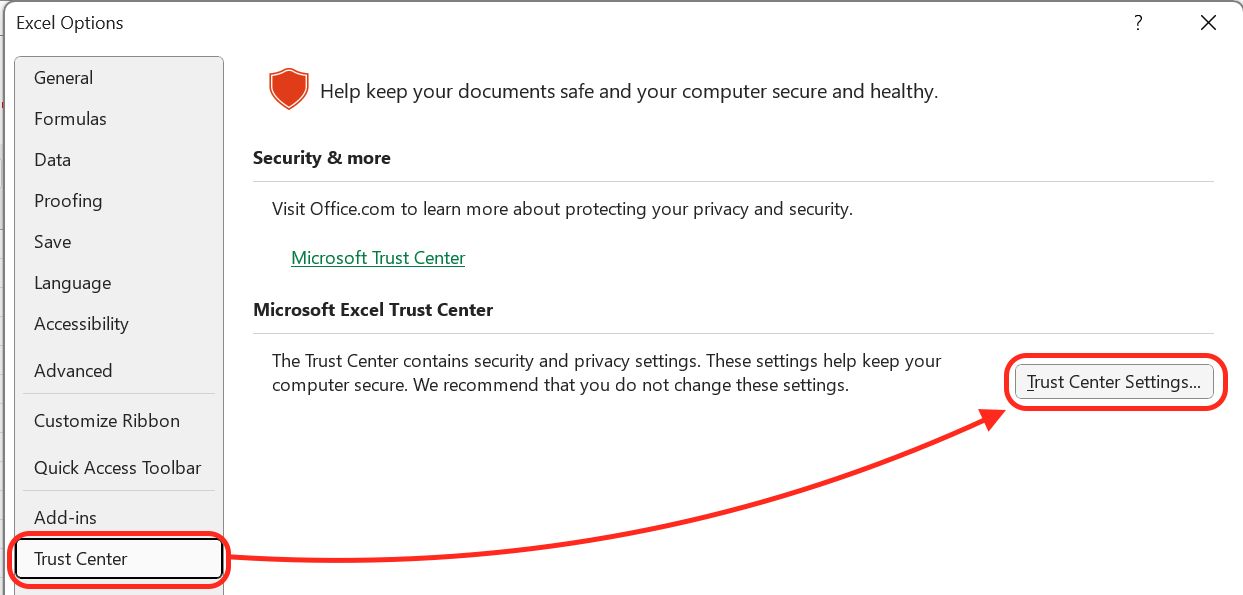
Go to Trust Center → Trust Center Settings…
Go to Add-ins and ensure the Disable all Application Add-ins (may impair functionality) checkbox is unchecked.
Restart Excel.