
Symptoms
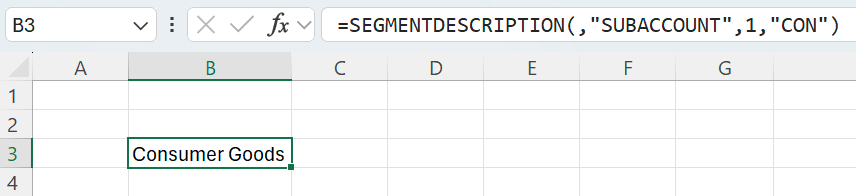
A SEGMENTDESCRIPTION formula for segment 1 returns a description:
=SEGMENTDESCRIPTION(,"SUBACCOUNT",1,"CON")
The same pattern for segment 2 returns a blank cell:
=SEGMENTDESCRIPTION(,"SUBACCOUNT",2,"000")
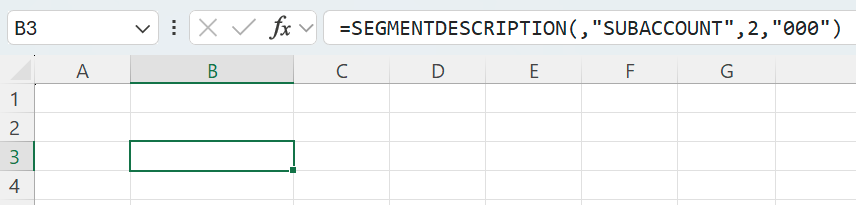
The full segmented key in this example is CON-000, and the LookupValue argument contains only a single segment’s value (in this case, 000), not a full subaccount value.
Cause
When the ValueMode argument is omitted, SEGMENTDESCRIPTION uses the default ValueMode set to 0 and interprets LookupValue as a full segmented key.
If you pass only a single segment value, segment 2 and subsequent ones return a blank cell because there is no second segment to extract.
This behavior preserves backward compatibility with existing Drilldown reports that provide full segmented key values.
Resolution
To return a description based on segment 2 or subsequent ones, keep a single segment value and set the ValueMode argument to 1.
=SEGMENTDESCRIPTION(,"SUBACCOUNT",2,"000",,1)
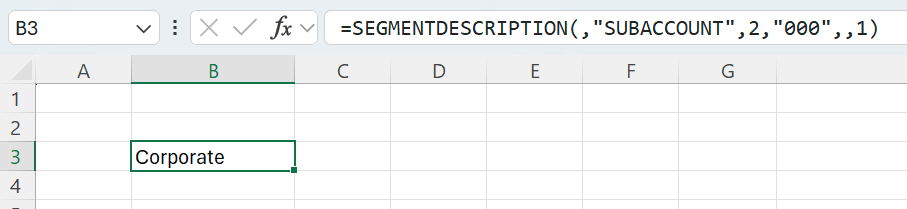
As before, the LookupValue argument contains only a single segment’s value (000), but ValueMode is set to 1, causing the function to interpret LookupValue as a standalone segment value.
If LookupValue exceeds the queried segment’s length and ValueMode = 1, SEGMENTDESCRIPTION returns a #VALUE! error.