Overview
A common need is to filter our financial results by company
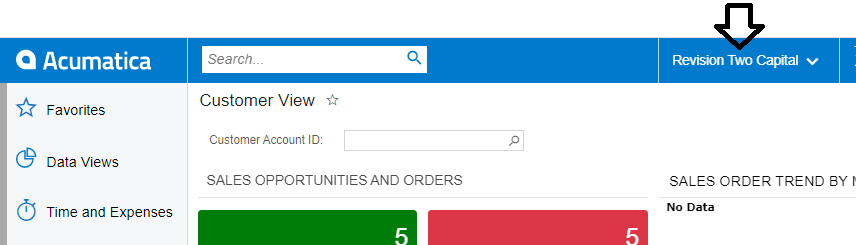
For example, this Acumatica tenant includes three companies:
-
Revision Two Capital
-
Revision Two Products
-
Revision Two Services
Since Acumatica stores data by branch (not by company), the Velixo functions support filtering by Branch.
Let's look at how to find a company's financial results
How-to
By going to the Branches screen within Acumatica, we can see that our tenant has a total of 5 branches:
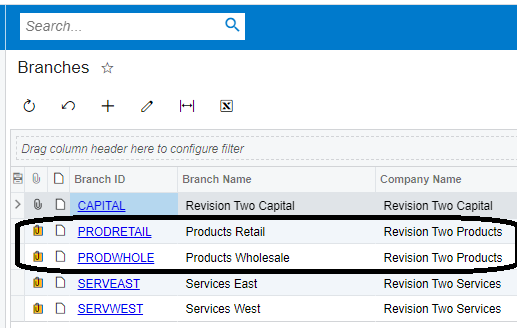
The company "Revision Two Products" is comprised of two branches: Products Retail and Products Wholesale - and we can see the Branch ID for each of those.
By entering those Branch IDs (PRODWHOLE and PRODRETAIL) within our Velixo report and referring to those Branch IDs within the Branch filter of our Velixo functions...
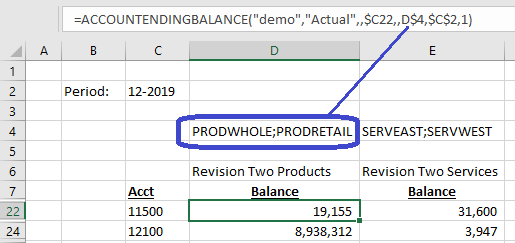
...we are able to separate the results by Company.
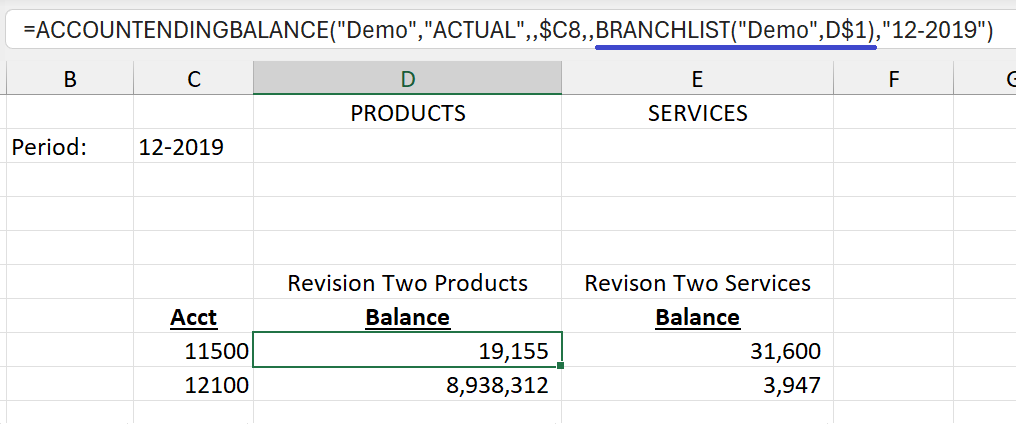
We can also accomplish this without having to hand type the branches. We simply need to use the Company ID (for example "PRODUCTS") with the BRANCHLIST function within our other functions:
e.g.,