
Overview
While many reports are created for use with a single financial period, others need to span multiple periods.
This is particularly true for reports that show year-to-date (YTD), quarter-to-date (QTD), or month-to-date (MTD) data.
Fortunately, the Velixo functions provide all the flexibility you need to accomplish this.
Examples
The Velixo ACCOUNTTURNOVERfunction includes arguments for both a From and To period:
|
Argument |
Required/Optional |
Description |
|
|
Required |
Beginning of the financial period, in MM-YYYY format or The beginning date of the |
|
|
Required |
End of the financial period, in MM-YYYY format or The ending date |
Example 1 - YTD
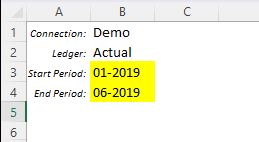
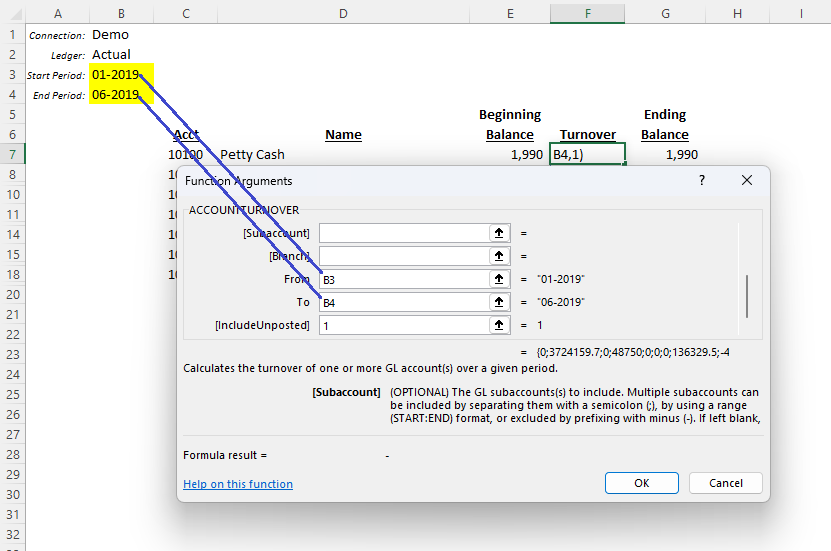
To create a year-to-date report for a specific period, we need to include both the starting period for the year and an ending period for the report:
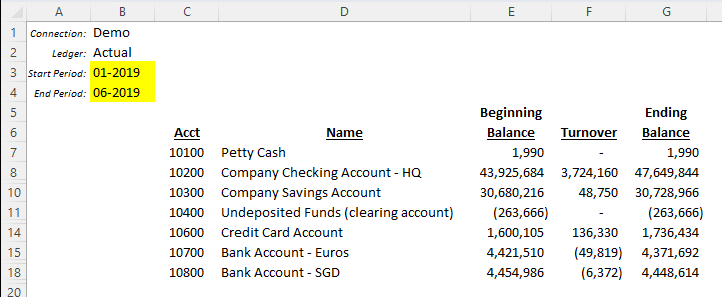
Our example report shows the Beginning Balance, Turnover, and Ending Balance for a range of accounts:
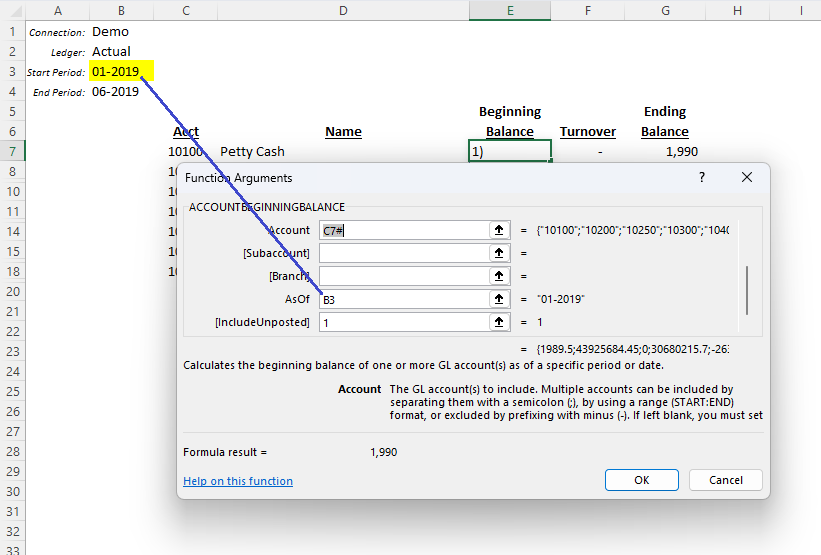
The function in the Beginning Balance column refers to the starting period:
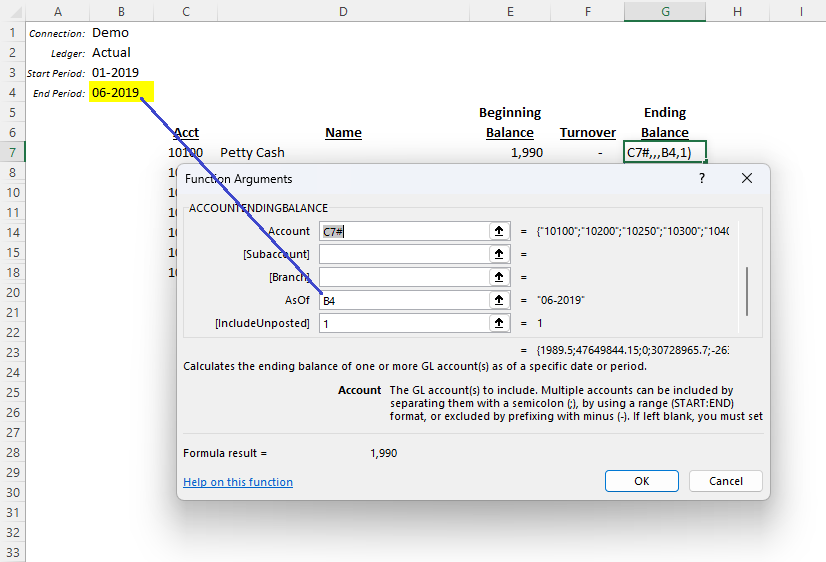
The function in the Ending Balance column refers to the ending period:
And the ACCOUNTTURNOVER function in the Turnover column refers to both financial periods:
Example 2 - MTD
Sometimes we need to show data as of a specific date within a financial period.
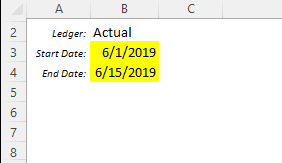
The Velixo General Ledger functions support the use of dates instead of financial periods.
Let's assume the same report, but this time we've set it up to use dates:
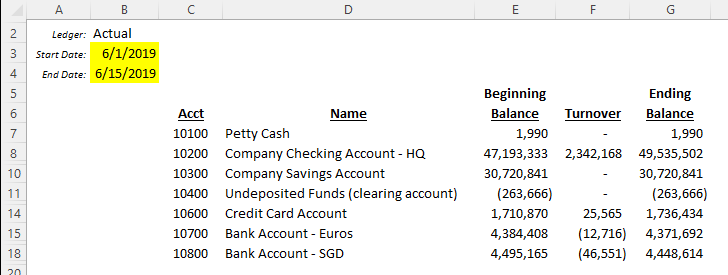
All of our functions are identical to what we set up in the YTD example, but now the data is displayed for the specific date range we have specified:
When creating a report that uses dates instead of financial periods, remember that Acumatica allows for a transaction to be posted to a separate period than the date would indicate. See our documentation for how this can affect your reports.