Overview
Use the BC.QUERYTABLEFILTER function to create a string that is ready to use as input for the Filter argument in the BC.QUERYTABLE function.
Syntax
=BC.QUERYTABLEFILTER(
  ConnectionName,
  Table,
  Column,
  Criteria,
  AnotherColumnOrCriteria1,
  AnotherColumnOrCriteria2,
  ...
)
Arguments
|
Argument |
Required / Optional |
Description |
|---|---|---|
|
|
Optional |
Provide one of the following values:
OR Omit the argument to return results for all compatible connections with default aggregation settings. |
|
|
Required |
Table name. Use the BC.EXPANDTABLERANGE function to retrieve a list of tables available for querying. |
|
|
Required |
Name of the column to be filtered. Use the BC.TABLEDEFINITION function to retrieve available column names. Also applies to flow fields and flow filters – see the dedicated guide. To filter on a field from a related table, use the
To filter by a dimension value, pass The related table must also contribute at least one field to the Filtering on fields from related tables depends on the Velixo Extension for Business Central - see the requirements page for the minimum version. |
|
|
Required |
A criterion or set of criteria that you want your filtered results to meet. Criteria can be one of the following:
The argument can be a single value, an array of values, or a range of cells.
|
|
|
Optional |
Second column used for filtering. Accepts the same forms as |
|
|
Optional (Required if previous argument is specified) |
Criterion for the second filter. |
Examples
Filter on a column value
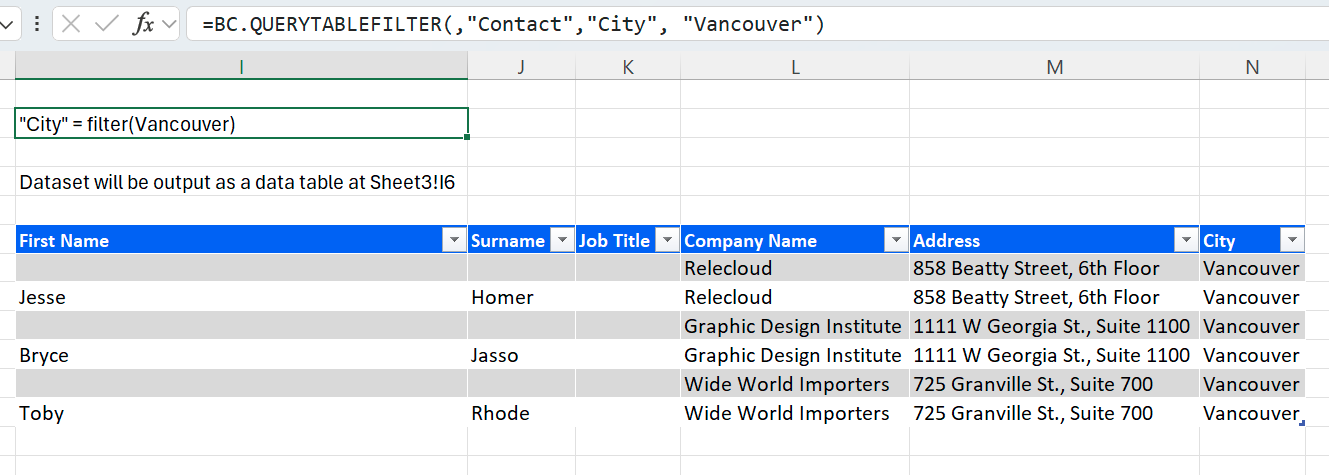
=BC.QUERYTABLEFILTER(,"Contact","City", "Vancouver")
Description: Returns a filter for the BC.QUERYTABLE function. Only returns results from the table Contact where the value in the column City is Vancouver. The filter is then used with a BC.QUERYTABLE formula.
Filter on a field from a related table
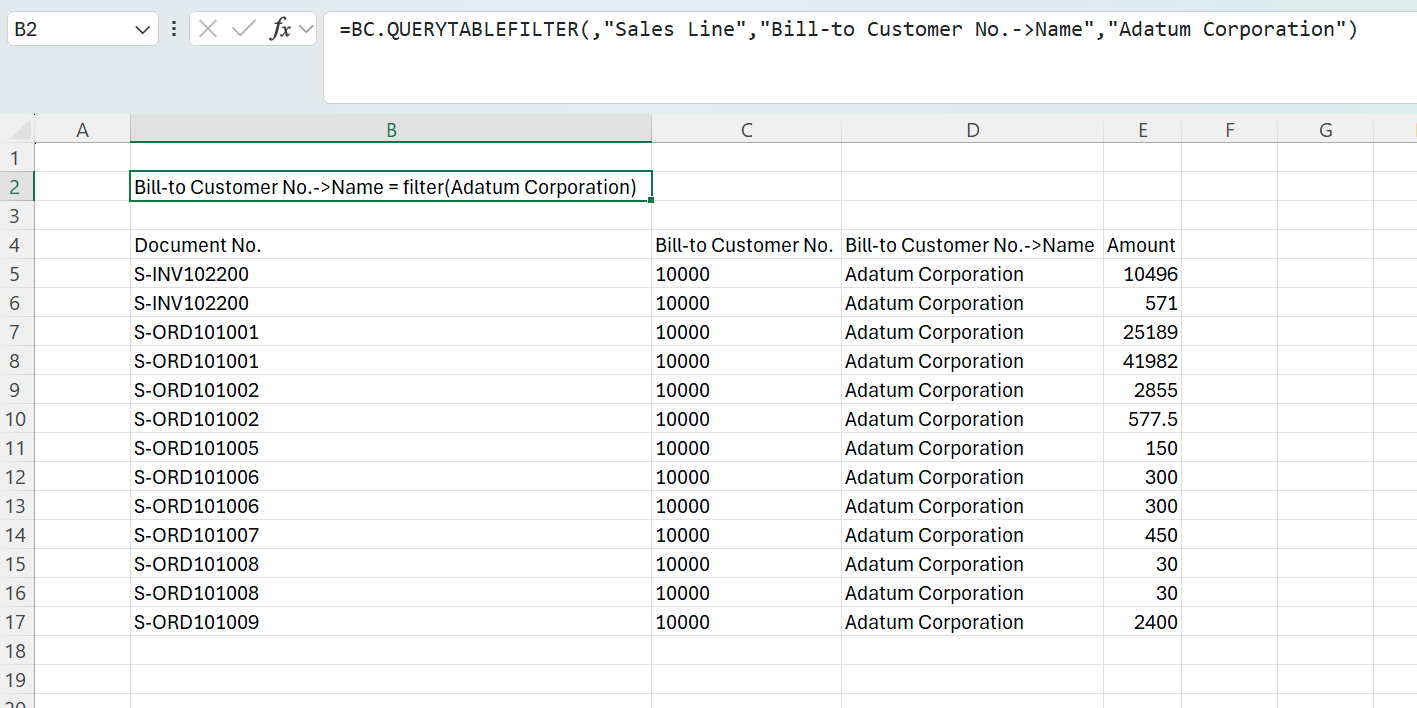
=BC.QUERYTABLEFILTER(,"Sales Line","Bill-to Customer No.->Name","Adatum Corporation")
Description: Returns a filter for the BC.QUERYTABLE function. Only returns Sales Line records where the customer name held in the related Customer table is Adatum Corporation, matched by name rather than by the customer number on the sales line. The BC.QUERYTABLE formula using this filter must include a field from the Customer table in its Select argument.