Overview
The BC.BUDGETDIMENSIONS function lets you retrieve the dimensions assigned to a specified budget in your Business Central instance.
Syntax
=BC.BUDGETDIMENSIONS(
    ConnectionName,
    Budget
)
Arguments
|
Argument |
Required/Optional |
Description |
|
|
Optional |
Provide one of the following values:
|
|
|
Optional |
GL budget name. |
Example
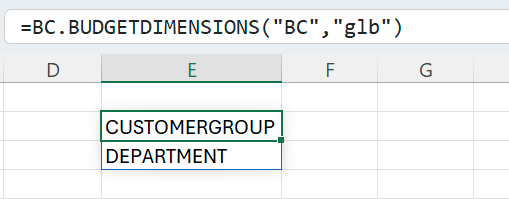
=BC.BUDGETDIMENSIONS(
    "BC",
    "glb"
)
Description:
Returns the dimensions associated with the budget named glb for the connection BC.