Overview
The BC.EXPANDDIMENSIONRANGE function lets you retrieve a list of dimensions defined in your Business Central instance.
Syntax
=BC.EXPANDDIMENSIONRANGE(
    ConnectionName,
    Dimension,
    IncludeBlocked
)
Arguments
|
Argument |
Required/Optional |
Description |
|
|
Optional |
Provide one of the following values:
|
|
|
Optional |
Filter for dimension names. You can specify the filter using Velixo filtering techniques. |
|
|
Optional |
If Accepted values: Default value: |
Example
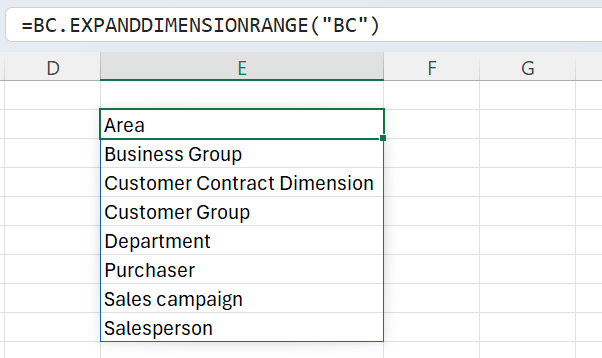
=BC.EXPANDDIMENSIONRANGE(
    "BC"
)
Description:
Returns all dimensions defined for the connection BC.