Overview
During a report refresh, when Velixo NX encounters a potential issue, the cell and function involved are displayed in the Formulas to Review section of the Velixo NX side panel:
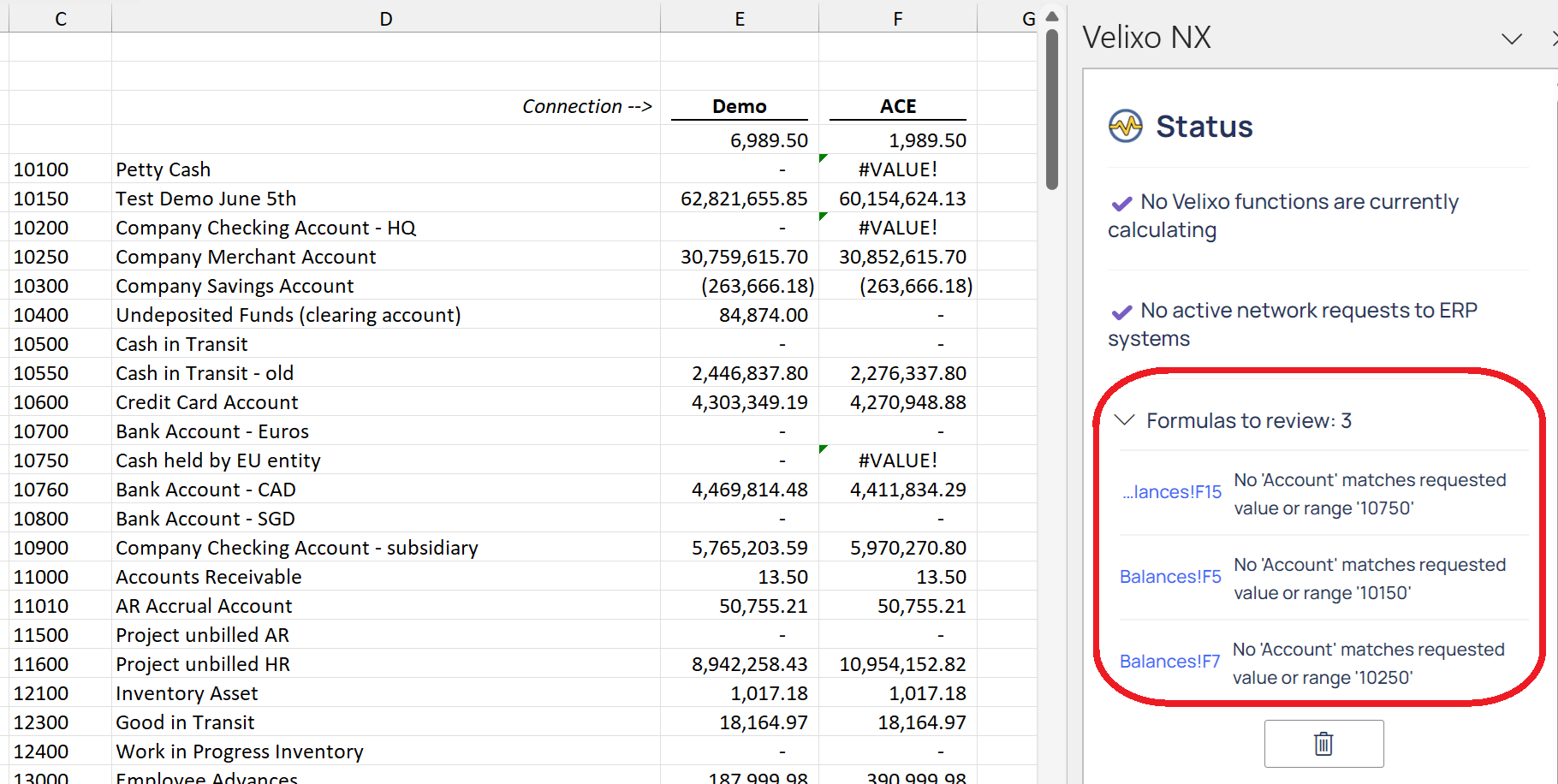
There are times when certain messages are expected, and you may not want to see the side panel notification.
This functionality is available in Velixo NX version 2024.6 and higher
Ignoring an area of your report
You can configure your report so that Velixo will ignore any issues in a particular area.
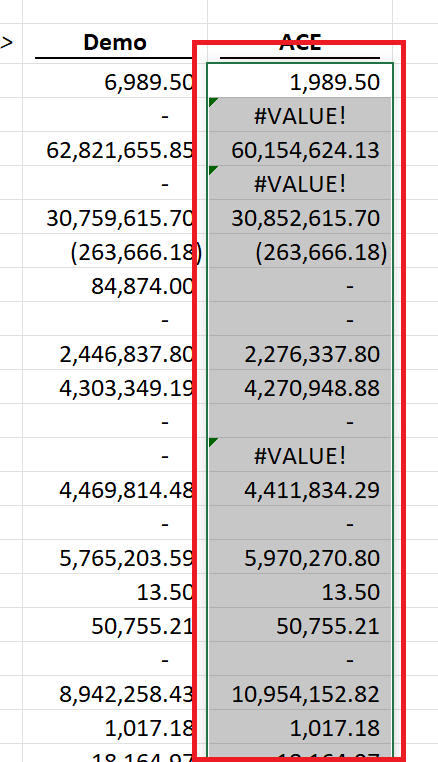
Step 1
Select the area for which you do not want to see the notifications:
Step 2
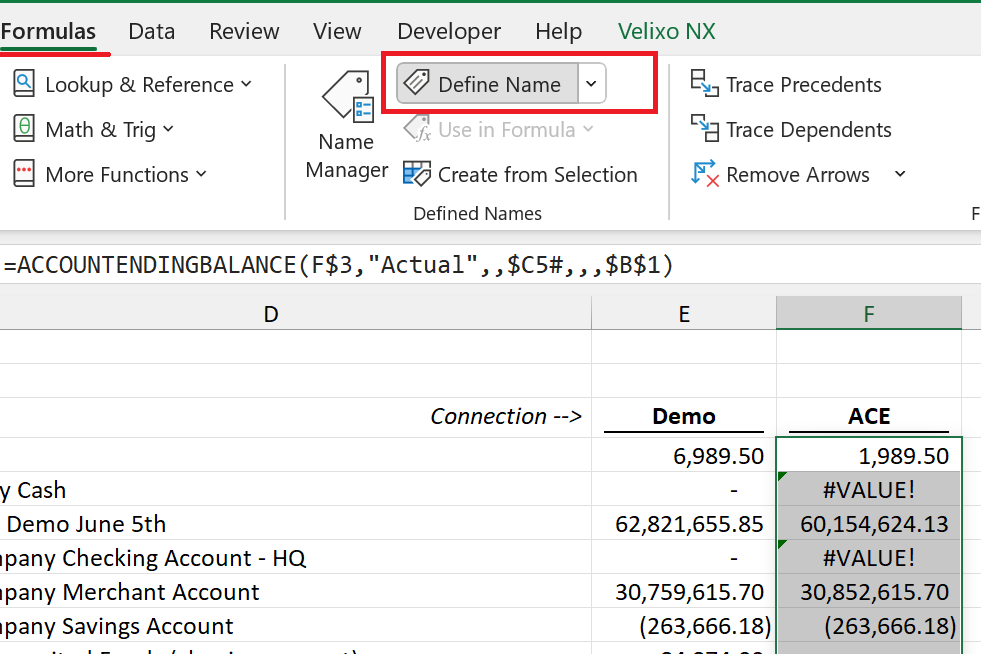
From Excel's Formulas ribbon, select Define Name:
Step 3
Within the New Name dialog...
-
In the Name field, enter VelixoSuppressErrors
-
In the Scope field, enter the name of the worksheet
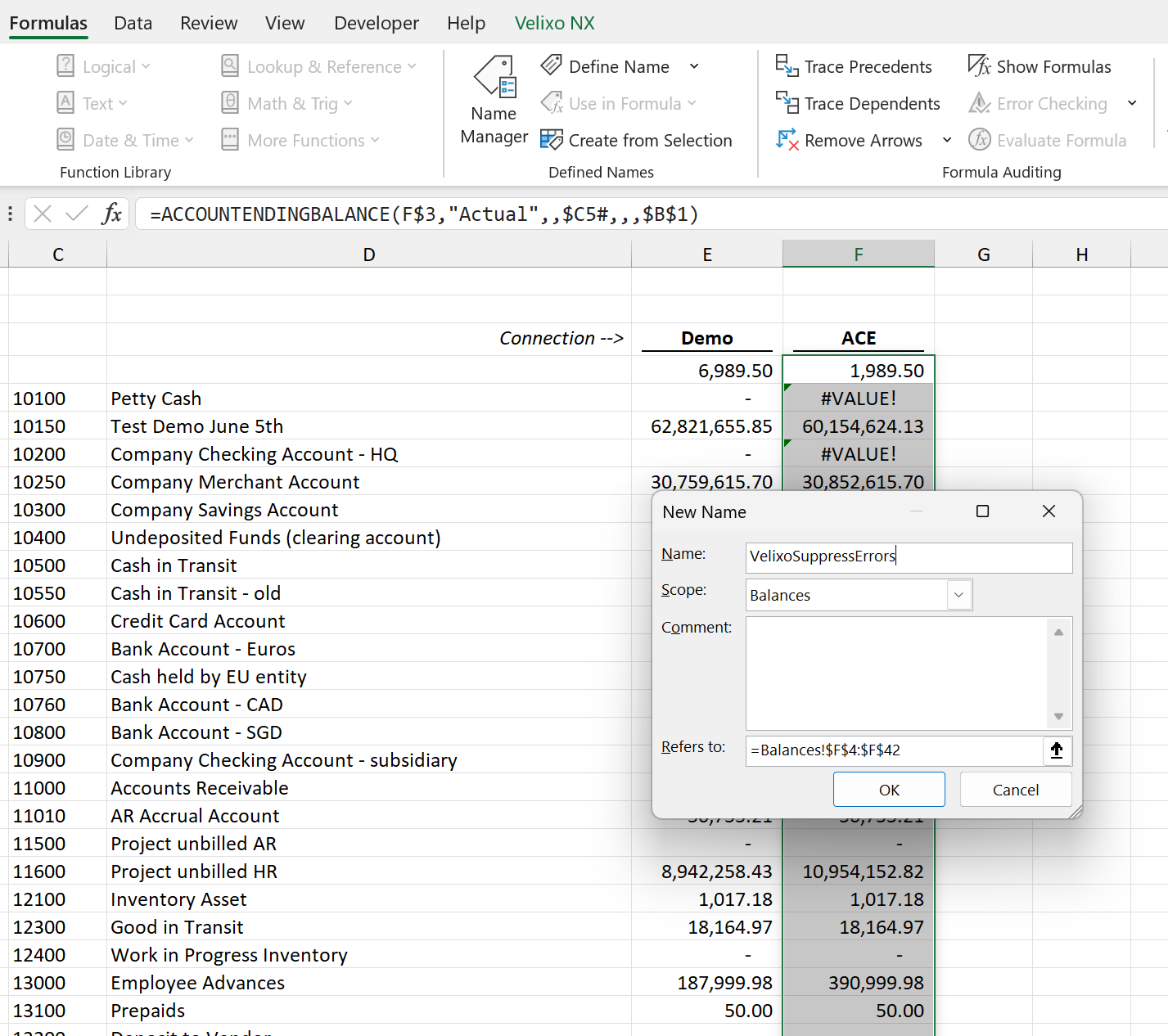
Click OK
Results
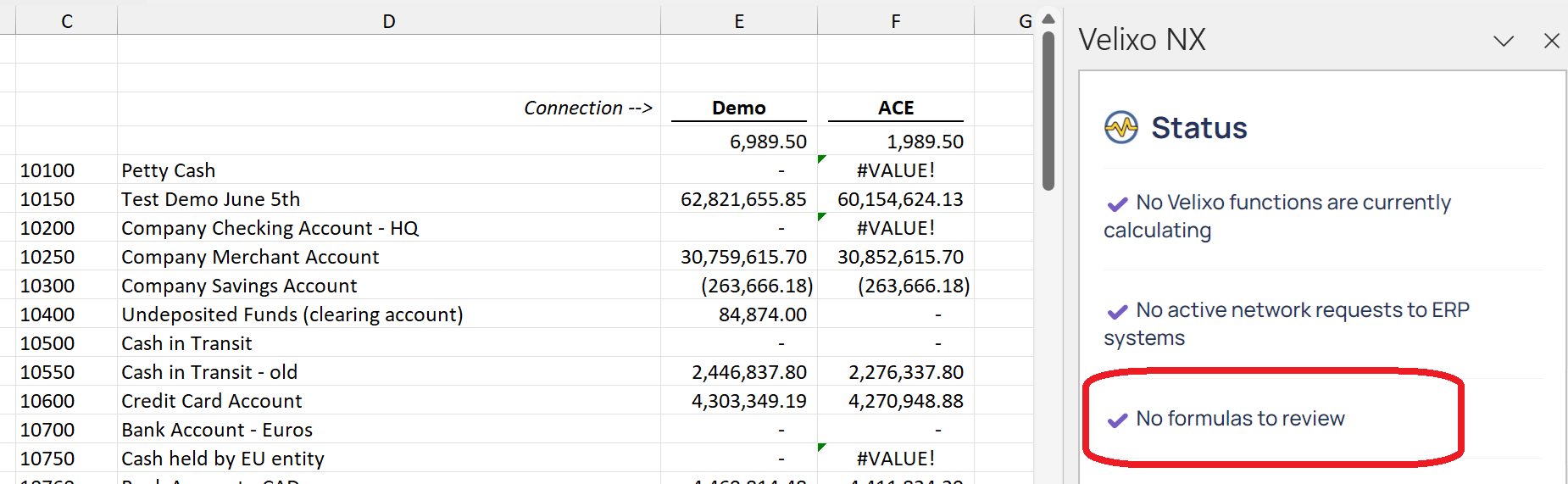
Now, when the report is Refreshed, any potential issues detected within that area will not appear in the Formulas to Review notification area: