Overview
The BC.DIMENSIONVALUENAME returns a dimension name tied to the specified dimension value code.
Syntax
=BC.DIMENSIONVALUENAME(
    ConnectionName,
    Dimension,
    DimensionValueCode
)
Arguments
|
Argument |
Required/Optional |
Description |
|
|
Optional |
Provide one of the following values:
|
|
|
Required |
A Business Central dimension code. Can be obtained using the BC.EXPANDDIMENSIONRANGE function. |
|
|
Required |
A Business Central dimension value code. Can be obtained using the BC.EXPANDDIMENSIONVALUERANGE function. |
Example
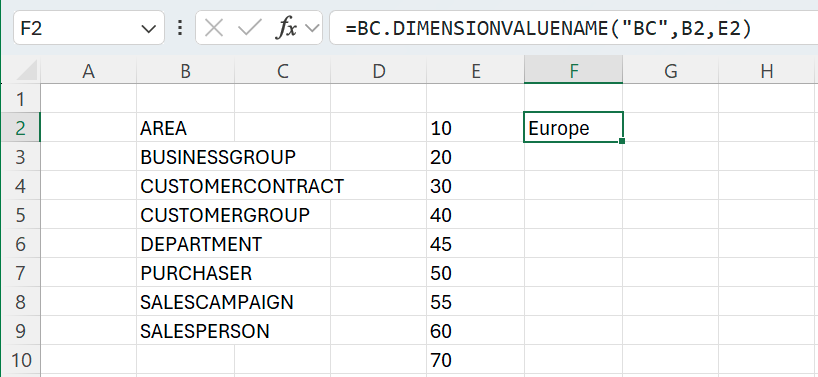
=BC.DIMENSIONVALUENAME(
    "BC",
    "B2",
    "E2"
)
Description:
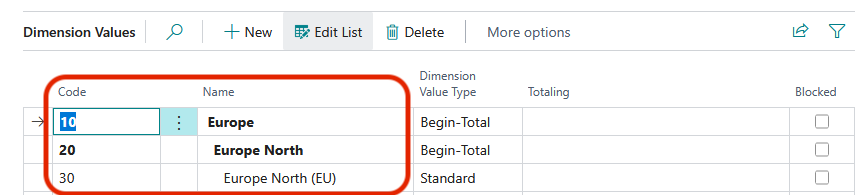
Returns the dimension value name associated with the dimension value code 10 listed in cell E2, within the dimension AREA listed in cell B2 for the connection BC.