
Report templates are ready-made Excel workbooks for reporting, budgeting and forecasting, and automation. Velixo builds and maintains them for each ERP, module, industry and role.
A template gives you a working starting point, so you don't have to build a report from scratch. You can use it as is or customize it, for example by adding your branding, changing the chart of accounts structure or changing the layout. Templates also show Velixo best practices and techniques you can reuse in your own reports.
Download a template
To see the templates available for your ERP and download them, go to the Templates gallery.
To download a template, you need to sign in to Velixo Portal.
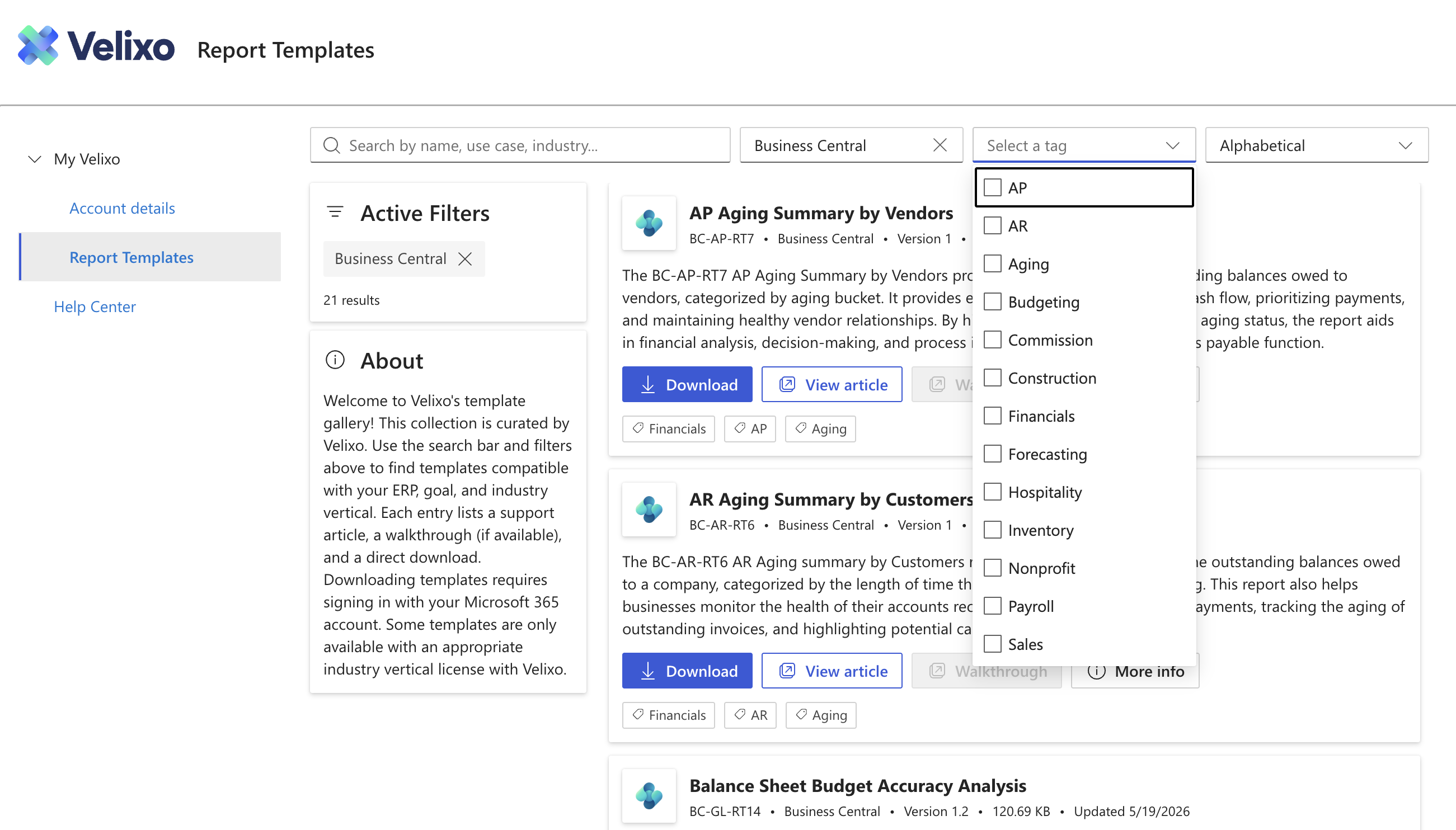
Standard and industry templates
Each template covers a specific area, such as an ERP module (for example, AR or Inventory), a type of report (for example, Financials or Budgeting) or an industry (for example, Construction). Some templates need a little configuration to match your ERP data.
-
Standard templates are included in your Velixo subscription. You can download and use them right away.
-
Industry templates are built for a specific industry or role. Some of them come with a separate Velixo subscription, such as Velixo for Construction.
To filter the gallery, open the Tag dropdown and select one or more tags, for example AR, Budgeting or Construction. Modules, report types and industries are all listed in this one dropdown.
To download an industry template, your organization needs the matching industry subscription. To get access, contact your Velixo Customer Success Manager or Partner.
Template information sheet
Each report template has an Information sheet. It identifies the template and version you downloaded. Have it ready when you contact Velixo Support.
|
Field |
Description |
|---|---|
|
|
Unique identifier of the template |
|
|
Name of the template |
|
|
ERP the template was built for |
|
|
Industry the template was built for, or General |
|
|
Version number. Goes up by 1 with each release. |
|
|
Release date of this version |
|
|
Summary of the changes since the previous version (for versions after 1) |