Release date: 5 Aug 2026
Excel add-in
With the public preview release of Velixo Intelligence, we require every user to agree to the new terms and policies. Should your organization or users require opting out of Velixo Intelligence, refer to the dedicated article for instructions.
🚀 New
-
BC.QUERYTABLEFILTER accepts related-field syntax such as
Vendor No.->Name, and Query Builder lets you build these filters directly. (RD-11581, RD-11582) -
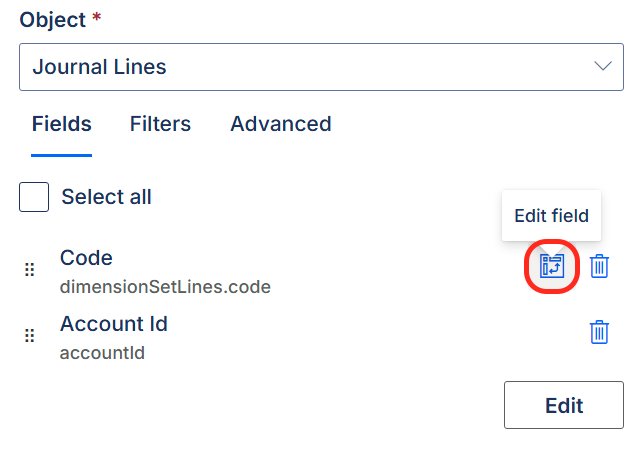
The unpivot operator is now available for BC.QUERYTABLE in Query Builder when selecting fields, and you can unpivot only the dimension codes you care about instead of every dimension in the set (see unpivot example). (RD-11132, RD-11446)
-
You can now aggregate columns in the
Selectargument of BC.QUERYTABLE by wrapping a field inSUM(),AVERAGE(),COUNT(),MIN(), orMAX(). Any columns you don't aggregate become grouping keys, so you can return totals per customer or per dimension without pulling every line into the worksheet – and it works alongside joins andunpivot()in the same formula. (RD-10087)
✨ Improved
-
The Velixo NX ribbon now recovers on its own when Excel fails to create it: the add-in verifies that the tab was actually built and retries if it was not. Users who previously had to reload the add-in by hand to get the ribbon back should now see it appear without intervention. (RD-11719, RD-11695)
-
Buttons in the Query Builder side panel now have tooltips, so you can tell what each one does without clicking it. (RD-10608)
-
When setting up a Business Central connection, Environment and Company are selected automatically when only a single configuration is possible. (RD-3771)
-
Business Central amount functions now accept an optional
IncludeClosingEntriesargument. Closing entries generated when you close a year or period are excluded by default, keeping P&L and turnover figures clean; set the argument toTRUEto include them when you want to report on the closing activity itself. (This functionality requires an update to the Velixo Business Central extension 2026.7) (RD-11510) -
A new optional
IncludeBlockedargument (defaultTRUE) in BC.EXPANDDIMENSIONRANGE and BC.EXPANDDIMENSIONVALUERANGE lets you leave blocked dimensions and dimension values out of the result, matching what BC.EXPANDACCOUNTRANGE already offered. (RD-11108) -
BC.QUERYTABLE now returns a clear, actionable message when the filter expression is invalid – for example when a select list ends up in the Filter argument – instead of relaying a raw Business Central expression error. (RD-10618)
-
Entering a date or time in the wrong format in BC.QUERYTABLEFILTER now produces an error listing exactly which formats that field accepts, including how to write AM/PM times. (RD-11496)
-
BC.WRITEBACKJOURNAL error messages are clearer: a required argument pointing at an empty cell now reports the missing argument by name (for example
The argument 'AccountType' is required) rather than a confusing downstream error, and value names are quoted consistently. (RD-6403) -
BC.EXPANDDIMENSIONVALUERANGE no longer claims a dimension does not exist when the dimension is simply empty – it now reports that no values were found for it. (RD-7068)
🔨 Fixed
-
Auto-hiding of zero rows now works reliably, including in basic single-range scenarios. (RD-11670)
-
A cell referencing a removed Velixo dynamic array formula that returned a single value no longer ends up with a
#REF!error, for example after taking a snapshot. (RD-4842)
Velixo Intelligence
Velixo Intelligence is now available to every paid instance, as a public preview.
Note: Velixo Intelligence is free during the public preview – it includes a generous amount of tokens that reset on a weekly basis. When it becomes generally available, every Velixo plan will include an allowance of usage at no extra cost, with paid options for teams that need more. We'll publish more details about the allowances before the GA release (If you wish to opt out, see instructions).
-
An entire agent operation can now be undone in a single step – Ctrl+Z (Cmd+Z on Mac) reverts everything Velixo Intelligence changed in that operation, instead of requiring to press undo repeatedly. (RD-11315)
-
When building a report from scratch, the Designer now assumes sensible defaults for parameters you didn’t specify – such as the current period or the actuals ledger – builds a usable draft, and tells you what it assumed so you can adjust it, instead of pausing to ask. It still always asks which ERP connection to use. (RD-11831)
-
Asking Velixo Intelligence to consult the product documentation now reliably returns a documentation-backed answer, with a clear, readable message on the rare occasion the documentation portal can't be reached. (RD-11875)
-
Sending a file attachment (for example, a screenshot) with your message now works more reliably. (RD-11955)
-
Formulas inserted by the agent in Excel for Mac no longer get stuck on
#BUSY!indefinitely. (RD-11103) -
Velixo Intelligence now always asks for your confirmation before applying a fix from Troubleshoot selected range errors. (RD-10917)
-
Deleting a chat now asks for confirmation, so a conversation can no longer be removed by a single accidental click. (RD-10704)
Velixo Portal
🚀 New
-
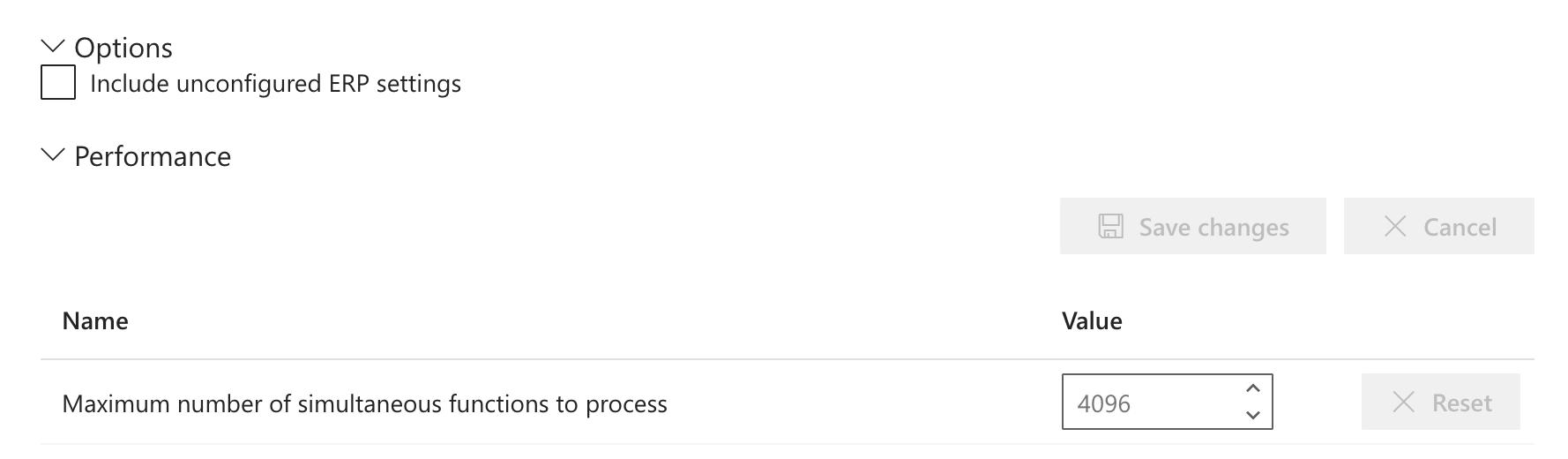
Workbook options can now be managed centrally in the Portal (My Velixo → Account details for individual users; Global settings → My organization for organization-wide settings). Newly created workbooks pick these up as their defaults; existing workbooks are unaffected. (RD-11076)
-
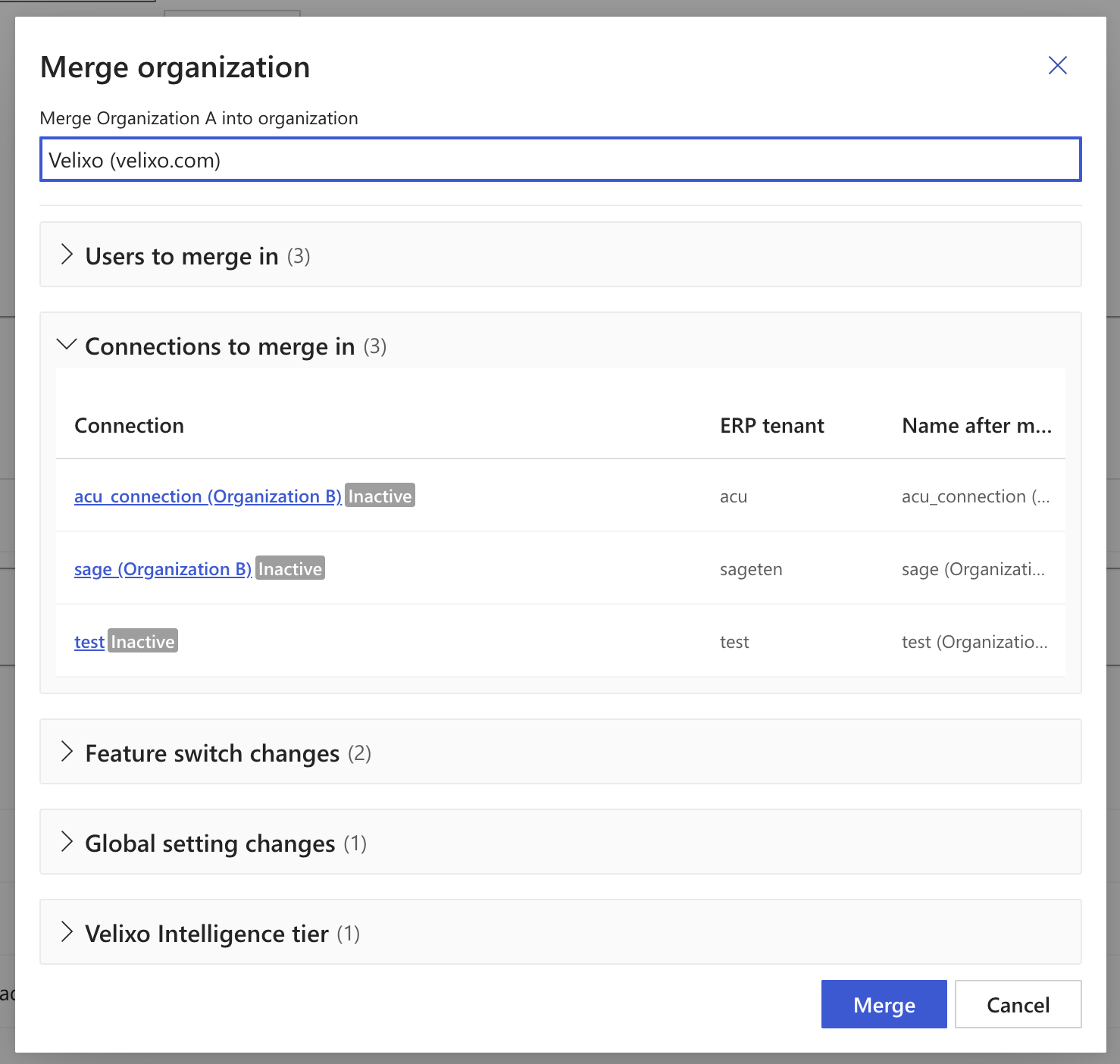
Merging organizations now shows what will be merged in: users, connections, differing feature switches, and global settings. (RD-11473)