
Individual user
-
Sign in to the Velixo Portal.
-
Go to My Velixo → Account details.
-
Depending on whether you want to opt out of the improvement program or disable VI entirely:
-
In the Features section, click the dropdown menu in the Velixo Intelligence quality improvement program row.
-
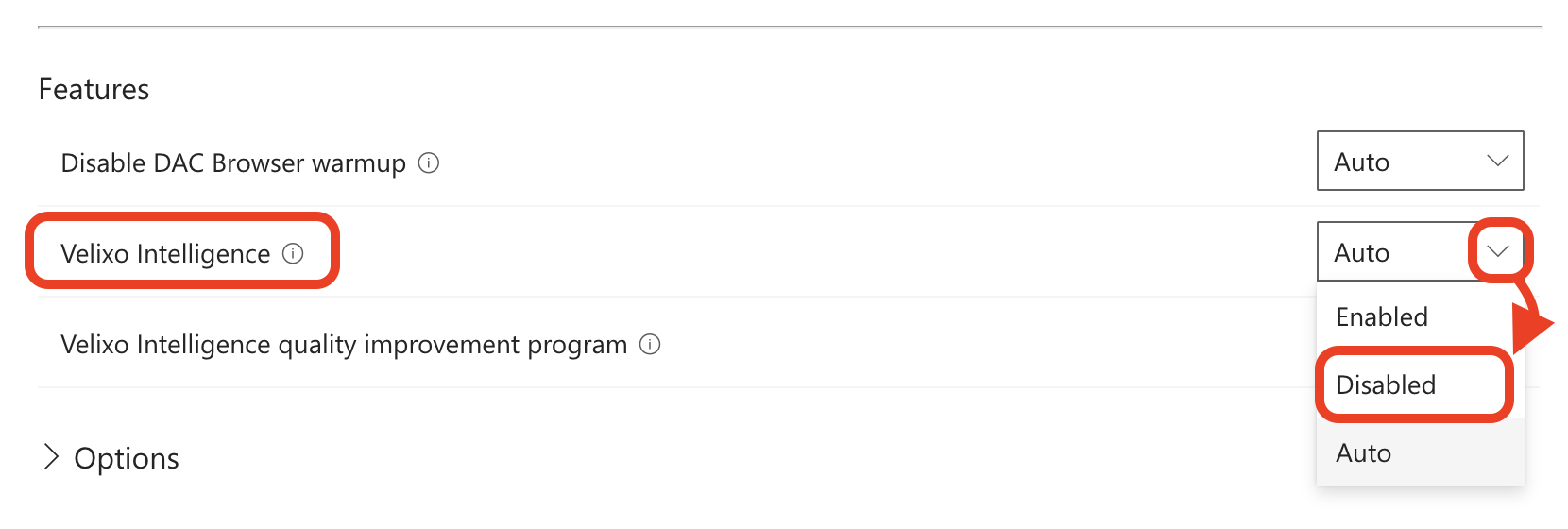
In the Features section, click the dropdown menu in the Velixo Intelligence row.
-
-
Select Disable.
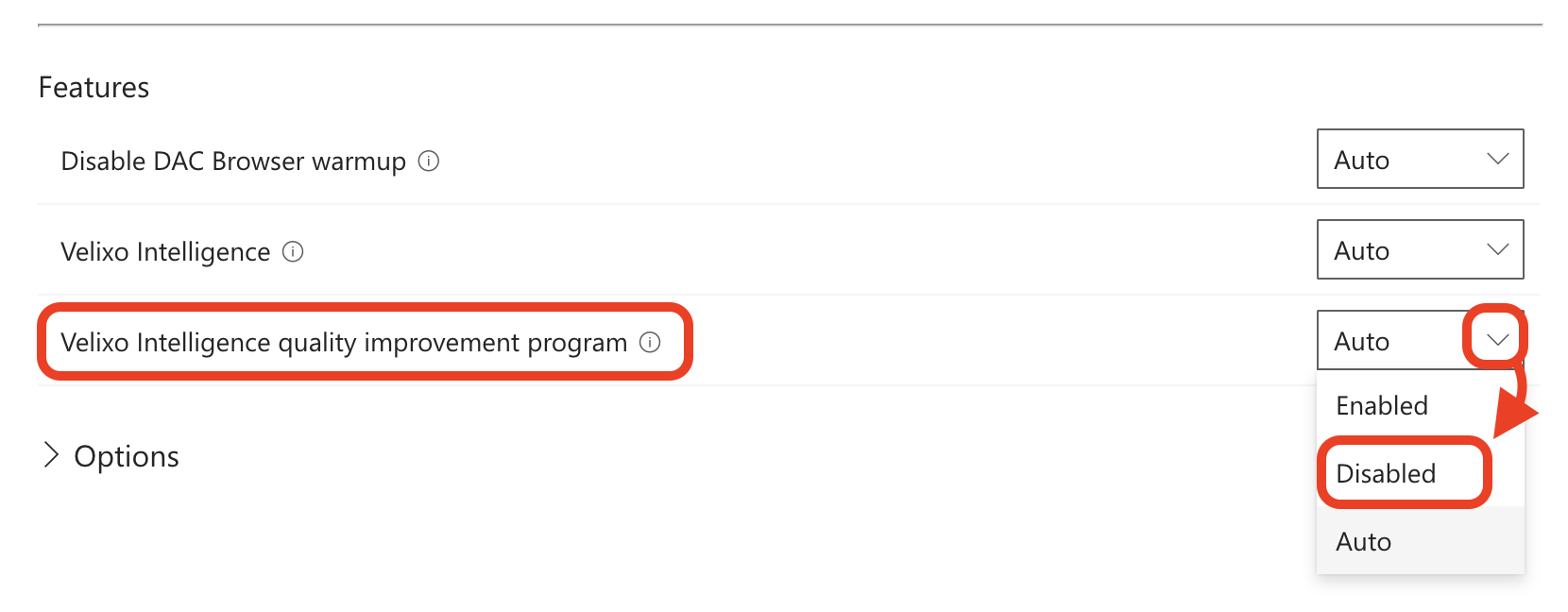
To opt back into the Velixo Intelligence quality improvement program, select Auto or Enable from the same dropdown menu.
Organization-wide
The instructions below require an organization admin or organization owner role and affect the entire organization.
-
Sign in to the Velixo Portal.
-
Go to Global settings → My organization.
-
Depending on whether you want to opt out of the improvement program or disable VI entirely:
-
In the Features section, click the dropdown menu in the Velixo Intelligence quality improvement program row.
-
In the Features section, click the dropdown menu in the Velixo Intelligence row.
-
-
Select Disable.
To opt back into the Velixo Intelligence quality improvement program, select Auto or Enable from the same dropdown menu.