
Overview
Velixo Intelligence carries out worksheet housekeeping for you: it creates and manages Excel data tables, adjusts layout and formatting, and runs Velixo ribbon operations such as Refresh and Writeback. The article covers:
-
Working with data tables,
-
Adjusting layout and formatting,
-
Running Velixo ribbon operations,
-
What Velixo Intelligence does not change.
Working with data tables
Ask Velixo Intelligence to create and modify Excel data tables by name:
-
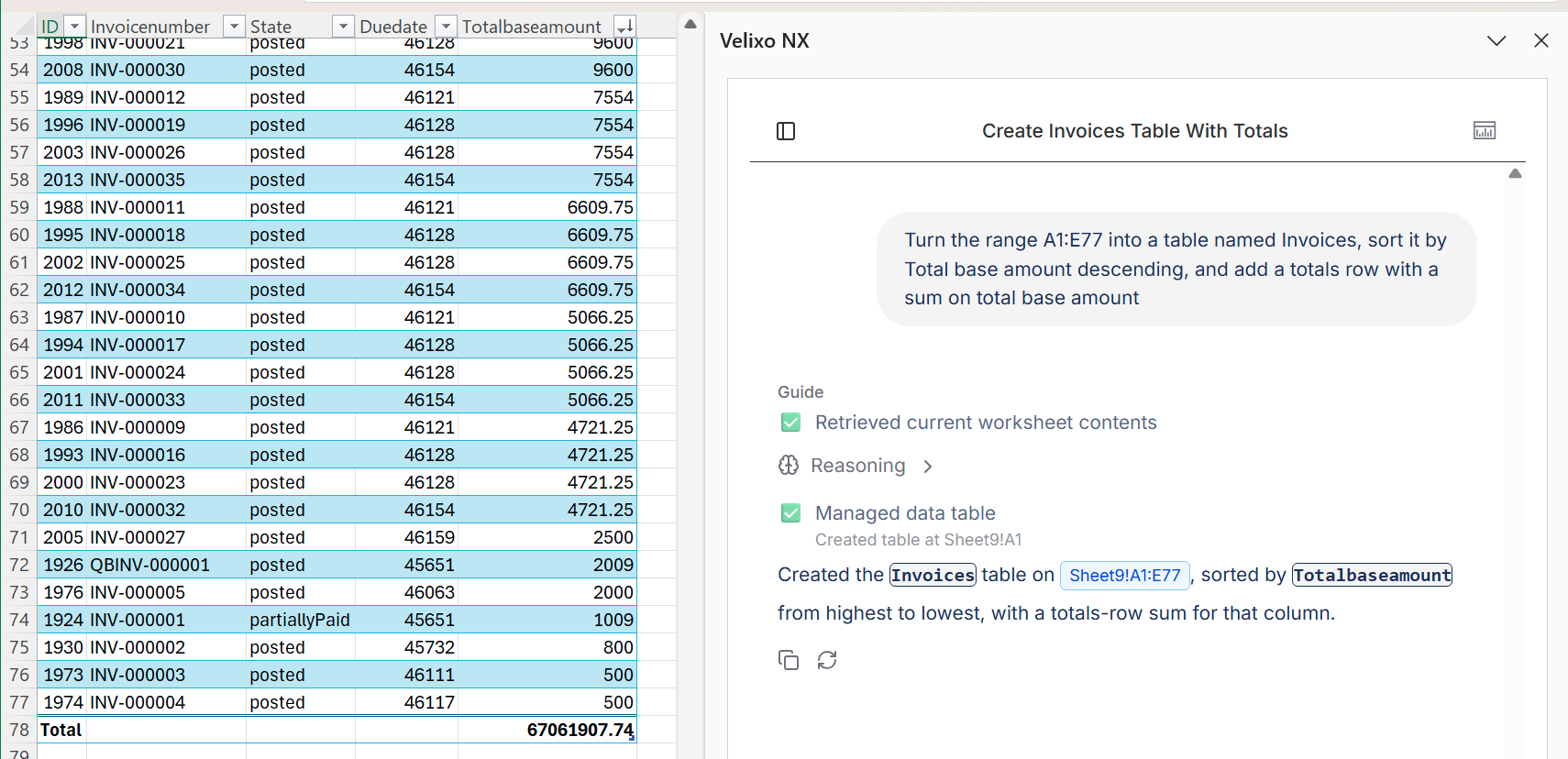
Create a table with headers, data rows, and a default style in a cell you specify,
-
Sort a table by one or more columns, ascending or descending,
-
Add a totals row with a calculation per column, such as sum, average, or count,
-
Rename a table,
-
Update an existing table by name without recreating it,
-
Delete one or more tables by name.
Turn the range A1:E77 into a table named Invoices, sort it by Total base amount descending, and add a totals row with a sum on Total base amount
Adjusting layout and formatting
Velixo Intelligence handles layout and formatting requests across your workbook:
-
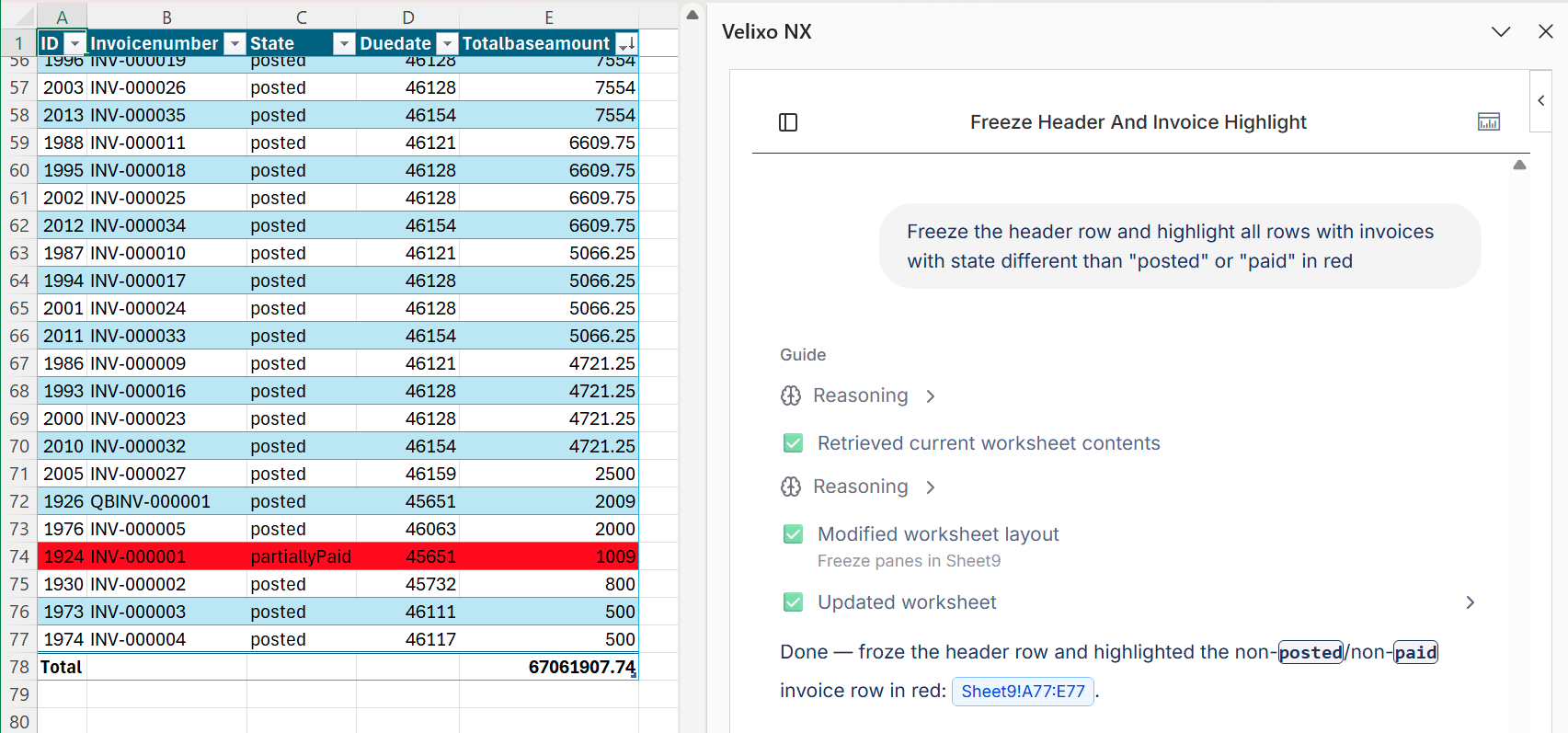
Freeze or unfreeze the first rows and columns,
-
Group rows or columns into collapsible outline groups,
-
Set row heights and column widths,
-
Rename and hide worksheets,
-
Sort and filter ranges,
-
Apply cell formatting.
Freeze the header row, group the detail rows under each subtotal, and highlight negative amounts in red
Running Velixo ribbon operations
Velixo Intelligence runs Velixo NX ribbon operations as part of its work or on request: Refresh, Drilldown, Writeback, Freeze/Unfreeze, Slice, Snapshot, and Hide/Unhide zero rows and columns.
Refresh the current worksheet, then hide zero rows
Before running an operation, Velixo Intelligence waits for any operation already in progress to finish, and it waits for each operation to complete before moving on to the next step of your request.
Review Writeback requests with particular care - a Writeback changes data in your ERP.
What Velixo Intelligence does not change
Velixo Intelligence works through Excel and Velixo operations, but it does not create or modify every kind of Excel object. It will currently decline requests to add or change pivot tables, pivot charts, shapes, images, comments, and slicers.
Velixo Intelligence also does not create live conditional-formatting rules. When you ask it to highlight the cells that meet a condition, it applies fixed formatting to the cells that meet that condition at the time of the request. That formatting does not update by itself when the values change later, so ask again after a refresh, or add a conditional-formatting rule yourself.
Standard Excel charts are an exception to this list and are fully supported. See Analyzing data with Velixo Intelligence.