
Release date: 2 Sep 2026
Velixo Intelligence
-
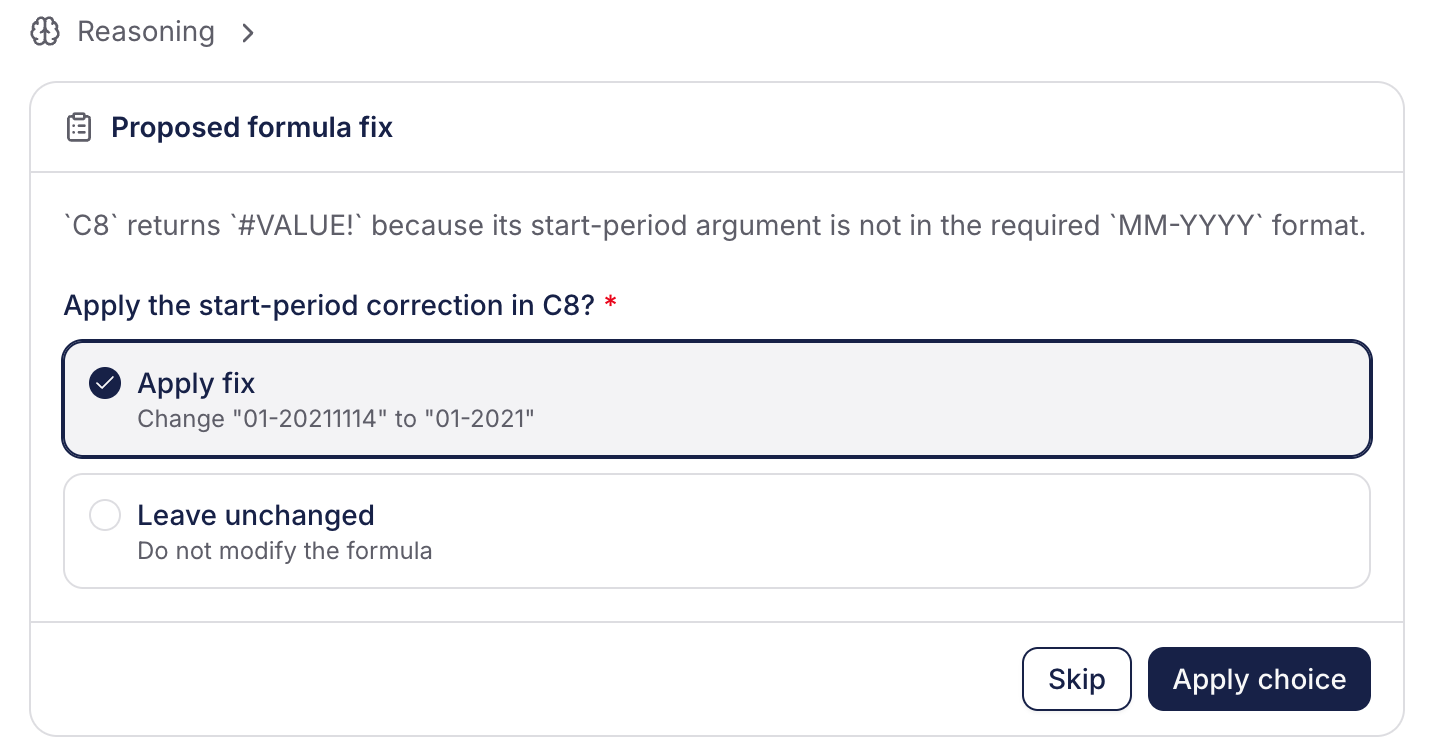
When Velixo Intelligence needs additional information mid-task, it can now present structured answer controls in the chat – pick one option, pick several options, or enter a number – rather than always asking for free-text replies, making it faster and less error-prone to answer questions with a small, well-defined answer space. (RD-12299)
-
The chat input field now grows as you type rather than staying fixed-height. Suggestion pills hide while you are typing and reappear when the field is cleared, making it easier to write and read longer prompts and responses. (RD-10889)
-
Support agent responses are now formatted consistently with other agents: function names, formulas, and cell ranges are styled instead of rendering as plain prose. (RD-10407)
Velixo Portal
🚀 New
-
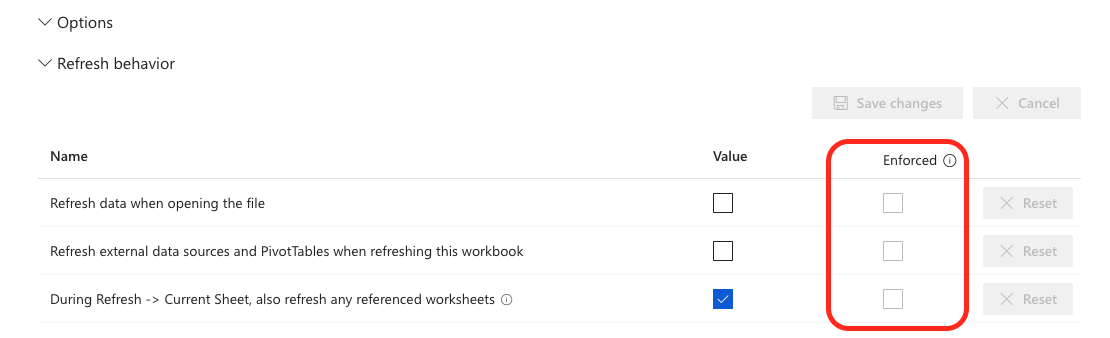
Portal administrators can now enforce a setting override so the Portal value always takes effect regardless of what is stored in the workbook. When an override is marked in the Options section as enforced (at organization or user scope), the workbook option for that setting is disregarded, and the Portal value applies everywhere, with the option rendered as disabled in the side panel and a tooltip explaining it is locked by the administrator. (RD-12086)
Excel add-in
🚀 New
-
Business Central dimension data can now be selected and filtered with a DIMENSION() filter inside the Select and Filter arguments of BC.QUERYTABLE, BC.QUERYTABLELOOKUP and BC.QUERYTABLEFILTER, instead of hand-writing
unpivot()expressions.-
In Select,
DIMENSION("AREA")adds that dimension as its own column, andDIMENSION()with no argument appends every dimension. -
In Filter,
DIMENSION("AREA")=filter("40")keeps only the rows carrying that dimension value; clauses on different dimensions combine withAND, clauses on the same dimension withOR. -
Requires the Velixo Business Central extension 2026.8.411 or later. (RD-11730)
-
-
Identical errors in the Status pane's "Formulas to review" section are now grouped into a single expandable entry showing the first affected cell, its message, and a count of remaining cells with the same error. The section header counts distinct errors rather than total failing cells, making it much easier to identify the root cause when one missing input produces hundreds of identical messages. (RD-12055)
-
You can now open the connection editor by double-clicking a connection name (alternative to using the Edit button). (RD-5480)
✨ Improved
-
Refresh times for worksheets containing Business Central table queries are now shorter as Velixo smartly caches your data schema. (RD-11182)
🔨 Fixed
-
Snapshot (formula removal) is fast again on large workbooks. Previously, a workbook-wide formula scan we had introduced for spill-range preservation made it slower. The scan has now been optimised. (RD-12254)
-
When editing a connection that uses username and password credentials with the Remember option enabled, the Password field now shows a masked placeholder (••••••••••) to indicate a password is already stored. (RD-12541)
-
Auto-hide is now correctly evaluated and applied to worksheets produced by the Slice feature: zero rows on a sliced sheet are hidden based on the sheet's own data, rather than inheriting the visibility state copied from the source worksheet. (RD-12683)
-
BC.QUERYTABLE with a Sort setting on numeric columns now sorts by numeric value rather than lexicographically:
Entry No.order is returned as1, 2, 3, … 13, 14instead of1, 13, 14, 2, 3, …(RD-10119) -
BC.QUERYTABLE with mirroring output no longer fails with a multi-connection aggregation error when the connection targets a single company within a multi-company BC group. (RD-12019)