
Overview
The function returns a value from a Business Central table record that matches key values in specified key fields. The record must match all the key values you provide, and the function returns the value of one field from that record. If no matching record is found, the function returns an error.
The function supports the same related-table joins and unpivot() expressions as BC.QUERYTABLE. Use BC.QUERYTABLE to return multiple records or columns, and BC.QUERYTABLELOOKUP to retrieve a single value from a single record.
The function requires the Velixo Extension for Business Central. See the update instructions.
BC.QUERYTABLELOOKUP retrieves data the same way as BC.QUERYTABLE: it first runs the query defined by Table, Filter, Select, and Settings, and caches the resulting dataset. The lookup itself is then performed within that cache. All lookup formulas that define the same query share a single cache, so any number of lookups against the same dataset produces only one request to Business Central.
For large tables, narrow the dataset with Filter or the Limit setting to improve performance – a smaller dataset means a faster query and a lighter cache.
Syntax
=BC.QUERYTABLELOOKUP(
    ConnectionName,
    Table,
    Filter,
    Select,
    FieldToReturn,
    Settings,
    KeyFields,
    KeyValue,
    OtherKeyValue1,
    OtherKeyValue2,
    OtherKeyValue3,
    OtherKeyValue4,
    ...
)
Arguments
|
Argument |
Required/Optional |
Description |
|---|---|---|
|
|
Optional |
Provide one of the following values:
OR omit the argument to return results for all compatible connections with default aggregation settings. |
|
|
Required |
Table name. Use the BC.EXPANDTABLERANGE function to retrieve a list of tables available for querying. |
|
|
Optional |
Filter expression. Use the BC.QUERYTABLEFILTER function to create ready-to-use filters. To filter by a dimension value, use the Filtering on fields from related tables does not reduce the number of records in the cached dataset: records that do not match the condition are still included, with an empty value in the joined field. |
|
|
Optional |
The list of columns the lookup can see. To look up an ordinary field of the main table, omit the argument - all main-table columns are included automatically. Provide the argument when the value to return is not an ordinary main-table field:
Only one level of join is supported. When a join matches several records, their values are combined into a single cell unless unpivoted. Use the BC.TABLEDEFINITION function to list available columns. To include a dimension in the cached dataset, use the |
|
|
Required |
Name of the field whose value the function returns: a main-table column, a joined field, or a column produced by |
|
|
Optional |
You can either enter a number (e.g.
You can use the VX.SETTINGS function to construct the array. |
|
|
Required |
A field name, or an array of field names, that identifies the record to look up - for example, |
|
|
Required |
The key value corresponding to the first field in |
|
|
Required if |
Key values corresponding to the remaining fields in |
Examples
Look up a single field value
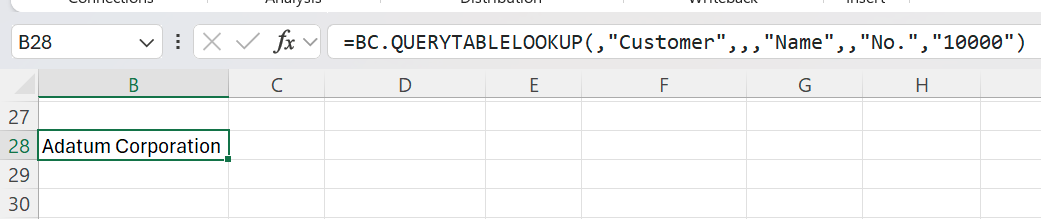
=BC.QUERYTABLELOOKUP(,"Customer",,,"Name",,"No.","10000")
Description: Returns the value of the Name field for the Customer record whose No. equals 10000, using the default connection.
Result:
Look up an unpivoted dimension value
=BC.QUERYTABLELOOKUP(
    ,
    "Item Attribute Value",
    ,
    "unpivot(Attribute Name, Value)",
    "Colour",
    ,
    "ID",
    "5"
)
Description: Runs the same query as =BC.QUERYTABLE(,"Item Attribute Value",,"unpivot(Attribute Name, Value)"), turning each attribute name into its own column, and returns the value in the Colour column for the record whose ID is 5.
Result:

The Colour column does not exist in the table itself - it is created by the unpivot() expression, which is why the expression must be included in the Select argument.