Overview
The ACU.EXPANDOBJECTRANGE function returns the full names of Acumatica DAC objects that match a search expression, sorted alphabetically. Use it to find the exact object name to use in ACU.QUERY and ACU.OBJECTDEFINITION, and to check which objects require a filter in ACU.QUERY.
Syntax
=ACU.EXPANDOBJECTRANGE(
    ConnectionName,
    Object,
    IncludeDetails
)
Arguments
|
Argument |
Required/Optional |
Description |
|
|
Optional |
Provide one of the following values:
OR Omit the argument to return results for all compatible connections with default aggregation settings. |
|
|
Optional |
A search expression for filtering objects, using Velixo range expressions. The expression is matched against the full object name, including the namespace (for example, To find objects by part of their name, use the
If no object matches, the function returns If you omit this argument, the function returns all objects. |
|
|
Optional |
Accepted values: Default value: If set to If set to |
Output
The function returns the full names of matching objects, including the namespace, sorted alphabetically. Sorting ignores case. If IncludeDetails is set to TRUE, the result also includes a header row and the Required Filter Field column.
Examples
Return all objects
=ACU.EXPANDOBJECTRANGE(
    "Acumatica"
)
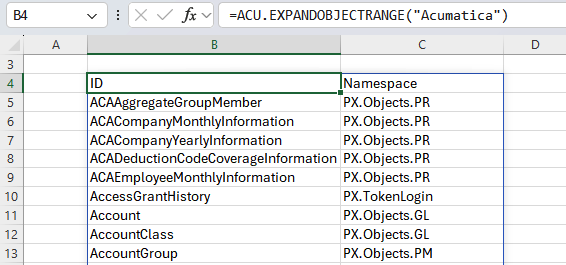
Description: Returns a list of objects available for the Acumatica connection.
Result:
Return objects in a namespace
=ACU.EXPANDOBJECTRANGE(
    "Acumatica",
    "like PX.Objects.AR.%"
)
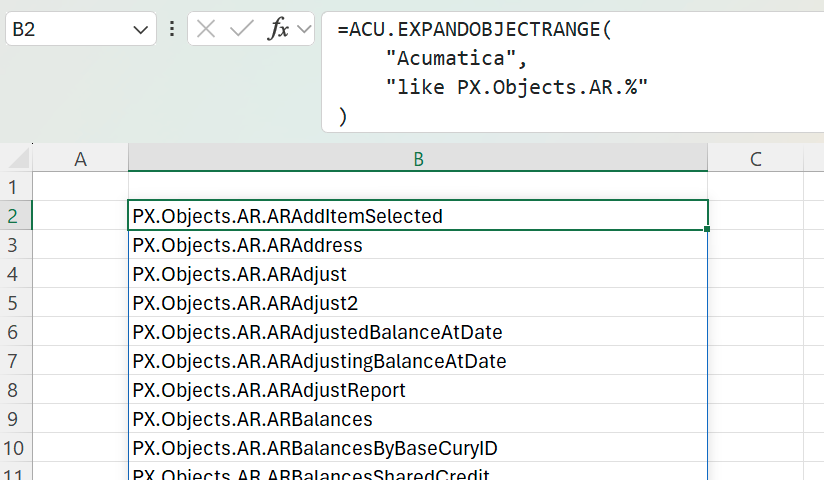
Description: Returns all objects in the PX.Objects.AR namespace.
Result:
Find the full name of an object
=ACU.EXPANDOBJECTRANGE(
    "Acumatica",
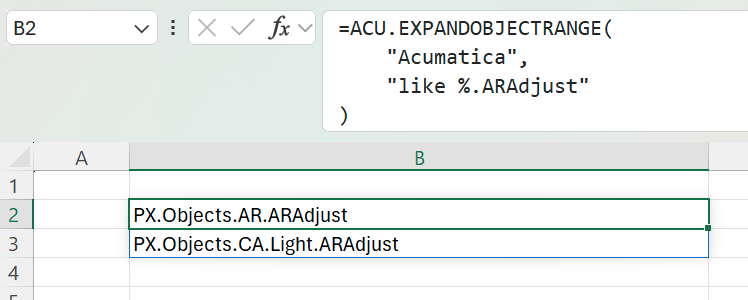
    "like %.ARAdjust"
)
Description: Returns every object with the short name ARAdjust. In this example, the result is PX.Objects.AR.ARAdjust and PX.Objects.CA.Light.ARAdjust. Because the short name matches two objects, use one of the full names in ACU.QUERY.
Result:
Check which objects require a filter
=ACU.EXPANDOBJECTRANGE(
    "Acumatica",
    "like %BalanceAtDate",
    TRUE
)
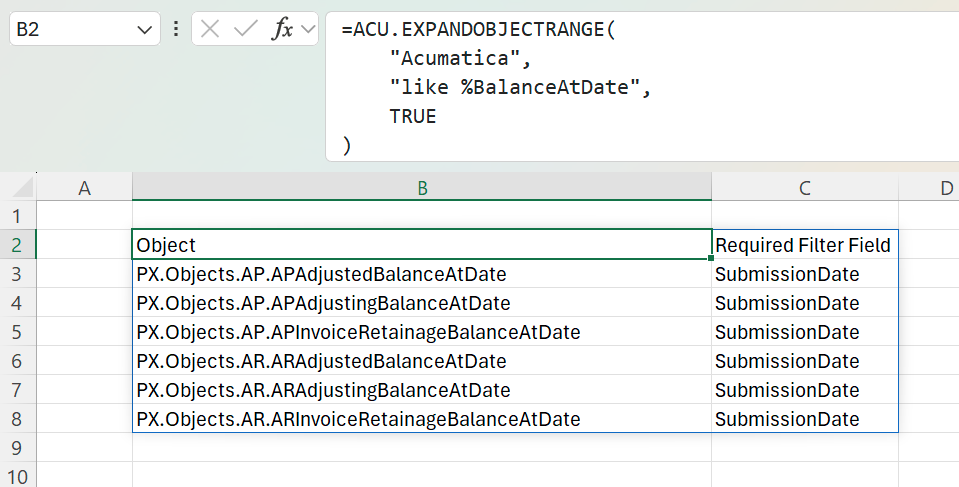
Description: Returns objects whose names end with BalanceAtDate, with a column showing the field each one must be filtered on in ACU.QUERY.
Result: