
Overview
The Analyst agent interprets the numbers in your worksheet: it summarizes a selected range, explains changes and variances, points out anomalies, and visualizes results as charts. The article covers:
-
Summarizing a selection,
-
Explaining variances with drilldowns,
-
Cleaning up after an analysis,
-
Creating charts.
Summarizing a selection
Select the range you want analyzed, right-click it, and choose Summarize from the Velixo menu, or open Velixo Intelligence and describe what you want to know:
What changed month-over-month in this section?
Anything unusual in these results?
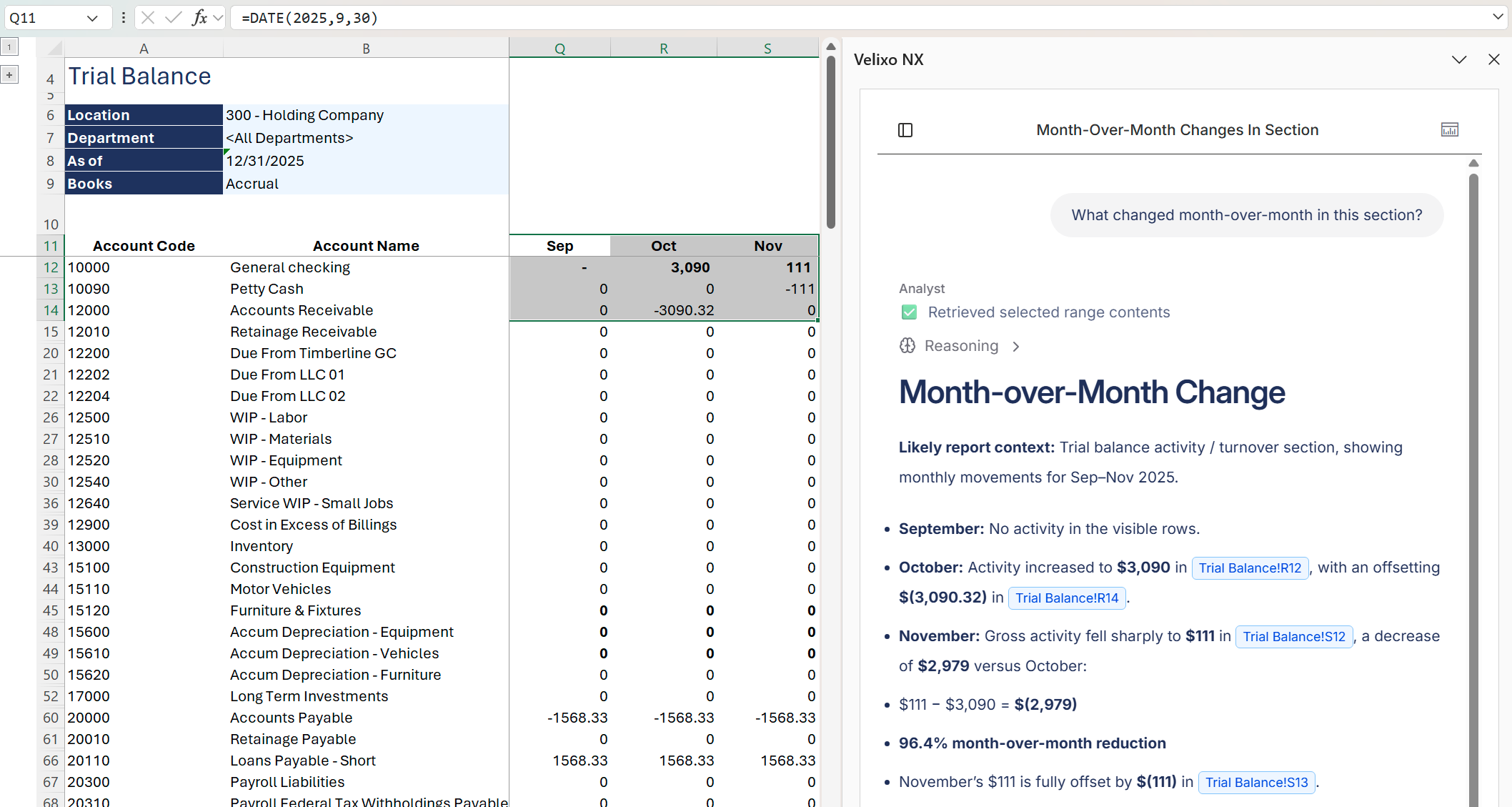
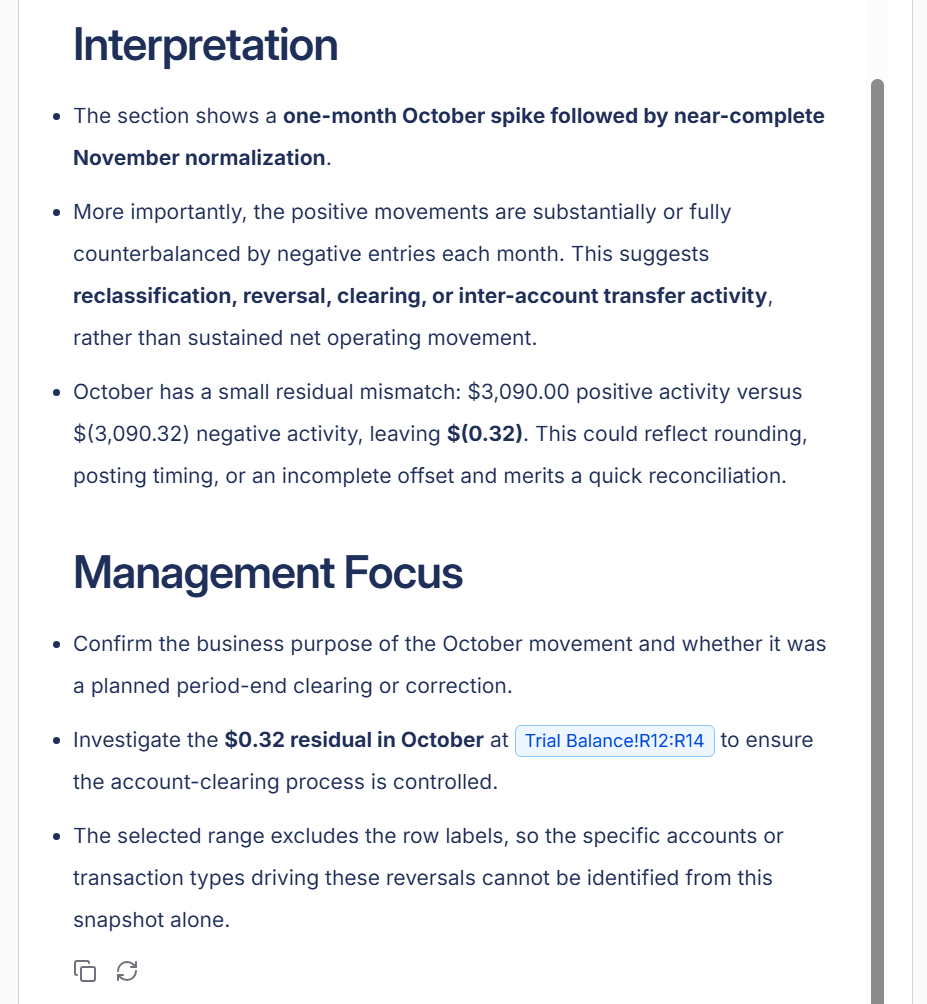
Hint: Start from the smallest unit of work: analyze a selected range first, then ask follow-up questions about the parts that need a closer look.
Explaining variances with drilldowns
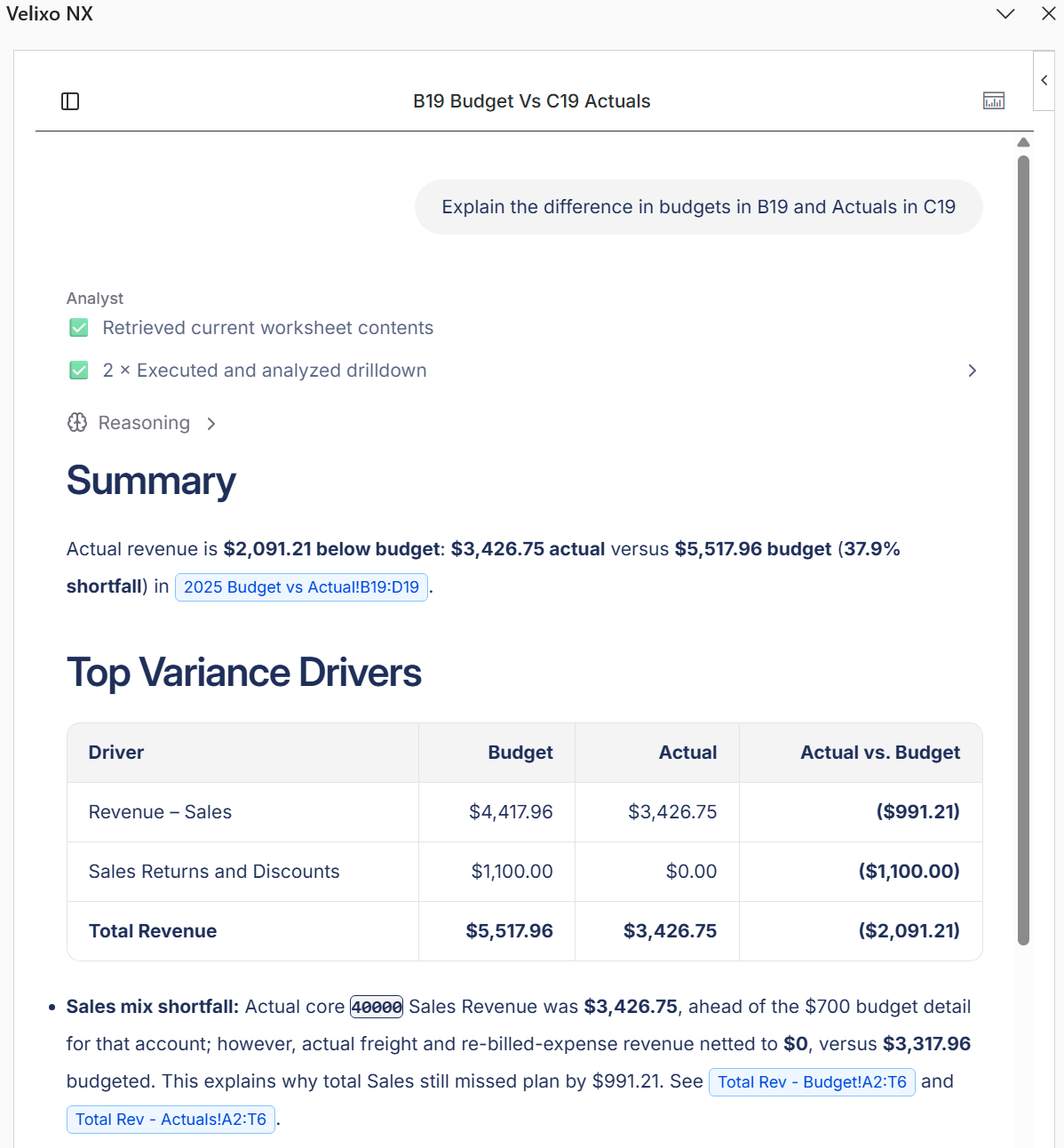
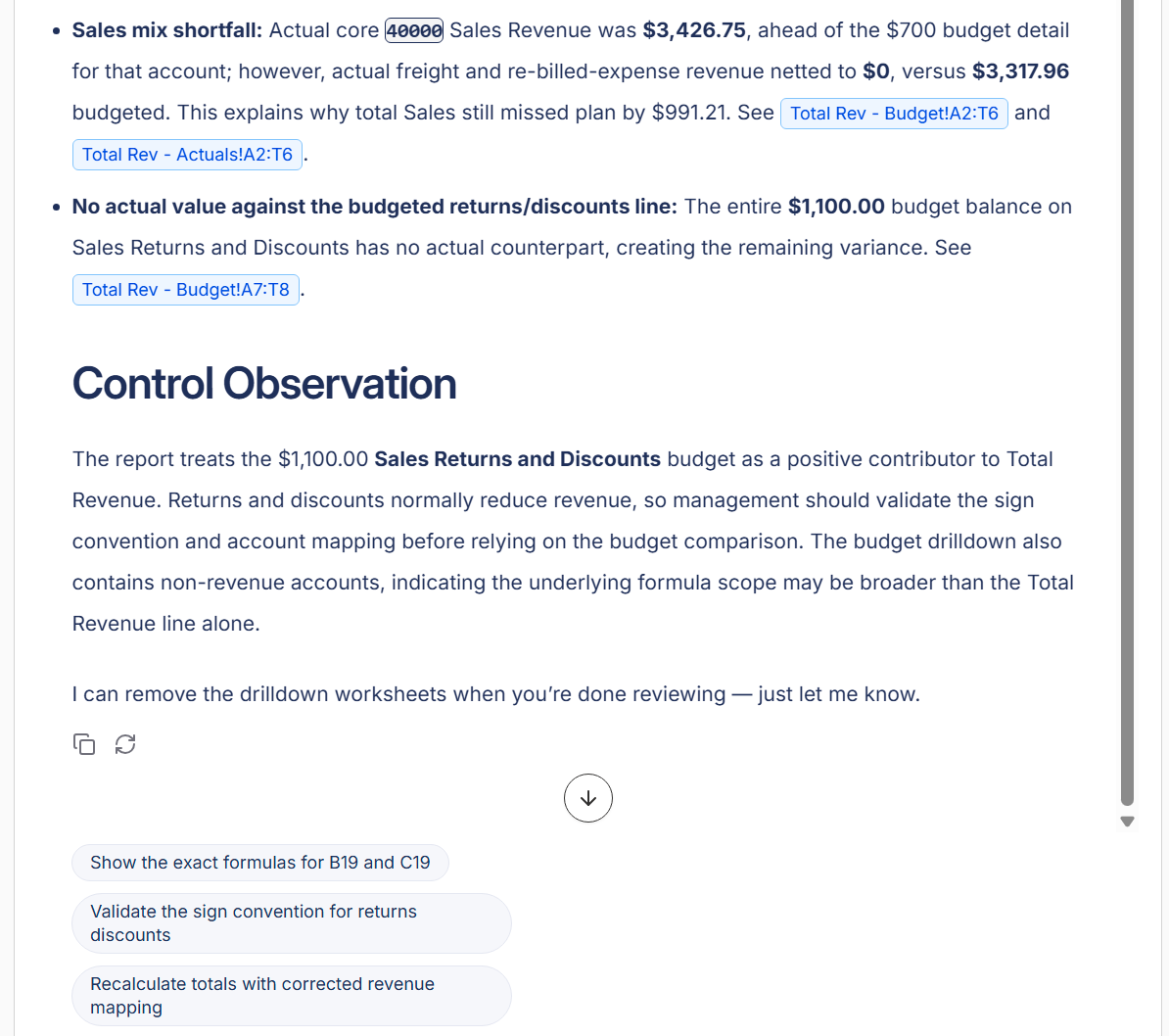
When you ask why two figures differ, the Analyst does not stop at comparing the visible values. It runs Drilldown on the compared cells behind the scenes, reads the underlying transactions, and names the line items that drive the difference:
Explain the variance between the budget in B19 and the actuals in C19
The Analyst compares a small set of cells at a time. It can place drilldown results on worksheets named after their content so you can inspect the detail yourself.
Cleaning up after an analysis
Ask the Analyst to remove the drilldown worksheets it created once you are done:
Remove the drilldown sheets from this analysis
Creating charts
Velixo Intelligence creates Excel charts from your data, in the standard Excel chart types such as column, pie, and line:
Chart net sales by segment and place the chart on the current sheet
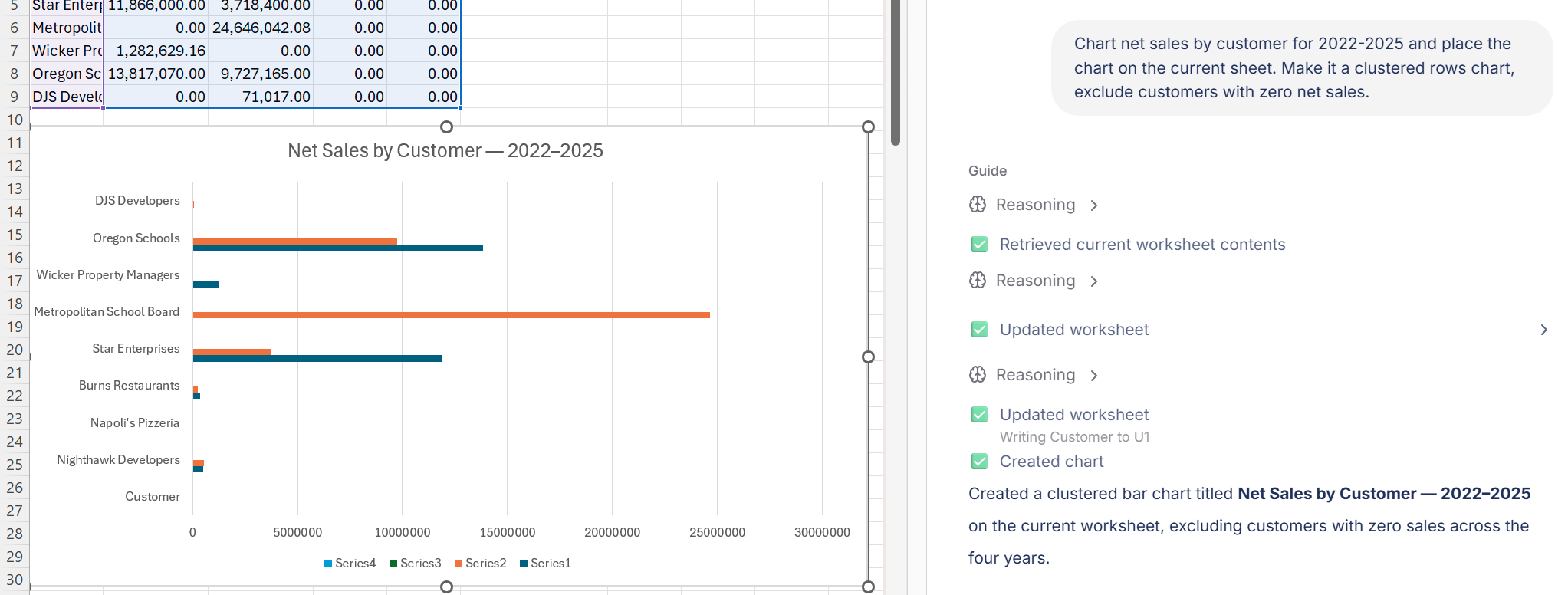
When you ask for an executive summary, the reply proposes relevant charts alongside the written summary.
Velixo Intelligence can make mistakes. Treat its analysis as a starting point and verify conclusions against the underlying data before acting on them.