
Overview
Velixo NX allows you to connect to a specified entity within your Sage Intacct instance. This guide provides information on where to find information about entities in the Sage Intacct interface and how to use it to connect to a given entity.
This article covers connecting to an entity inside a single Sage Intacct company. If your organization uses a Sage Intacct Console environment to manage multiple separate companies, see Velixo and Sage Intacct Console instead.
Find the Entity ID
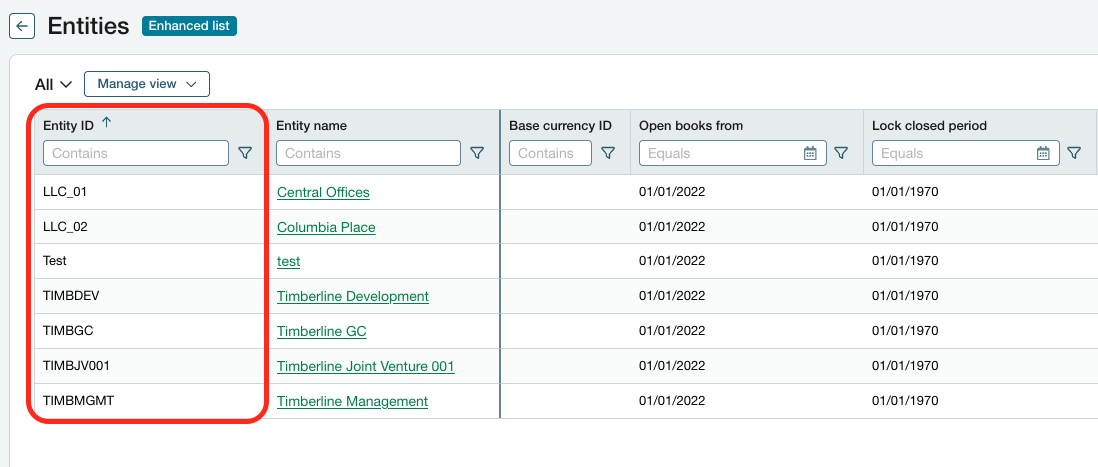
First, you need to obtain the Entity ID of the Entity you wish to log into.
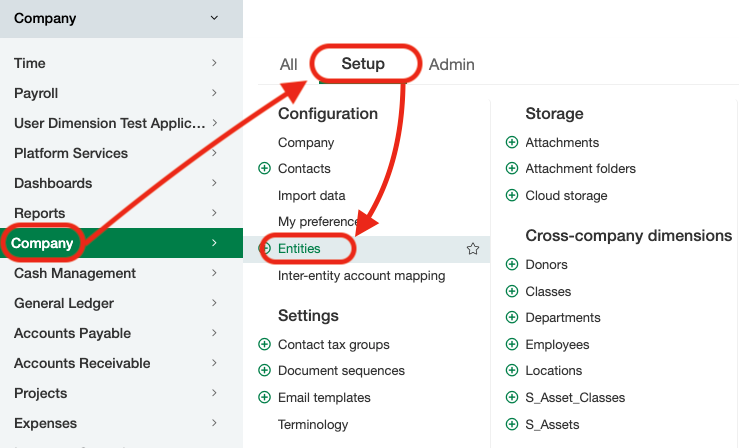
To find it, log into your Sage Intacct instance and go to Company → Setup → Entities.
In the Entities menu, locate the Entity ID of the entity you wish to log into.
Log in using the Entity ID
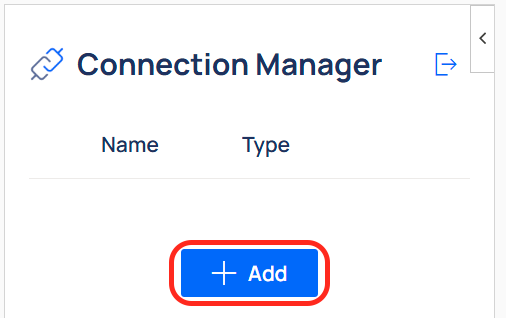
Now, open the Velixo NX Connection Manager, and add a new Sage Intacct connection. For the sign-in method, select Enter username & password in Velixo.
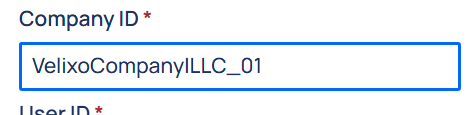
In Company ID, enter the Company ID, a pipe character (|), and the Entity ID - for example, VelixoCompany|LLC_01 (VelixoCompany is the Company ID, and LLC_01 is the Entity ID). The value is case-sensitive.
Enter the username and password you normally use to sign into the top-level company.
The new connection appears in the Connection Manager panel with a green check mark when it's ready.