
Instructions in this article require admin privileges.
Overview
The Velixo NX Distribution functionality uses the Mail.ReadWrite and Mail.Send permissions in the Microsoft Graph API to distribute reports via Microsoft Outlook.
If your organization does not require this functionality, you can revoke the Mail.ReadWrite and Mail.Send permissions. To do so, follow the instructions below.
Revoking the Mail.ReadWrite and Mail.Send permissions will disable distribution via Microsoft Outlook.
To grant admin consent for Velixo NX functionalities, follow the dedicated article.
Revoke email permissions
-
Sign in to the Microsoft Entra admin center as at least a Cloud Application Administrator.
-
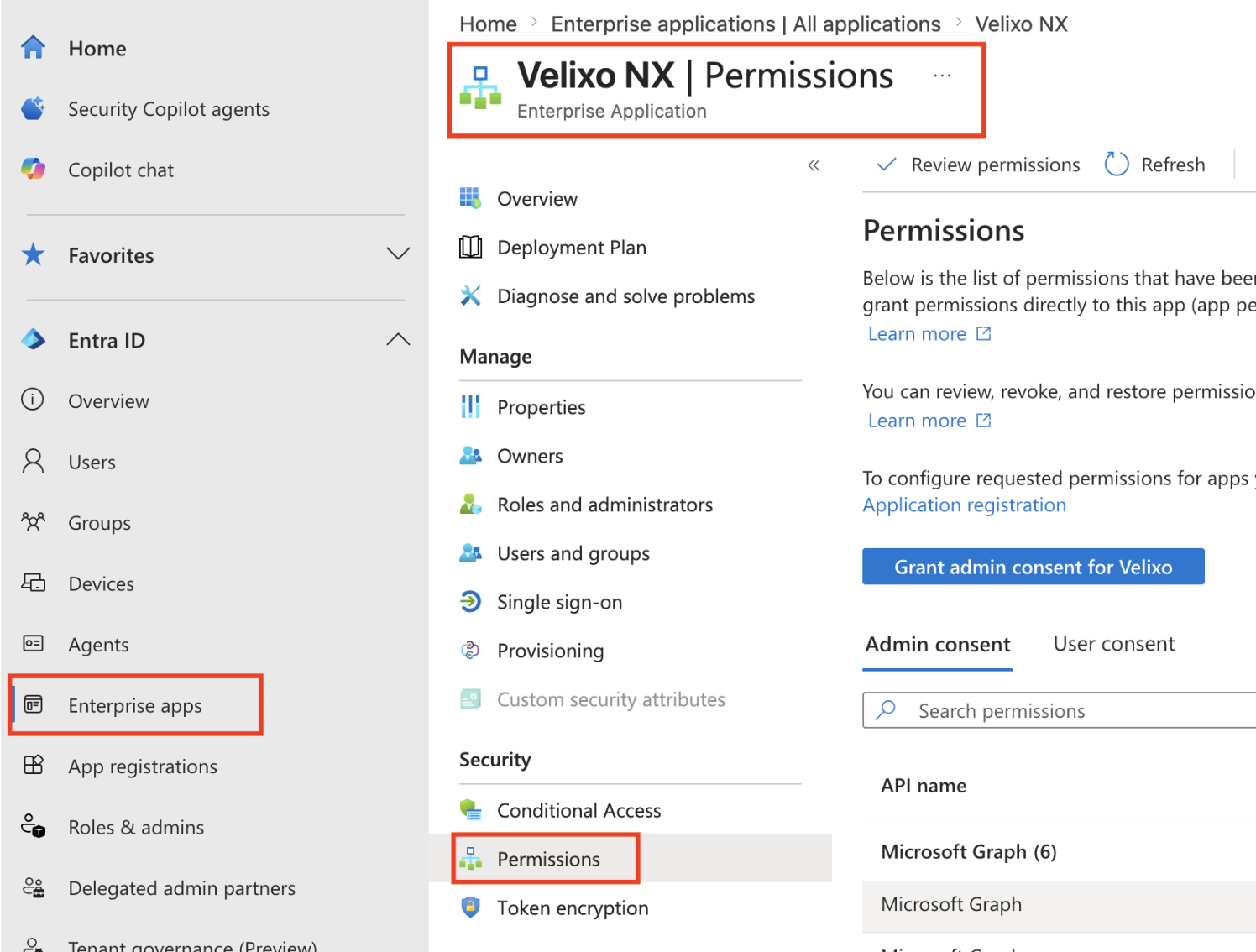
Browse to Entra ID -> Enterprise apps -> All applications.
-
Enter “Velixo” in the search box, and then select Velixo NX from the search results.
-
Select Permissions under Security.
-
Click the … (three dots) button in the
Mail.ReadWriteandMail.Sendrows, click Revoke permission, and confirm.
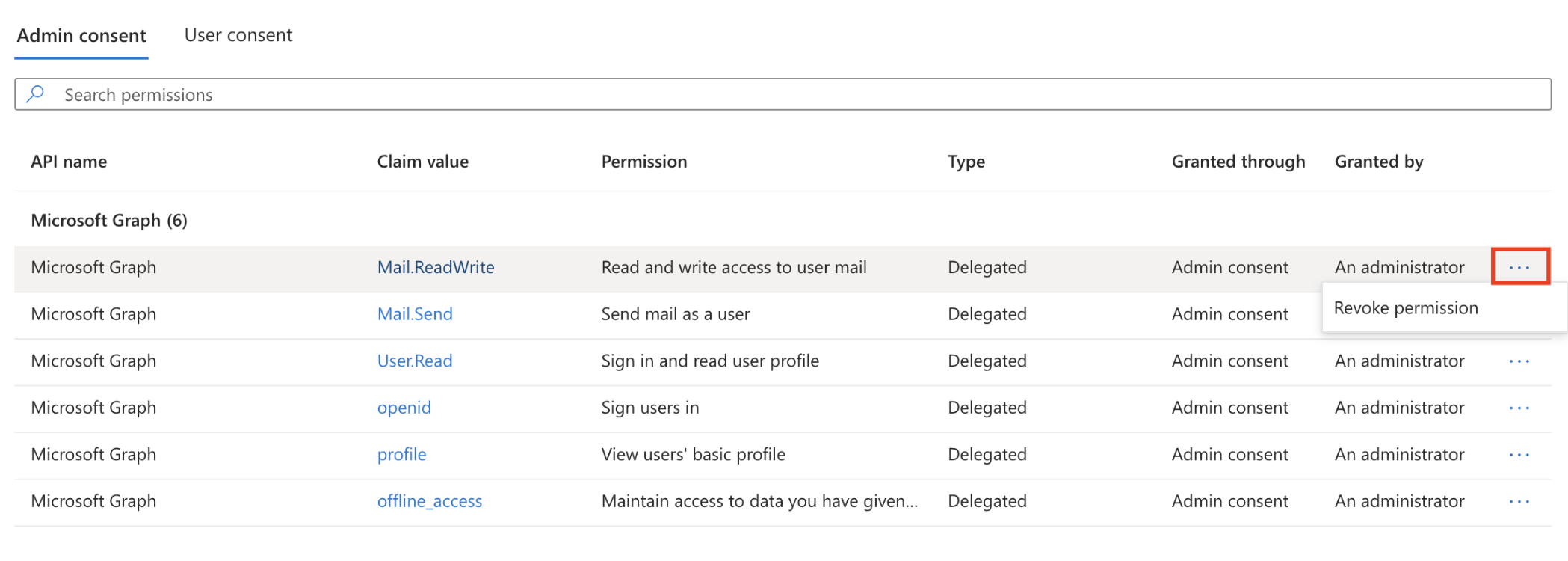
The Mail.ReadWrite and Mail.Send permissions for Velixo NX are now revoked.